Home Office Lighting Ideas and Solutions for a Small, Windowless Workspace
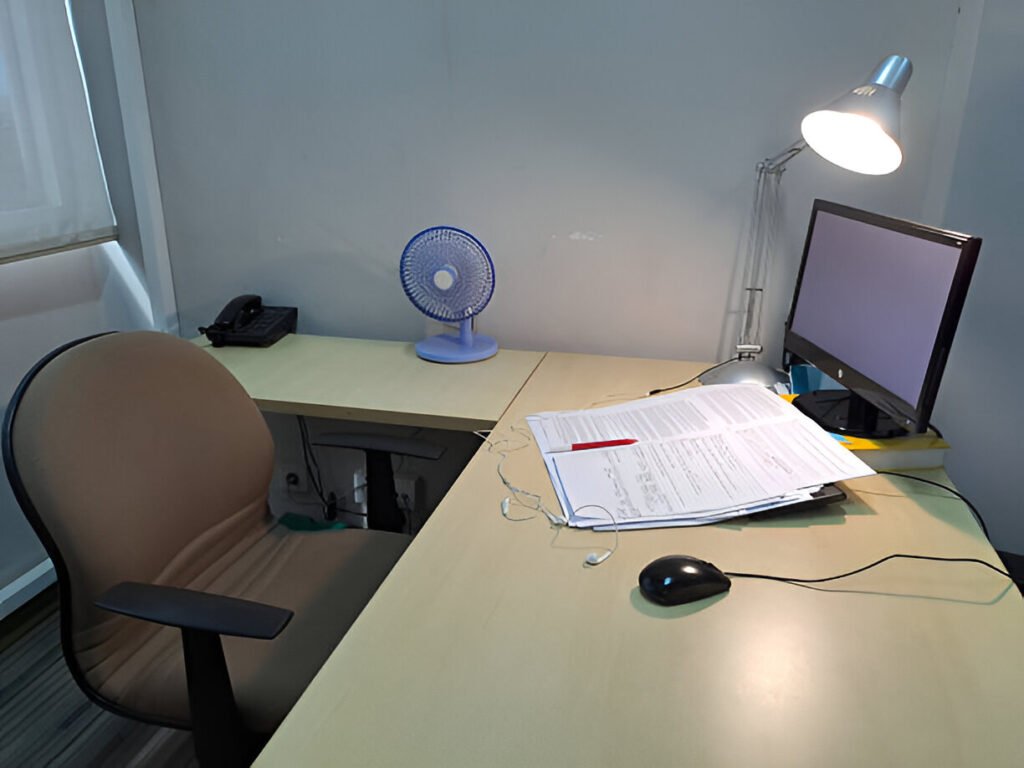
Working from a windowless home office doesn’t mean you have to put up with bad lighting. With the right home office setup, you can make the space feel bright, comfortable, and easy to work in all day.
Most people stick to one overhead light, and that usually leads to eye strain, headaches, and that afternoon slump.
A better setup uses layered lighting, adjustable options, and the right color temperature so your eyes don’t work harder than they need to.
This guide walks through practical home office lighting ideas, including ceiling lights, lighting for video calls, ways to reduce eye fatigue, and common mistakes that worsen lighting problems.
Quick Takeaways
- Layer ambient, task, and accent lighting
- Use 4000-5000K color temperature for focus
- Target 30-50 lumens per square foot
- Avoid overhead-only setups
- Choose full-spectrum LEDs
Why Does Lighting Matter in a Windowless Home Office?
Poor lighting hurts productivity and strains your eyes over time. When you work without natural light, your brain misses the visual cues it uses to manage energy, so it’s common to feel drained by midday.
Lighting also affects mood, and windowless spaces tend to make those effects more noticeable.
Harsh overhead fluorescent lights often lead to eye strain, headaches, blurred vision, and that dry, gritty feeling by the end of the day.
If you’re a remote worker, student, or content creator spending long hours indoors, the right lighting helps you stay focused and alert even without windows.
The most common issues in windowless home offices include a lack of circadian cues that cause fatigue, uneven lighting that creates harsh shadows, reduced depth perception that makes the room feel smaller, and brightness levels that strain your eyes.
What Are the Basics of Good Home Office Lighting?
Good home office lighting needs to do a few jobs at once. It has to light your workspace, help you stay focused, and ease eye strain. One light can’t handle all of that, so solid setups use layers.
Ambient lighting provides the room’s base brightness through ceiling lights or floor lamps.
If you need lighting just for your desk, task lighting focuses on your desk with an adjustable lamp, while accent lighting fills in walls and corners to make the space feel less flat and boxed in.
Most windowless offices struggle because they rely solely on ambient lighting. That setup usually causes screen glare and awkward shadows, especially on video calls.
Layered lighting fixes this. Cooler white light in the 4000–5000K range helps you stay alert during work hours. Warmer light below 3000K supports winding down later in the day.
Strong lighting setups follow a few simple principles:
- Use multiple light sources at different heights
- Match color temperature to the kind of work you’re doing
- Position lights to reduce screen glare
- Add dimmers to control brightness throughout the day
How Bright Should Home Office Lighting Be?
Don’t think about maxing out every light in your home office. Focus on setting each task’s brightness appropriately.
For everyday work like typing, browsing, or video calls, aim for 30–50 lumens per square foot.
If you’re doing detailed tasks like reading or editing, push that to 50–100 lumens per square foot.
In a 100-square-foot room, that usually means spreading 3,000–5,000 lumens across multiple light sources rather than relying on a single harsh ceiling fixture.
Keep in mind that wall color changes everything. Dark shades like navy, charcoal, or forest green absorb 40–60% more light than white or beige walls, so you’ll need 50–80% more lumens to achieve the same level of illumination.
Forgetting this can leave your space dim until you add more light after setup.
Here’s a quick guide for task-specific brightness:
|
Task |
Lumens/Sq Ft |
Typical Use |
|
Computer work |
30–50 |
Email, calls |
|
Reading |
50–75 |
Documents |
|
Detailed work |
75–100 |
Design, editing |
|
Video |
600–800 |
Content creation |
RELATED: How Many Lumens Do You Need for Home Office Lighting
What Is the Best Home Office Lighting for Eyes?
Minimize Glare to Reduce Eye Strain
If you spend eight hours a day in front of a screen, your lighting setup plays a big role in protecting your eyes and reducing fatigue. One of the biggest problems is glare.
Reflected light strains your eyes, so place desk lamps beside or slightly behind your monitor, never directly in front of it, and make sure overhead lights do not reflect off the screen.
Lamps that shine straight into your face often cause discomfort over long sessions, which is why angled or indirect lighting works better for all-day use.
Use a Color Temperature That Supports Focus
Color temperature directly affects eye comfort during long work sessions. Keeping your lighting in the 4000–5000K range supports focus and productivity.
Warmer light below 3500K can make you feel sleepy, while very cool light above 5500K can overstimulate your eyes and increase fatigue over time.
Choose Bulbs With High Color Accuracy
Color quality matters as well. Choose bulbs with a Color Rendering Index above 80 for general office work, and closer to 90 for design or colour-sensitive tasks.
Higher CRI lighting reduces visual strain by keeping colors accurate, so your eyes do not have to compensate.
Reduce Flicker for All-Day Comfort
Finally, well-designed full-spectrum LEDs can improve comfort by reducing flicker, which many people associate with headaches during long workdays. Stable, flicker-free light helps your eyes stay relaxed and comfortable throughout the day.
What Are the Best Ceiling Lighting Ideas for Home Offices?
Ceiling lights give your room its base glow, but picking the wrong type can leave some areas poorly lit.
A single fixture in the centre often makes bright spots right under it, while the corners stay in shadow.
Adding a few smaller fixtures or recessed lights spreads the light evenly, keeping the whole room consistently illuminated.
Home Office Lighting Ceiling Options
Flush-Mount Lights
If your office has a low ceiling, flush-mount lights work well by sitting flat against the surface. They distribute light evenly across the room for ambient illumination, though you won’t get much control over where the light hits.
Recessed LED Downlights
For a sleek, modern look, consider recessed LED downlights. Placing 4–6 fixtures lets you highlight key areas like desks or corners while keeping the ceiling uncluttered. Make them dimmable to adjust brightness throughout the day and avoid harsh spotlight effects.
LED Panel Lights
LED panel lights deliver soft, even illumination that feels like natural daylight. They run efficiently, generate little heat, and often allow adjustable color temperatures. Keep in mind that installation may involve cutting into the ceiling, which can be tricky for renters.
Comparing Your Options
- Flush mounts: Simple to install, ideal for low ceilings, less directional control
- Recessed downlights: Clean look, flexible placement, requires ceiling access
- LED panels: Natural, soft light, energy-efficient, higher cost, more invasive installation
Home Office Lighting Ceiling Ideas for Small Spaces
Low Ceilings Limit Your Options
When ceilings are low, lights sit closer to eye level, increasing glare. Rooms under 8 feet benefit from flush-mounts or slim LED panels, since pendants can shine directly into your eyes.
Ceilings 8–9 feet high handle short pendants or recessed fixtures, while taller rooms above 9 feet may need uplights or multiple fixtures to brighten upper walls and keep the space from feeling closed in.
Spread Light Across the Ceiling
A single pendant often creates bright spots surrounded by shadows. Installing several recessed or flush-mount lights spreads light evenly across the room, keeping corners bright without sacrificing headroom.
Bounce Light with Cove Fixtures
LED strips tucked into coves between walls and ceilings cast light upward, creating a soft glow that visually lifts the room.
Cove lighting alone isn’t enough for work tasks, but it adds a gentle ambient layer that makes the space feel taller and more open.
Slim LED Panels Keep It Even and Energizing
Modern LED panels, some as thin as half an inch, deliver uniform, shadow-free light. They make small spaces feel larger while keeping the environment crisp and bright.
Panels rated at 4000K or higher provide the energizing light needed for focus and productivity.
RELATED: 11 Small Home Office Layout Ideas and Tips That Make Working From Home Actually Enjoyable
How Should I Set Up Home Office Lighting for Computer Work?
Screens change the game because they emit light and reflect whatever’s around them.
Set your monitor perpendicular to ceiling lights and place a task lamp at a 45-degree angle, 18–24 inches from the screen, with the lamp head tilted about 30° downward.
Plan on spending a few weeks adjusting the setup. Standard “beside the monitor” advice often misses how reflections behave in windowless rooms, where there’s no natural light to soften glare.
Move your desk lamp or tweak your monitor angle until reflections don’t distract you and the lighting feels even and comfortable.
What Task Lighting and Desk Lamps Work Best?
Choosing Between Desk Lamps and Monitor-Mounted Lights
If your desk is narrow, a traditional desk lamp can crowd your monitor and reduce usable workspace.
In those cases, a monitor-mounted light like the BenQ ScreenBar or a clamp-style articulating arm keeps your desk clear while still providing focused lighting.
Monitor-mounted lights typically draw power through USB, which can compete with other devices if your monitor has limited ports.
That trade-off aside, many users find these lights effective because the angled design avoids screen glare while evenly lighting the desk surface, making them practical for typing and reading without taking up desk space.
Getting the Right Adjustability and Brightness
Pick a lamp with adjustable arms and brightness control. Gooseneck or articulating designs let you aim light exactly where you need it. Skip auto-dimming sensors—they flicker in windowless rooms because they react to reflections from their own light.
Durability and LED Options
LED lamps with adjustable color temperatures usually make more sense long term because they adapt to different tasks and lighting needs throughout the day.
Budget articulating lamps under $40, like the TaoTronics TT-DL13, can still do the job, but they tend to lose stability when the arm is extended too far.
The base can wobble, or the clamp can feel weak, so you have to position them carefully if you want them to stay steady and work reliably over time.
RELATED: Incandescent Light Bulb vs LED Lighting: Which Is Best for Your Home Office?
Features to Prioritize
- Adjustable arms with two or more pivot points
- Dimmer switches or multiple brightness levels
- Color temperature control between 3000–6500K
- 400–800 lumens output for focused task lighting
This setup keeps your desk clear, your work area well-lit, and your lighting flexible for any task.
RELATED: Desk Lamps vs Overhead Lighting: Which Is Best for Your Workspace?
Home Office Lighting Recommendations for Long Screen Time
If you’re staring at a screen for hours, you need a lighting setup that keeps your eyes from screaming by mid-afternoon. Keep your ambient light at about half the brightness of your monitor to soften the contrast.
Add some warm white LED strips (3000–4000K) behind your screen—bias lighting like this makes the room feel less harsh without washing out your display.
Here’s what works:
- Angle your desk lamp about 45 degrees from your monitor.
- Set your ceiling light to roughly half the brightness of your screen.
- Put bias lighting behind the monitor.
- Make sure no direct light hits your eyes or reflects on the screen.
This setup keeps your workspace well-lit while reducing eye strain, letting you focus without getting drained.
What Are Modern Home Office Lighting Design Ideas?
Modern home offices work best with clean lines, smart technology, and lighting that does its job without taking over the room. The trend now is toward subtle fixtures that light your space well without drawing attention to themselves.
Lighting Small, Windowless Rooms
If your room has no windows, you can still make it feel spacious and lively. LED strips under shelves or along ceiling edges add depth without taking up floor space.
Smart lighting systems let you program different scenes throughout the day—bright, cool 5000K light in the morning, a dimmer 4000K in the afternoon, and warm 3000K in the evening.
Keep your lighting balanced: use 4000–4500K for your main work areas and add 3000K accents in corners to avoid a cold, sterile feel.
Using Accent Lighting to Add Depth and Mood
Accent lights make windowless offices feel more lively and visually interesting. Mount wall lights at different heights or backlight shelves and artwork with LED strips to guide the eye around the room and create a layered effect.
You can also use indirect lighting by bouncing light off walls or directing floor lamps upward. This softens the space and adds depth, but make sure the light is bright enough to compensate for the reflection.
When using adhesive-backed LED strips, note that they can peel after 6–12 months. Using clips or channels instead of relying on adhesive prevents this issue.
Place accent lights behind floating shelves, under desk edges, behind monitors, in corners with floor lamps, or along ceiling edges to make the room feel alive and dynamic.
What Are the Best Home Office Lighting Solutions for Video Calls and Content Creation?
Looking professional on camera requires different lighting than what you use for reading or typing. Standard office lighting protects your eyes, but it doesn’t translate well to webcams. For video calls, you need soft, front-facing light that eliminates shadows.
Home Office Lighting for Video Calls
Place your lights at eye level or slightly above, directly in front of your camera. Ring lights work well because they surround the lens and provide even illumination across your face.
If you take just a few calls each week, a standard adjustable desk lamp usually does the job. For three to ten calls per week, a small 10-inch ring light gives more consistent coverage.
If you’re on calls most of the day, dedicated panel or key lights like the Elgato Key Light Air work best. You can still keep a desk lamp nearby for typing and general tasks.
If you wear glasses, ring lights can create halo reflections. Tilt your monitor down 10–15 degrees or switch to panel lights positioned slightly off to the side to reduce glare.
For multi-person setups, use 14–18 inch lights on stands and keep them about an arm’s length away from everyone. This keeps the lighting even and avoids shadows, ensuring everyone is well-lit on camera.
Recommended positions:
|
Setup |
Position |
Distance |
Color |
Lumens |
|
Ring |
Behind camera |
2-3 ft |
5000-5600K |
600-800 |
|
Two panels |
45° left/right |
2-3 ft |
5000-5600K |
400-600 each |
RELATED: How to Get the Best Lighting for Video Calls: Tips and Recommendations
Home Office Lighting Setup for Content Creators
Content creation demands more control and consistency. Softbox lights outperform ring lights for tutorials or product reviews because they diffuse light over a larger area, producing softer shadows and flattering skin tones. Aim for a CRI above 95 to capture accurate colors on camera.
Maintain the same color temperature, brightness, and light positions across filming sessions. Smart bulbs with saved presets make it easier to reproduce consistent lighting every time.
How to Improve Home Office Lighting Without Natural Light
Mimic Daylight in Windowless Offices
You can’t add real windows, but you can recreate daylight by using lighting that mimics its brightness and balance. Broad-spectrum bulbs, adjustable brightness, and multiple light sources work together to prevent the flat, harsh feeling typical of windowless rooms.
Start With Ambient Lighting
Set your ceiling lights to 4000-4500K for daytime work. LED strips behind your monitor can help reduce contrast and ease eye strain, but they are most effective as accent lighting, as they typically produce only 50 to 200 lumens. For reading and typing, you still need stronger task lighting in the 400-800 lumen range.
Add Task Lighting for Focused Work
Use an adjustable desk lamp in the 3000-5000K range so you can direct light exactly where you need it.
Layer Accent Lighting for Depth
Place accent lights in corners or along walls to soften shadows and add visual depth to the room. Layering these sources keeps the lighting comfortable and makes a windowless office feel brighter and more balanced.
Supplement Weak Overhead Lighting
If your overhead lights are weak or rely on outdated fluorescents, add full-spectrum therapy lamps. These lamps provide adjustable brightness and help maintain energy levels in spaces without natural light.
How Do I Choose the Right Bulbs and Color Temperature?
Avoid Harsh or Low-Quality Bulbs
Cheap bulbs can mess up a home office faster than most people expect, even if the rest of the lighting is well set up.
Daylight bulbs in the 5000 to 6500K range appear bright at first, but using them all day can feel harsh and tiring.
For everyday overhead lighting, stick to 4000 to 4500K for a neutral, comfortable light, while warmer bulbs around 2700 to 3000K work better for accent lighting or evening hours.
Layer Lighting for Comfort
People consistently say that spending long hours under lighting above 5000K makes the workspace feel tense or overstimulating.
A layered setup works better, with neutral light for focused work and warmer tones to soften the space and help you stay comfortable all day.
Prioritize Color Accuracy
Color accuracy also plays a big role. Choose bulbs with a Color Rendering Index above 90 so colors look the way they should.
Lower-quality LEDs in the 70 to 75 range can skew colors, making printed pages look different from what you see on your screen, which often leads to replacing them sooner. Paying a bit more for high-CRI bulbs usually saves time and frustration.
Recommended Bulb Setup
For a simple setup, use ceiling lights around 4000 to 4500K with CRI above 90, desk lamps between 3000 and 5000K with at least 800 lumens, and warmer 3000K bulbs for accent lighting.
For video calls, cooler lights in the 5000 to 5600K range with very high color accuracy work best.
Getting the temperature and color right keeps your office comfortable and dependable throughout the day.
How Does Smart Lighting and Automation Help?
Windowless offices struggle because the light never changes. If you rely on static 5000K bulbs, you will probably notice your alertness drop by mid-morning.
Switching to automated color shifts, with 5000K at 8 AM, 4000K by 2 PM, and 3000K after 6 PM, helps you stay focused until late afternoon, giving you five to six extra productive hours.
You can set your ceiling lights to gradually change throughout the day to mimic natural daylight. Philips Hue handles this well, but it requires a hub, which adds $50 to $100 to the setup.
LIFX and Wyze bulbs do the same thing without extra hardware and cost forty to fifty per cent less. In apartments with dense Wi-Fi coverage, Zigbee bulbs maintain connections more reliably than Wi-Fi-based ones.
These light cues help your circadian rhythm stay on track even without windows. Adjusting brightness and color automatically not only keeps you alert but also reduces eye fatigue, so you can work comfortably all day.
What Are Practical Home Office Lighting Ideas for Different Use Cases?
Different work requires different lighting approaches.
Home Office Lighting for Students
If you’re a student, use cool overhead lighting around 4500-5000K and add a desk lamp that shines 500-800 lumens directly on your work. This combination reduces eye strain when reading or writing.
You don’t need to buy new lamps—upgrading LED bulbs in existing fixtures often works better. If you spend under $100 on just a desk lamp, coverage might fall short.
Spending $150-$200 on a desk lamp and LED strips gives you consistent, long-lasting lighting. Focus on getting the color temperature and brightness right instead of chasing brands.
Home Office Lighting for Remote Workers
Set up lighting that keeps you comfortable through long workdays. Morning video calls need front-facing light, afternoon tasks need strong desk lighting, and evening wrap-ups need warmer, dimmer tones.
Smart bulbs or lamps with multiple settings handle all of this without extra wiring. Adjustable desk lamps, dimmable ceiling lights, and dedicated video call lights let you adapt as your day changes.
Home Office Lighting for Content Creators
For content creators, it’s best to use consistent, high-CRI lighting to get accurate colors and professional visuals. Two-point setups with softboxes or LED panels at 45-degree angles create even, shadow-free light.
Add fill lights behind you to separate yourself from the background and give depth. Keep your setup consistent—use the same positions, color temperatures, and brightness every filming session. Smart presets or marking your fixture positions with tape make it easy to repeat.
What Are Common Home Office Lighting Mistakes to Avoid?
Most lighting problems come from four mistakes people make without realizing it.
1. Relying on Overhead Lights Only
Using only overhead lights creates harsh shadows and uneven brightness. Many users working in spaces with only ceiling fixtures consistently report difficulty staying alert throughout the workday, with some experiencing afternoon energy crashes even in otherwise well-designed offices.
Your monitor looks washed out, your keyboard sits in shadow, and your eyes strain from constant squinting.
2. Setting the Wrong Brightness
Lighting that is too dim forces your eyes to work harder and often leads to headaches, while overly bright lighting creates glare that can leave your eyes feeling tired by the afternoon.
To avoid extremes, use lumens-per-square-foot guidelines to achieve a balanced brightness that supports visual comfort throughout the day.
3. Placing Lamps Poorly
Poor lamp placement is one of the easiest lighting issues to fix, and it usually makes a noticeable difference right away. Place your desk lamp beside your monitor instead of behind it to avoid glare and harsh shadows.
Take a moment to check that ceiling lights aren’t reflecting on your screen, and aim floor lamps upward so the light stays soft and comfortable throughout the day.
4. Color Temperature and Depth
Using the wrong color temperature can drain energy and make a room feel visually dull. For primary task lighting, aim for around 4000K to keep the light neutral and energizing.
To add visual depth and prevent the space from feeling sterile, use LED strips behind shelves or under cabinets for soft, layered illumination.
Quick Fixes Summary
- Overhead-only: Add desk lamps and corner floor lamps to layer your lighting.
- Too-bright ceiling: Install a dimmer or switch to lower-wattage bulbs.
- Monitor glare: Position desks perpendicular to ceiling lights.
- Flat lighting: Add LED strips behind shelves for depth.
- Wrong color temperature: Use 4000K bulbs for neutral, energizing light.
Final Summary: Building a Better Home Office Lighting System
Even without windows, you can make your workspace bright and comfortable with the right lighting. Start by layering three types of light.
Let ambient ceiling lights fill the room, task lamps focus on your work surfaces, and accent lights add depth in corners. This combination mimics how natural light fills a space, helping your office avoid a flat feel.
Match color temperatures to what you’re doing. Use 4000–4500K for focused work and 3000–3500K for winding down. Pick bulbs with a CRI above 90 to protect your eyes and show colors accurately. LEDs offer the best efficiency and save you money over time.
Position lights to prevent glare and shadows on your screen and face. Keep your desk perpendicular to ceiling lights, angle task lamps about 45 degrees toward your work, and place video call lights behind your webcam. Following these guidelines solves most common lighting problems.
For a small, windowless office, a solid setup looks like this:
- Ambient: 4–6 recessed LED ceiling lights (4000–4500K, 3000–4000 total lumens)
- Task: Adjustable desk lamp (3000–5000K, 400–800 lumens)
- Accent: LED strips or corner uplights (3000K, 200–400 lumens each)
- Video: Ring light or panel (5000–5600K, 600–800 lumens)
- Control: Smart bulbs or dimmers to adjust brightness throughout the day
This setup keeps your office functional, reduces eye strain, and makes a windowless space feel more natural and productive.
Frequently Asked Questions About Home Office Lighting
What’s the Best Lighting for a Home Office?
Use three types of lighting together to make your office work for you. Start with ambient ceiling lights at 4000-4500K to fill the room evenly. Add a desk lamp for focused tasks like reading documents or working on screens.
Then throw in some accent lights in corners or behind furniture to soften shadows and give the space depth.
Aim for 30-50 lumens per square foot for general work, and add another 400-800 lumens at your desk for detailed tasks.
Skip the single overhead fixture—it casts harsh shadows and doesn’t adjust well for different activities throughout the day.
How Many Lumens Should a Home Office Have?
For a 100-square-foot office, you want 3000-5000 total lumens spread across multiple lights.
Let ceiling lights handle the general brightness, and use a desk lamp for concentrated light where you need it.
If you take video calls, position an extra 600-800 lumens right behind your webcam so your face looks natural and shadows disappear.
How Bright Should Home Office Lighting Be for Daily Work?
It depends on what you’re doing. For general computer work like emailing or browsing, 30-50 lumens per square foot works fine.
For reading papers or detailed visual work like design, bump it up to 500-750 lux at your desk. Keep it balanced—too dim strains your eyes, too bright gives you glare and headaches.
Dimmers or adjustable lamps let you tweak the light throughout the day as tasks and natural light change.
Use three types of lighting together to make your office work for you. Start with ambient ceiling lights at 4000-4500K to fill the room evenly. Add a desk lamp for focused tasks like reading documents or working on screens.
Then throw in some accent lights in corners or behind furniture to soften shadows and give the space depth.
Aim for 30-50 lumens per square foot for general work, and add another 400-800 lumens at your desk for detailed tasks.
Skip the single overhead fixture—it casts harsh shadows and doesn’t adjust well for different activities throughout the day.
For a 100-square-foot office, you want 3000-5000 total lumens spread across multiple lights.
Let ceiling lights handle the general brightness, and use a desk lamp for concentrated light where you need it.
If you take video calls, position an extra 600-800 lumens right behind your webcam so your face looks natural and shadows disappear.
It depends on what you’re doing. For general computer work like emailing or browsing, 30-50 lumens per square foot works fine.
For reading papers or detailed visual work like design, bump it up to 500-750 lux at your desk. Keep it balanced—too dim strains your eyes, too bright gives you glare and headaches.
Dimmers or adjustable lamps let you tweak the light throughout the day as tasks and natural light change.