
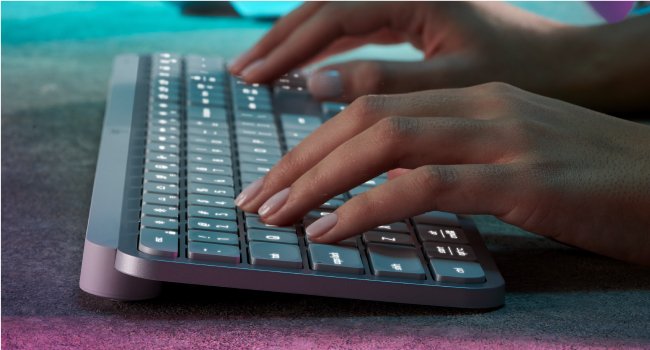
If you’ve ever been asked to mute during a video call because your typing sounds like machine-gun fire, you’re not alone.
As remote work has expanded to affect over 30% of the workforce, the need for quiet keyboards that allow typing without meeting disruption has moved from courtesy to workplace necessity.
The right quiet keyboard helps create a workspace where you can think clearly, communicate professionally, and work comfortably for hours.
Understanding keyboard noise starts with the science behind why keyboards make the sounds they do, then moves through practical buying decisions that match your specific work situation.
Quick Takeaways:
- Silent mechanical keyboards now achieve 40-50dB noise levels without sacrificing typing feel
- Membrane and scissor-switch keyboards remain the quietest options for shared spaces
- Keyboard noise during calls impacts perceived professionalism and coworker concentration
- Simple modifications like desk mats and typing technique changes reduce noise by 30-40%
- Hot-swappable keyboards let you experiment with different switch types without buying new boards
What Makes a Keyboard “Quiet”? (Foundational Concepts)
Keyboard noise comes from multiple sources working together, not just the switches. Understanding where sound originates helps you identify which aspects you can control through smart purchasing and which problems you can solve through simple modifications.
Sources of Keyboard Noise
Switch actuation creates the first layer of sound. When you press a key, the internal mechanism registers the keystroke, and certain switch types intentionally produce an audible click.
Linear switches skip this click entirely, while tactile switches create a subtle bump without the loud snap.
Bottom-out noise happens when the keycap hits the keyboard’s base after fully depressing a key.
This impact generates most of the sound you hear during fast typing, especially if you’re a heavy typist who pounds keys.
The sound produced by this impact depends heavily on the keycap material and thickness.
Thicker PBT keycaps produce a deeper “thock,” while thinner ABS caps create a higher-pitched clack. Stabilizer rattle affects longer keys like your spacebar, shift, and enter keys.
Stabilizers keep these keys balanced during presses, but poor-quality stabilizers create additional rattling and ticking sounds that stand out during typing.
Budget keyboards, where manufacturers cut costs on these components, show this problem most clearly.
Case resonance amplifies all other noise sources. Your keyboard’s housing acts like a speaker cabinet. Hollow plastic cases with large empty spaces inside create echo chambers that make every keystroke louder.
Keyboards with foam dampening between the PCB and case, or solid aluminium construction, significantly reduce this amplification effect.
Sound vs Feel vs Performance Trade-offs
Getting a quieter keyboard means accepting certain compromises. Silent switches use damping materials that reduce bottom-out impact, altering the typing feel.
Some people describe early silent switches as “mushy” because the cushioned landing removes the crisp feedback that makes mechanical keyboards satisfying to use.
Modern silent switches have largely solved this mushiness problem. Manufacturers now use firmer dampening compounds and polish internal rails to maintain responsiveness while cutting noise.
You’re still trading some tactile sharpness for quietness, but the gap has narrowed considerably since 2024.
Beyond the feel trade-off, membrane keyboards require full key depression to register input, which slows down typing compared to mechanical switches that actuate partway through the keystroke. If you’re a fast typist or competitive gamer, this delay becomes noticeable.
Silent mechanical switches preserve fast actuation while reducing noise, making them the sweet spot for users who need both speed and discretion.
Decibel Ranges Explained (Table Section)
Sound levels are measured in decibels (dB). Understanding how different keyboard types compare helps you evaluate whether a specific model will meet your quietness needs:
| Keyboard Type | Decibel Range | Real-World Comparison |
| Loud Mechanical (Clicky) | 65-78 dB | Louder than normal conversation (60-70 dB) |
| Standard Mechanical | 50-60 dB | Similar to quiet office background noise |
| Silent Mechanical | 40-50 dB | Comparable to refrigerator hum |
| Membrane | 40-50 dB | Quiet conversation at home |
| Scissor Switch | 40-45 dB | Moderate rainfall |
For video calls, microphones are typically placed 6-12 inches from your keyboard.
At this distance, standard mechanical keyboards produce noticeable typing sounds in recordings, while silent mechanical and membrane keyboards create minimal audio interference.
The difference between 60dB and 45dB may seem small numerically, but decibels are measured on a logarithmic scale. A 15dB reduction cuts perceived loudness roughly in half.
Which Keyboard Types Are the Quietest?
The internal mechanism of a keyboard sets its baseline noise level before any modifications or usage patterns come into play.
Membrane, scissor-switch, and silent mechanical keyboards each use different internal designs that produce distinct sound characteristics.
Membrane Keyboards
Membrane keyboards use three flexible layers: a top membrane you press, an inert middle spacer, and a bottom membrane with conductive traces.
When you press a key, you’re pushing these layers together to complete an electrical circuit.
The rubber or silicone materials in this construction absorb impact rather than reflect it, creating the naturally quiet operation these keyboards are known for.
The noise profile is consistently quiet across all keys. You won’t get the satisfying click of mechanical switches, but you also won’t disturb anyone on a video call.
Most membrane keyboards produce 40-50dB during normal typing, with very little variation between soft and hard keypresses.
These keyboards work best for users who prioritize silence above all else and don’t mind a softer, less defined typing feel.
They’re common in office environments and come pre-installed with most desktop computers.
You’ll experience a cushioned sensation that requires pressing keys fully to register input, a characteristic directly linked to the membrane compression mechanism.
Pros:
- Consistently quiet operation
- Affordable pricing (usually under $30)
- Lightweight and portable
- Spill-resistant in many models
Cons:
- Mushy typing feel
- Lower durability (5-10 million keystrokes)
- Slower response time
- Limited customization options
Scissor-Switch Keyboards
Scissor switches use a different mechanism from membrane keyboards, even though they’re sometimes mistaken for them.
Two plastic pieces cross in an “X” under each key, creating a scissor-like motion that provides stability and reduces travel distance. Apple’s Magic Keyboard and most laptop keyboards use this design.
Unlike the soft compression of membrane keyboards, scissor switches deliver crisp, responsive feedback while maintaining a similarly quiet operation.
The short travel distance (typically 1-2 mm) reduces impact noise because keys don’t slam down as hard.
The scissor mechanism also provides better key stability than membrane keyboards, reducing wobble and the rattling that can accompany it.
Scissor switches excel in shared spaces where you need to minimize noise without sacrificing typing precision.
They’re particularly popular among writers and professionals who type for extended periods.
The shorter travel distance can speed up typing once you adjust to it, though some users find it takes a week or two to build muscle memory.
Mechanical Keyboards (Quiet Variants Only)
Mechanical keyboards have traditionally been loud, but that’s only true for clicky switch types.
Linear and tactile mechanical switches, now available in silent variants, achieve noise levels comparable to membrane keyboards while preserving the satisfying feel that makes mechanical keyboards popular.
Linear Switches
Linear switches move straight down without any tactile bump or audible click. Cherry MX Red, Gateron Yellow, and similar switches provide smooth keypresses that are naturally quieter than clicky alternatives. You feel consistent resistance from top to bottom, with no interruption in the keystroke.
The noise you hear from linear switches comes almost entirely from bottoming out, when the keycap hits the switch housing at the end of travel.
Light typists who don’t fully depress keys can use linear switches nearly silently. Heavy typists still generate noticeable noise, but it’s substantially less than that of clicky switches.
Silent Mechanical Switches
Silent mechanical switches incorporate dampening materials directly into the switch design.
Small silicone or rubber pads cushion both the downstroke (when you press the key) and the upstroke (when the key returns to its starting position).
This dual dampening dramatically reduces noise without requiring you to change your typing style.
Modern silent switches like Cherry MX Silent Red, Gazzew Boba U4, and Akko Fairy have largely eliminated the “mushy” feel that plagued earlier designs.
Manufacturers now use firmer dampening compounds and polish the internal rails where the stem slides, creating switches that feel nearly as crisp as standard mechanicals while producing 40-50dB of noise.
These switches work perfectly for professionals who want mechanical keyboard benefits (durability, customization, and tactile satisfaction) without disturbing video calls or household members.
Optical and Low-Profile Keyboards
Optical keyboards use light beams to detect key presses instead of physical contact.
This design reduces friction noise and can result in slightly quieter operation, though the noise difference isn’t as dramatic as marketing suggests.
The primary benefits are faster response time and potentially longer lifespan, since there’s no metal-on-metal contact to degrade.
Low-profile mechanical keyboards use switches with shorter travel distances, similar to laptop keyboards but with mechanical internals. Shorter travel results in lower impact force at bottoming out, reducing noise.
Brands like Logitech and Keychron offer low-profile options that measure only 11-15mm thick compared to 30-35mm for standard mechanical keyboards.
What Features Make a Keyboard Quiet for Video Calls?
Switch selection establishes your baseline noise level, but several additional features determine how your keyboard actually performs in noise-sensitive situations.
Low-Profile Keycaps
Keycap height affects both feel and sound. Lower keycaps reduce the distance keys travel before bottoming out, which decreases impact force and consequently reduces noise.
They also tend to sit closer to your fingers’ natural resting position, reducing finger fatigue during long typing sessions.
Soft Actuation Force
Switches with lighter actuation forces (35-45g) require less pressure to register keypresses. When you don’t need to push as hard, you’re less likely to bottom out, which reduces impact noise.
However, very light switches can cause accidental keypresses if you rest your fingers on the home row, so there’s a balance to strike based on your typing style.
Built-In Sound Dampening
Premium keyboards include multiple layers of sound dampening. Foam sheets between the PCB and the case absorb vibrations before they can resonate through the keyboard housing. Silicone padding under stabilizers prevents rattle.
Some keyboards use gasket-mounted designs in which the PCB floats on rubber grommets, isolating it from the case to prevent sound transfer.
A keyboard without dampening can measure 10-15dB louder than an identical model with proper sound treatment.
If you’re building a custom keyboard or modifying an existing one, adding foam dampening is one of the most effective noise-reduction strategies.
Wireless vs Wired Noise Considerations
Wireless keyboards don’t inherently make less noise; the connection type doesn’t affect switch sound.
However, wireless keyboards are often designed for portability and quiet office use, so manufacturers often pair wireless connectivity with quieter switch types and slimmer profiles.
If you’re shopping for a quiet keyboard and see wireless options, they’re often good choices, but verify the switch type rather than assuming wireless equals quiet.
Layout Size and Microphone Proximity
Smaller keyboard layouts place your hands closer together, which can position them further from your microphone during video calls.
A tenkeyless (TKL) keyboard removes the number pad, reducing the keyboard’s width by about 4 inches. A 60% or 65% keyboard removes the function row and navigation cluster, making it even more compact.
Microphone sensitivity drops with distance, so if your mic sits to your left and you’re typing on the right side of a full-size keyboard, those keypresses create more audible sound in your recordings than if you’re using a compact board centered in front of your microphone.
The difference isn’t massive, but it compounds with other noise-reduction strategies.
Which Quiet Keyboard Is Best for My Situation?
Work environments create distinct noise challenges that require targeted solutions rather than one-size-fits-all recommendations.
For Remote Workers on Frequent Zoom / Teams Calls
You need reliability and near-silent operation since you’re typing while others are speaking. Silent mechanical keyboards or high-quality scissor switches work best here.
They’re quiet enough that your microphone won’t pick them up, but still responsive enough for all-day typing.
Must-have features:
- Silent linear or tactile mechanical switches (40-50dB)
- Built-in wrist rest for all-day comfort
- Media control keys for quick mute access
- USB or reliable 2.4GHz wireless (Bluetooth can have occasional lag)
- Spill resistance since coffee and keyboards coexist near webcams
For Students in Shared or Dorm Spaces
Budget constraints matter for students, but so does avoiding roommate complaints during late-night study sessions.
Membrane keyboards or budget scissor-switch options deliver adequate quietness without breaking the bank. Portability also matters if you’re moving between dorm rooms, the library, and coffee shops.
Look for keyboards under $50 that explicitly mention “quiet” or “silent” in their descriptions. The Logitech K380 and similar models hit the sweet spot for affordability, portability, and genuine quiet.
You won’t get the mechanical keyboard feel, but you also won’t get complaints from people trying to sleep while you finish assignments.
For Content Creators (Writers, Streamers, YouTubers)
Microphone sensitivity is your primary concern. Even “quiet” keyboards can be problematic if you’re recording voiceovers or streaming with a sensitive condenser mic.
Silent mechanical keyboards give you the best typing experience while keeping noise below mic pickup thresholds, but you’ll need to test with your specific audio setup.
Beyond keyboard selection, positioning matters significantly. Place your keyboard directly in front of you rather than off to the side, keeping typing sounds on-axis with your mouth rather than your microphone.
Use a cardioid or hypercardioid pickup pattern to reject sound from the keyboard’s direction.
Consider a desk-mounted microphone arm that positions your mic above and behind your keyboard, rather than on the desk surface, where vibrations can transfer directly.
For Late-Night or Shared Household Use
Households with different schedules need keyboards that won’t wake sleeping family members through walls or closed doors.
Membrane keyboards excel here because they produce minimal sound even with aggressive typing.
Silent mechanical switches work too, but they still generate some noise from key return springs and stabilizer movement.
Should I Choose a Mechanical or Non-Mechanical Quiet Keyboard?
The fundamental choice between mechanical and non-mechanical keyboards involves trade-offs across multiple factors:
| Factor | Mechanical (Silent Switches) | Non-Mechanical (Membrane/Scissor) |
| Noise Level | 40-50 dB (with silent switches) | 40-50 dB (naturally quiet) |
| Durability | 50-100 million keystrokes | 5-10 million keystrokes |
| Typing Feel | Crisp, defined feedback | Soft, cushioned response |
| Cost | $80-200 | $15-60 |
| Learning Curve | Minimal if coming from non-mechanical | None |
| Customization | High (switches, keycaps, mods) | Low (limited options) |
| Response Time | Fast (1-2mm actuation) | Slower (full depression required) |
| Weight/Portability | Heavier (2-3 lbs) | Lighter (0.5-1 lb) |
- Who should choose mechanical: Users who type 4+ hours daily, gamers who need fast response times, anyone who values durability and plans to use the same keyboard for years, and those willing to invest more upfront for a better long-term experience.
- Who should choose non-mechanical: Budget-conscious buyers, people who prioritize absolute silence above all else, users who need maximum portability, and those who prefer a softer typing sensation.
What Mistakes Should I Avoid When Buying a Quiet Keyboard?
Buyers frequently encounter disappointing purchases because they overlook critical factors beyond the obvious switch selection.
1. Assuming all mechanical keyboards are loud
Many people avoid mechanical keyboards entirely because clicky switches like Cherry MX Blue have become synonymous with gaming keyboards, where intentionally loud tactile feedback is considered desirable.
Silent mechanical switches address this specific misconception by delivering mechanical keyboard benefits with membrane-level noise.
Research from the University of California found that background keyboard noise reduces concentration and increases stress in nearby individuals, making quiet mechanical switches a worthwhile investment for shared workspaces.
2. Ignoring stabilizers and keycap material
You can buy a keyboard with perfectly silent switches, but if the stabilizers rattle and the keycaps are thin ABS plastic, you’ll still have a noisy keyboard.
Stabilizers on your spacebar, shift, enter, and backspace keys need proper lubrication and tight tolerances.
Thicker PBT keycaps absorb impact better than thin ABS caps, reducing the sharp “clack” sound of bottoming out.
3. Overvaluing switch type alone
Switch type matters, but it’s just one piece of the noise equation. A keyboard with silent switches in a hollow plastic case, without dampening foam, will still be louder than a membrane keyboard.
Consider the complete package: case construction, internal dampening, stabilizer quality, and keycap material, not just the switches.
4. Not considering desk surface and mic placement
Your desk acts as a resonator, amplifying keyboard vibrations. Hard wooden desks reflect sound, while soft surfaces absorb it.
A desk mat under your keyboard reduces noise by 30-40% regardless of keyboard type.
Similarly, microphone placement matters. A mic sitting directly on your desk picks up every vibration, while a boom arm isolates it from desk-transmitted sound.
How Can I Make My Existing Keyboard Quieter?
If your keyboard is too loud, modifications can significantly reduce noise without requiring a complete replacement.
Desk and Environment Adjustments
- Place a desk mat under your keyboard. The thick neoprene or foam rubber absorbs vibrations before they transfer to your desk surface.
This simple $15-30 addition cuts perceived noise by roughly 35%, according to user testing. Extended mouse pads that cover your entire desk surface perform better than keyboard-specific mats.
- Position your keyboard strategically. Don’t place it directly against the desk edge, where vibrations can transfer into the hollow desk structure.
Leave 2-3 inches of space, or better yet, place it on a separate keyboard tray that doesn’t touch your main desk surface.
Keyboard Mods and Accessories
- O-rings: Rubber dampeners that slip onto keycap stems. They cushion the bottom-out impact, reducing the sharp clack to a muffled thud.
Installation takes about 15 minutes: remove your keycaps and slide an O-ring onto each stem.
For $8-12 per full keyboard set, these dampeners reduce noise by 30-40%, though the trade-off is slightly reduced key travel that some users find takes a few days to adjust to.
- Foam modding: Involves opening your keyboard and adding thin foam sheets between the PCB and the case.
Craft foam from hobby stores works fine, or you can buy keyboard-specific foam cut to exact dimensions.
This modification absorbs internal resonance, the echo inside your keyboard case that amplifies every keystroke.
Compared to O-rings, foam modding requires more work but produces dramatic results, especially on hollow plastic keyboards where the acoustic improvement is immediately noticeable.
- Wrist rests: Don’t directly reduce keyboard noise, but they change your typing posture.
When your wrists are properly supported, you type with less force and bottom out keys less aggressively.
This softer typing style naturally produces less noise without requiring any hardware changes.
Software and Typing Technique Factors
Adjust your typing technique. Light typists who don’t bottom out keys aggressively produce significantly less noise than heavy typists who pound keys.
Developing the habit of pressing keys just until they actuate rather than slamming them down requires conscious practice, but linear switches help here because you can feel when the key registers without needing to bottom out for tactile confirmation.
What Should I Look for When Buying a Quiet Keyboard?
Evaluate keyboards against these factors to avoid missing critical considerations:
- Noise level: Verify decibel rating or switch type (silent mechanical, membrane, or scissor switches)
- Comfort features: Check for ergonomic design, included wrist rest, key spacing that matches your hand size
- Layout size: Decide between full-size, TKL, or compact based on desk space and typing needs
- Budget range: Set realistic expectations ($20-40 membrane, $50-100 scissor, $80-200 silent mechanical)
- Connectivity: USB for zero-lag reliability, Bluetooth for multiple device pairing, 2.4GHz for wireless without Bluetooth limitations
- Build quality: Read reviews specifically mentioning stabilizer quality and case construction
- Customization potential: Hot-swappable switches let you experiment without buying entirely new keyboards
- Return policy: Ensure you can return if noise level doesn’t meet expectations
Summary: Choosing the Right Quiet Keyboard for Your Setup
Quiet keyboards have evolved far beyond the mushy membrane boards of the past. You now have genuine choices that deliver both silence and satisfying typing experiences, but only if you understand what you actually need.
First, match your keyboard to your work environment. Video call frequency, household noise sensitivity, and microphone proximity matter more than marginal differences between keyboard models.
A $30 membrane keyboard solves the noise problem just as effectively as a $150 silent mechanical if your priority is absolute silence. The mechanical option shines when you also need durability, customization, and a premium typing feel.
Test before committing when possible. Keyboard feel is deeply personal: what one person describes as “crisp,” another might call “harsh.”
Buy from retailers with solid return policies, or visit electronics stores that have display models you can try. Your hands will spend thousands of hours on this keyboard, so a 10-minute in-store test is worthwhile.
Remember that modifications dramatically improve any keyboard. Before replacing your current board, try a desk mat, O-rings, and foam dampening. These $30-40 modifications might transform your existing keyboard into exactly what you need.
Want more home office tips? Join our newsletter for weekly productivity insights delivered straight to your inbox.
Frequently Asked Questions (People Also Ask)
Are mechanical keyboards too loud for video calls?
Not anymore. Modern mechanical keyboards with silent switches produce 40-50 decibels during typing, comparable to membrane keyboards. Choose linear or tactile switches with built-in dampening rather than clicky switches.
Cherry MX Silent Red, Gazzew Boba U4, and similar switches use silicone dampeners that cushion both the downstroke and upstroke. Your microphone won’t pick up these switches from normal placement distances.
What is the quietest type of keyboard for working from home?
Membrane and scissor-switch keyboards tie for quietest operation, both producing 40-50 decibels during normal typing. Membrane keyboards use rubber domes that naturally dampen sound.
Scissor switches provide a crisper feel while maintaining similar noise levels thanks to their short travel distance.
Silent mechanical keyboards now achieve nearly identical noise levels (40-50dB) while offering a better typing feel and a tenfold lifespan.
Can a quiet keyboard improve microphone audio quality?
Yes. Keyboard noise creates constant background interference, forcing viewers or meeting participants to strain to hear your voice clearly.
Silent keyboards reduce competing audio by 50-75%, letting your microphone focus on capturing your speech.
For maximum improvement, combine a quiet keyboard with proper microphone placement: use a boom arm to position your mic above your keyboard rather than on the desk.