
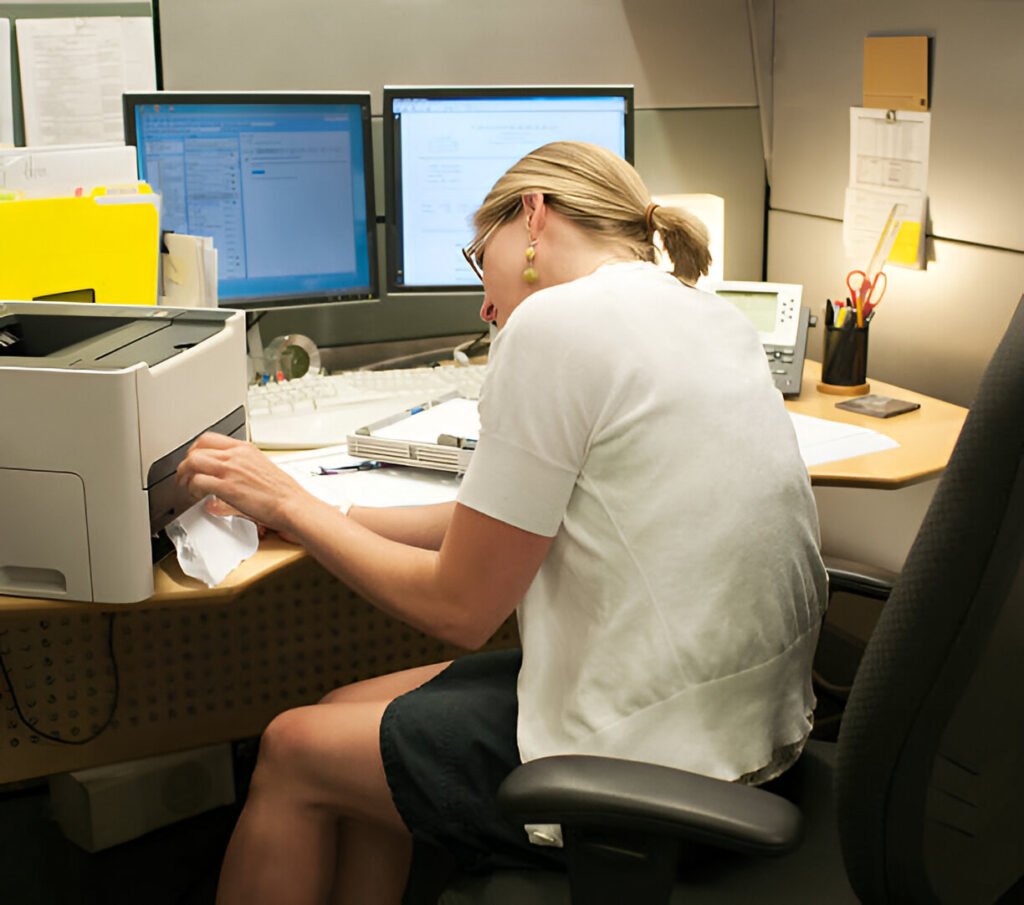
Remote work changed everything. With most professionals splitting their time between home and office, your workspace needs the right equipment. With multifunction printers you can handle printing, scanning, copying, and faxing without cluttering your desk.
The demand for multifunction printers is increasing as the global market grows at 6.5% annually as remote workers seek professional-grade equipment.
Whether you’re printing contracts or scanning receipts, the right MFP saves time and space. Below, we’ll break down the key considerations to help you find the model that fits your workflow.
Key Takeaways:
- Multifunction printers combine printing, scanning, copying, and faxing
- Laser excels at text; inkjet handles photos better
- Cost per page matters more than purchase price
- Wireless printing and mobile apps are essential
- Ink tank systems offer lowest running costs
How Did We Evaluate the Best Multifunction Printers?
We tested devices in real-world home-office scenarios rather than relying solely on theoretical specifications.
Performance Metrics
Print speed matters because waiting time compounds quickly across dozens of documents. We measured pages per minute for black text and color documents under typical conditions. Real-world performance often falls short: a printer claiming 30 PPM might deliver only 18 PPM after accounting for warm-up and processing time.
- Print resolution, measured in DPI, affects text sharpness and image clarity
- For most home office work, 600 DPI looks perfectly acceptable
- You’ll notice the difference if you upgrade to 1200 DPI, especially on detailed graphics or fine print
- Scan and copy quality matters when digitizing receipts or reproducing contracts
Cost Considerations
The sticker price tells only part of the story since ongoing ink and toner costs often dwarf your initial investment. A $150 printer with expensive ink costs more over two years than a $400 model with cheap toner.
- Ink and toner cost per page reveals real expense
- Laser printers average 2-5 cents per black page versus 5-10 cents for inkjet
- Cartridge versus ink tank systems represent different philosophies:
- Traditional cartridges cost less upfront but require frequent replacement
- Ink tank systems include massive supplies that print thousands of pages
- Higher entry price of $300-500 requires upfront investment
Usability and Compatibility
In a modern home office, wireless printing has become essential since you’ll print from laptops, phones, and tablets throughout your workday.
- Look for models supporting AirPrint, Google Cloud Print, and manufacturer apps
- These eliminate cables and let you print from anywhere in your workspace
- Mobile app support varies in quality
- The best implementations go beyond basic printing by letting you scan documents directly to cloud storage and troubleshoot problems without digging through manuals
- OS compatibility matters for Windows, macOS, or ChromeOS users
Home Office Constraints
- Desk footprint determines whether a printer fits your workspace
- If space is tight, compact models fit smaller desks but you’ll sacrifice paper capacity and need to refill more frequently
- Noise levels matter if you take video calls since laser printers generate more operating noise than inkjets, which could disrupt important meetings
- Energy efficiency affects your electric bill through standby power consumption
What Are the Different Types of Multifunction Printers?
Understanding printer technology helps match capabilities to your needs.
Inkjet Multifunction Printers
Inkjet printers work by spraying microscopic liquid ink droplets, which is why they excel at photos since the liquid ink blends colors smoothly.
Advantages:
- Lower upfront cost of $100-200 makes inkjet printers accessible starting points
- Photo quality surpasses laser for color accuracy
Disadvantages:
- Ink cartridges cost more per page than toner
- Cartridges dry out without regular printing
- Print speeds lag behind laser
Laser Multifunction Printers
Laser printers use toner powder fused through heat. They produce sharp text that doesn’t smudge.
Advantages:
- Speed advantages become obvious with large jobs at 30-40 PPM
- Text clarity makes laser ideal for contracts
- Toner cartridges cost more upfront but print thousands of pages
Disadvantages:
- Higher initial price deters budget buyers at $300-400
- Physical size exceeds inkjet due to internal components
Ink Tank (EcoTank / Smart Tank) Printers
Ink tank printers include massive reservoirs instead of cartridges. These models ship with enough ink to print 7,500-14,000 pages right out of the box, eliminating cartridge purchases for months or even years.
Advantages:
- Ultra-low costs drop to 0.4-1 cent per black page
- When you eventually run low, you simply refill the tanks from affordable ink bottles rather than replacing expensive cartridges
Disadvantages:
- Higher entry price of $300-500 requires upfront investment
Which Printer Type Is Right for You?
- Remote workers printing 200+ pages monthly should consider a laser for speed and low costs
- Students find inkjet or ink tank models provide sufficient quality
- Low volumes of 50-100 pages make inkjet acceptable
- Content creators working with marketing materials, portfolios, or client presentations need inkjet’s superior color reproduction to accurately represent their work
Best Multifunction Printers for Home Office — Quick Comparison Table
| Model | Type | Print Speed | Wireless | Best For | Running Cost |
| Epson EcoTank ET-5850 | Ink Tank | 25 PPM | Yes | Overall Value | 0.4¢/page B&W |
| Brother MFC-J995DW | Inkjet | 12 PPM | Yes | Budget Buyers | 2¢/page B&W |
| HP OfficeJet Pro 9125e | Inkjet | 24 PPM | Yes | Students | 3¢/page B&W |
| Brother MFC-L2750DW | Laser | 36 PPM | Yes | Remote Workers | 2.5¢/page B&W |
| Canon Pixma TR8620 | Inkjet | 15 PPM | Yes | Content Creators | 8¢/page color |
Five models represent different priorities. Ink tank delivers the lowest costs. Budget inkjet balances affordability with performance. The student model emphasises compact design. Laser speed serves remote workers. The six-ink system provides colour accuracy. Speed varies significantly across these models, ranging from 12 PPM for budget options to 36 PPM for laser-based systems. All include wireless connectivity. Running costs vary from under one cent to eight cents, depending on technology. High-volume users benefit most from low per-page costs.
Best Overall Multifunction Printer for Home Office
The Epson EcoTank ET-5850 dominates by combining speed, quality, and rock-bottom running costs for home offices. This ink tank model prints 25 PPM for black text and 12 PPM color. The included ink supply is substantial at approximately 7,500 black pages and 6,000 color pages, meaning most users won’t buy ink for a year or more.
Key Features
- Print, scan, copy, and fax capabilities cover every task
- 30-sheet automatic document feeder handles multi-page scans
- Duplex printing handles both paper sides automatically
- Wireless connectivity supports printing from smartphones through WiFi or Ethernet
- Cloud integration works with Google Drive and Dropbox
Pros and Cons
Pros:
- Ultra-low cost per page
- Fast speeds rival laser
- Excellent text quality
- Large paper capacity
- Comprehensive scanning
Cons:
- Higher upfront cost of $450-500
- Larger footprint
- Longer initial setup
Best Use Case
The ET-5850 suits remote workers printing 300+ pages monthly, needing professional quality without cartridge expenses. It handles a range of work, from contracts to presentations. Small business owners appreciate fax capability and high-volume capacity.
Best Budget Multifunction Printer for Home Office
Brother MFC-J995DW delivers essential capabilities at $200. This compact inkjet includes Brother’s INKvestment system, which uses high-yield cartridges that print approximately 3,000 pages.
Key Features
- Print, scan, copy, and fax functions cover basic needs
- 20-sheet automatic document feeder streamlines multi-page documents
- Wireless printing connects to your network
- Mobile apps support scanning to smartphones
- Compact design fits small desks
Pros and Cons
Pros:
- Affordable price
- Included ink lasts longer
- Compact footprint
- Easy setup
- Decent quality
Cons:
- Slower 12 PPM speeds
- 100-sheet paper tray
- Limited duty cycle
- Less robust build
Trade-offs to Expect
Speed becomes noticeable with documents exceeding 10 pages. You’ll wait longer than laser but still finish reasonably fast. Build uses more plastic, fine for moderate use. Paper capacity requires more frequent refills.
Best Multifunction Printer for Students
Starting at around $300, the HP OfficeJet Pro 9125e balances affordability with academic features, including HP+ enrollment, which provides an extended warranty and access to discounted ink subscriptions, particularly valuable for students managing tight budgets.
Key Features
- Compact design fits dorm rooms
- Affordable subscription reduces costs
- Print speeds of 24 PPM handle rushed assignments
- Automatic two-sided printing cuts paper costs for lengthy papers
Why It Works for Academic Use
Students print inconsistently with heavy loads during midterms and finals. The subscription prevents running out by automatically shipping replacements. The scanning function proves invaluable for digitizing handwritten notes, textbook pages for study guides, and paper documents for cloud backup. Mobile printing from smartphones means you can send documents to print while studying in the library, then pick them up when you return to your room. Cloud integration works with Google Drive for submissions.
Best Multifunction Printer for Remote Workers
Brother MFC-L2750DW excels in remote work demanding reliable performance. This monochrome laser delivers 36 PPM with a 250-sheet tray and costs approximately $280.
Productivity-Focused Features
- Fast duplex printing produces double-sided documents automatically
- 50-sheet feeder handles large scanning jobs
- High 15,000-page monthly duty cycle means this printer handles heavy use without strain, which proves important for remote workers during peak periods
- Toner cartridges print 3,000 pages
- Security features like secure print release protect sensitive documents, which you’ll appreciate when printing confidential client information or financial records
Connectivity and Workflow Integration
Built-in WiFi and Ethernet provide flexible options. Mobile apps work with iOS and Android. Cloud integration connects to Google Drive, Dropbox, and OneDrive. USB allows guest printing. Brother’s iPrint&Scan app enables scanning to email or cloud. Automatic firmware updates run in the background to maintain security without interrupting your workflow.
Best Multifunction Printer for Content Creators
Canon Pixma TR8620 targets creators needing exceptional color quality. This six-ink inkjet produces vibrant colors and costs around $250.
Print and Scan Quality
When presenting design mockups to clients, color accuracy determines whether your work appears professional or amateurish since subtle differences in tone can make or break first impressions.
- Six-ink system adds photo black and gray improving color gradients beyond standard four-colour printers
- High-resolution scanning at 4800 x 1200 DPI captures artwork with precise detail
- Print resolution of 4800 x 1200 DPI delivers sharp text and smooth color transitions
Media Handling
- Rear tray accepts thick photo paper and cardstock
- Borderless printing produces edge-to-edge color that’s essential for professional-looking marketing materials and portfolio prints
- CD/DVD printing tray lets you brand physical media directly, which proves useful if you deliver portfolio work or client presentations on disc
Ideal Creative Tasks
Print mockups for client reviews without outsourcing. Scan artwork for digital portfolios and social media. Create thumbnails and proof prints before expensive large-format printing. Copy reference materials for physical planning. Five individual ink tanks allow replacing only depleted colors.
Laser vs Inkjet: Which Is Better for Your Home Office?
Understanding fundamental differences helps match technology to your patterns.
Comparison Table
| Feature | Laser | Inkjet |
| Print Speed | 30-40 PPM | 10-20 PPM |
| Cost Per Page (B&W) | 2-5 cents | 5-10 cents |
| Cost Per Page (Color) | 15 cents | 15-25 cents |
| Maintenance | Low | Medium-High |
| Photo Quality | Poor | Excellent |
| Text Quality | Excellent | Good |
| Initial Cost | $300-500 | $100-300 |
Decision Guidance
Text-heavy workloads favor laser. If you print contracts and reports, laser’s crisp text and fast speeds justify higher cost. Cost advantages compound quickly with volumes exceeding 200 pages monthly.
Color-heavy workloads benefit from inkjet. Marketing materials and photos require inkjet’s color accuracy. Accept higher per-page cost for superior visual quality.
What Features Should You Look for in a Home Office Multifunction Printer?
Not all features matter equally. Focus on capabilities impacting daily workflow.
Must-Have Features
- Wireless printing eliminates cables and enables printing from multiple devices (laptops, tablets, and smartphones)
- Duplex printing handles both paper sides automatically, cutting costs in half
- Automatic feeders streamline scanning multi-page documents
- Cloud integration connects to Google Drive, Dropbox, and OneDrive
Nice-to-Have Features
- Touchscreen controls simplify navigation
- Color displays show previews and provide troubleshooting
- Voice assistant support enables hands-free printing
- USB ports allow direct printing from flash drives
- Ethernet provides more stable connections in busy networks
What Are Common Mistakes When Buying a Multifunction Printer?
Avoiding these pitfalls saves money and frustration.
- Focusing only on upfront price ignores total ownership cost. That $100 inkjet might cost $500 more than a $300 laser over three years. Calculate cost per page and estimate monthly volume.
- Ignoring ink costs leads to remorse when replacements cost $80-120. Research cartridge prices and yields.
- Overlooking space and noise causes problems after purchase. Measure desk space and consider noise if you take calls.
What Are the Long-Term Costs of Owning a Multifunction Printer?
Understanding ongoing costs and care requirements prevents surprise expenses.
Ink vs Toner Economics
- Ink cartridges typically yield 200-400 pages and cost $40-80 for a set, resulting in 8-15 cents per page
- Toner cartridges yield 2,500-4,000 pages and cost $60-120, dropping costs to 2-5 cents
- Ink tank systems include ink to print 7,500+ pages initially
Maintenance Tips
- Run cleaning cycles monthly to prevent printhead clogs in inkjet models
- Print weekly to keep ink flowing
- Update firmware when manufacturers release patches (many printers check automatically)
- Clean scanner glass and feeder rollers quarterly to maintain scan quality
How Do You Choose the Right Multifunction Printer for Your Home Office?
The best printer matches your printing patterns, document types, and space constraints.
Remote workers who print text documents benefit from laser MFPs like the Brother MFC-L2750DW, which deliver fast speeds. Students find value in compact inkjets like the Brother MFC-J995DW.
Content creators requiring colour accuracy should invest in models like the Canon Pixma TR8620. High-volume users save money with ink tank systems like the Epson EcoTank ET-5850.
Frequently Asked Questions
Are multifunction printers good for home offices?
Multifunction printers excel in home offices by consolidating multiple devices into a single unit. You get printing, scanning, copying, and faxing without separate machines cluttering your workspace.
Modern MFPs include wireless connectivity for printing from laptops, tablets, and smartphones. They handle everyday tasks from scanning receipts to printing contracts. Space savings matter where every square foot counts.
Match printer type to your workload. Laser MFPs work best for heavy document printing, while inkjet suits mixed use, including photos. Most home users print 100-300 pages monthly, which falls within the comfortable range for quality multifunction printers. Running costs remain reasonable with high-yield cartridges and ink tank systems.
Which printer type is cheapest in the long run?
Laser printers offer lowest cost per page for black and white at 2-5 cents versus inkjet’s 5-10 cents. However, ink tank systems like Epson EcoTank drop costs below 1 cent per black page and 2 cents for color. Calculate your specific usage to determine actual savings.
Print 200 black pages monthly and laser saves about $120 annually versus standard inkjet. Print 200 mixed color pages monthly and ink tank systems save $200+ annually versus both laser and standard inkjet.
Initial investment matters. Laser MFPs start around $300 versus $100-200 for inkjet, but that premium pays back within 18-24 months for users printing 200+ pages monthly. Ink tank printers cost $300-500 upfront but include 1-2 years of ink. Consider print volume, document types, and budget timeline when calculating long-term costs.
Do I need a printer with fax for remote work?
Most remote workers don’t need fax functionality in 2025. Email, cloud services, and digital signatures streamline document transmission. However, certain industries still require fax for legal compliance or client requirements.
Healthcare, legal, real estate, and government contractors often deal with organizations mandating fax transmission for sensitive documents. If you have monthly fax needs, a multifunction printer with built-in faxing eliminates the hassle of separate services or scanning to online fax providers.
Consider actual usage before paying extra. Most MFPs include fax features at minimal cost premium. Setup requires connecting a phone line, which many home offices lack. Alternative solutions include online fax services receiving faxes as PDFs and sending documents through web interfaces without dedicated hardware.
How long do home office printers typically last?
Laser printers generally last 5-7 years with proper maintenance and moderate use. They’re built for higher duty cycles and robust operation. Toner cartridge replacements include new drums and components, essentially refreshing internal parts. This design contributes to longer functional life compared to printers with fixed internal components that wear gradually.
Inkjet printers typically last 3-5 years depending on usage patterns and print volume. Printheads eventually clog or wear out, especially with inconsistent use allowing ink to dry. Regular printing extends inkjet life by keeping ink flowing.
Environmental factors like dust, humidity, and temperature affect both types. Keep printers in climate-controlled spaces and clean them regularly to maximize lifespan. Quality models from established manufacturers outlast budget options through better component quality.