
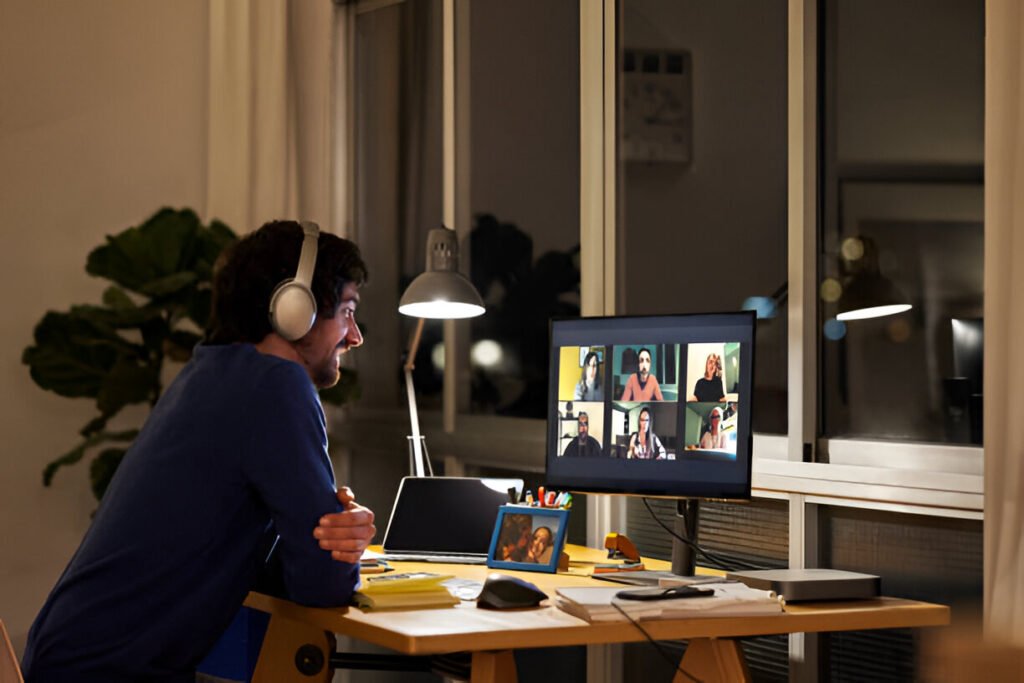
Lighting for video calls quietly determines how you appear on screen. You can look perfectly fine in the mirror and still appear washed out or shadowy on camera.
That mismatch happens because webcams don’t see light the way your eyes do. Your eyes automatically balance brightness and colour.
Webcams exaggerate shadows, flatten features, and quickly expose poor lighting. When your lighting for video calls is off, even a good camera struggles.
When it’s right, a basic webcam suddenly looks polished, revealing that video calls aren’t inherently the problem. Lighting is what makes or breaks your appearance.
Key Takeaways:
- Webcams process light differently than human eyes
- Front-facing light at eye level creates flattering appearance
- Color temperature between 4000K-5500K works for most
- Placement matters more than expensive equipment
- Simple setups work better than complicated ones
Why Lighting Matters for Video Calls
Video calls reveal lighting problems your eyes naturally compensate for. When you’re in a dim room, your brain adjusts what you see.
Webcams capture exactly what hits the sensor, which means shadows look darker, highlights blow out, and colors shift. Poor lighting can make you look tired or make it difficult to see clearly.
The difference affects how people perceive you. Research shows that well-lit participants are rated as more competent and trustworthy. When your face is clearly visible, people focus on what you’re saying.
If you’re doing video calls regularly, getting your home office set up right includes addressing the lighting problem.
How Cameras Actually See Light (Not How Your Eyes Do)
Your eyes handle a wide range of brightness levels simultaneously. Webcams and phone cameras lack this capability due to a technical limitation called dynamic range.
Dynamic range and exposure
Dynamic range describes the ratio between the brightest and darkest tones a camera can capture simultaneously. Professional cameras handle 12 to 14 stops, while your webcam may only deliver 8 to 10 stops.
Understanding this difference is important because each stop doubles the light, making this gap significant in practice.
When you sit in front of a bright window, your eyes see both you and the window clearly. Your webcam must choose between exposing for you or the window.
Webcams and mixed lighting
This limited dynamic range becomes especially problematic in rooms with multiple light sources at different brightness levels. You have overhead lighting, a window, and maybe a desk lamp.
Your eyes blend these together seamlessly. Your webcam picks one exposure level. If the brightest thing is behind you, the camera darkens everything to compensate.
Color temperature and white balance
Cameras struggle with mixed color temperatures. Indoor lighting appears warm, with a yellowish tone, while daylight appears cool, with a bluish tone. Your brain ignores this difference.
Your camera selects a single white balance setting. When half your face is lit by warm lamp light and half by cool window light, you look orange on one side and blue on the other.
Core camera limitations:
- 8-10 stops dynamic range vs 20+ for human vision
- Single exposure setting for entire frame
- Auto white balance picks one color temperature
- Sensor sensitivity drops rapidly in shadows
- Highlight recovery limited compared to shadow recovery
Natural Light Setup for Video Calls
Natural light is free and creates a soft, flattering look. The key is positioning yourself correctly. Most people get this backwards.
Best window positioning
Face your window directly. You want a large, soft light source illuminating your face from the front. The window acts like a giant softbox. If you can’t face it directly, position it at a 45-degree angle to your side.
This creates shadow on one side, adding dimension. Avoid placing the window directly beside you at 90 degrees, as this creates harsh side lighting.
Best times of day
Morning and late afternoon provide the softest light. The sun is lower, meaning light comes through windows at a better angle. Midday sun can be too harsh.
Your camera will struggle, and you’ll squint. If you take calls during midday, control sunlight with diffusion. Understanding the basics of home office lighting helps you manage natural light.
Controlling harsh sunlight
Direct sunlight creates problems. The intensity is too high, resulting in blown-out highlights and eye strain. Sheer white curtains tame harsh sunlight by diffusing it and reducing intensity while maintaining a soft quality.
If you don’t have sheer curtains, a white bedsheet works. Place a translucent material between you and the direct sun.
Some people use frosted window film. On cloudy days, you might not need diffusion because overcast skies act like a giant softbox.
Do:
- Position yourself facing windows for front lighting
- Use morning or late afternoon light
- Diffuse direct sunlight with curtains
- Adjust desk position seasonally
Don’t:
- Sit with windows behind you
- Use undiffused midday sun
- Mix natural light with different artificial lights
- Assume natural light solves everything
Summary: Natural light works best when it’s in front of you and diffused. Morning and afternoon beat midday.
Curtains let you use windows without blown-out highlights. Natural light is inconsistent. Cloudy days, evening calls, and winter mean you’ll need backup.
Artificial Lighting Options Explained
Artificial lights give you control. They don’t change with the weather, and you can position them exactly where needed. Different types have specific strengths when setting up your essential home office equipment.
Ring lights
Ring lights create even, shadowless lighting. The circular design wraps light around the lens, eliminating shadows under your eyes and nose. For video calls, they work if you want that polished look.
The downside? They can look flat. Everything is lit with the same intensity, removing dimension. They create a circular catchlight in your eyes. Most come with adjustable brightness and color temperature.
Softbox lights
Softboxes produce the most natural-looking artificial light. The box shape with diffusion spreads light across a large area, like a window, creating soft shadows with gradual transitions. Photographers rely on them specifically because they replicate natural light so effectively.
For video calls, a small softbox at 45 degrees gives you a professional look. The drawback is size, as they take up space.
LED panel lights
LED panels are flat, rectangular lights producing bright, even illumination. They’re more compact than softboxes yet larger than ring lights. Most have adjustable brightness and color temperature.
You can dial in exactly what you want. They work well because you can position them either off to the side or directly in front.
Build quality varies. Cheap panels have poor color accuracy and flicker. Better panels have high CRI ratings, typically 95 or above.
Desk and clamp lamps
Don’t overlook desk lamps. A standard lamp with a high-quality LED bulb performs well when positioned correctly.
Look for LED bulbs with adjustable color temperature. Clamp lamps are useful because you can attach them to your desk and direct the light where needed.
They’re budget-friendly and blend into your workspace. The limitation is that most produce softer, less intense light unless you bounce them off a wall.
| Light Type | Cost Range | Space Required | Light Output |
| Ring Light | $30-200 | Low (desk mount) | Medium-High |
| Softbox | $80-400 | High (floor stand) | High |
| LED Panel | $40-300 | Medium (desk/stand) | Medium-High |
| Desk Lamp | $15-80 | Low (desk clamp) | Low-Medium |
Choosing the Right Color Temperature
Color temperature changes how you look and how viewers perceive the mood.
Warm vs neutral vs daylight
Warm light (2700K-3200K) has a yellow-orange tone. It’s cozy and can make you look tired on video. Neutral white (4000K-4500K) sits in the middle. This range works well because it looks professional without being harsh.
Daylight (5000K-6500K) has a blue-white tone. It’s crisp and makes colors pop, though at the higher end, it can feel clinical.
Skin tone considerations
Different skin tones respond differently. Warmer light (3500K-4500K) flatters most by adding warmth that counters the cool cast many webcams produce.
Cooler light (5000K+) can make lighter skin tones look washed out while bringing out detail in darker skin tones. There’s no universal answer. Adjustable lights let you test temperatures.
Avoiding mixed temperatures
The biggest mistake is mixing different color temperatures. You’ve got a warm desk lamp on one side and cool daylight on the other, which confuses your webcam’s auto white balance.
Pick one temperature and stick with it. If you’re using window light, set artificial lights to match daylight (5000K-5500K). If relying entirely on artificial light, choose a consistent temperature.
Kelvin ranges:
- Warm white: 2700K-3200K (cozy and unflattering)
- Soft white: 3500K-4000K (comfortable for evening)
- Neutral white: 4000K-4500K (versatile all-purpose)
- Cool white: 5000K-5500K (professional, matches daylight)
- Daylight: 5600K-6500K (bright, can feel harsh)
Summary: Most people look best in 4000K-5500K, providing natural appearance. The specific number matters less than consistency. All lights should match. If your lights have an adjustable temperature setting, start at 4500K and adjust as needed.
Lighting Placement That Actually Works
Where you put lights matters more than what you buy. Bad placement ruins expensive gear.
Good placement makes cheap lights look professional. The goal is creating dimension while keeping everything lit and your workspace layout functional.
One-light setup
Start with one light positioned slightly above eye level, at about 30-45 degrees from your camera. This creates main light while allowing shadow on the opposite side for dimension.
Place the light 2-3 feet away. If you can only use one light, this is it. You can use a ring light behind your camera, a desk lamp bounced off a wall, or an LED panel aimed at your face.
Two-light setup
Adding a second light transforms your appearance. Keep your main light in the same position, then add a fill light on the opposite side. The fill should be dimmer, at about 50-75% brightness.
This fills shadows without eliminating them. You want some shadow for dimension. Most people find that two lights provide the best balance of looks and practical setup. Position both behind and beside your camera.
Three-point lighting simplified
Three-point lighting is the professional standard, though it’s overkill for most video calls. If you want to try it, add a backlight behind you, aimed at your head and shoulders. This creates a rim separating you from your background.
Key, fill, back light roles
The key light is your main source; the brightest one does most of the work. It defines the look and creates primary shadows. The fill light reduces shadows without eliminating them.
The backlight separates you from the background by creating a subtle glow around your outline. This three-light approach looks great and requires more space, gear, and setup time than most want.
Diagram description: Looking down at yourself from above, the camera is in front. Your key light sits at 10-11 o’clock, 45 degrees to your left.
Your fill sits at 1-2 o’clock, 45 degrees to your right, dimmer than the key. If using a backlight, it’s directly behind you at 6 o’clock, aimed at your shoulders and back of your head.
Background and Ambient Lighting
Your face isn’t the only thing on screen. The space behind you affects how your camera exposes the image.
Subject separation
Cameras struggle to separate you from your background when everything is at the same brightness level.
Adding light behind you creates separation, making your face become more distinct from the background. This doesn’t mean lighting the background as brightly as your face.
A subtle difference is enough. A lamp on a shelf, a desk light aimed at the wall, or LED strips create enough background light.
Accent lighting behind you
Background lights don’t need to be functional. They can be decorative. A warm-toned lamp adds depth and makes your space look interesting. LED strips behind your monitor create a modern look.
The key is keeping background lights dimmer than face lights and choosing colors that complement. Warm white or amber tones work better than bright, saturated colors.
Reflection and glare control
Glossy surfaces create problems. Mirrors reflect your lights. Glass-fronted frames, shiny monitors, and some wall finishes can create glare.
If you wear glasses, be careful with light placement. Lights directly in front of you reflect off your lenses. Angle lights slightly from the sides or raise them higher.
Mistakes to avoid:
- Bright lamps or windows behind you
- Reflective surfaces catching light
- Background brighter than your face
- Cluttered areas visible
- Overhead lights creating shadows
Summary: Your background should be visible without competing with your face. Add subtle lighting behind you. Remove anything reflective that causes glare. Keep background elements 2-3 stops darker so the camera exposes you correctly.
Lighting for Different Use Cases
Not all video calls need the same approach. Context matters.
Remote work and meetings
Professional meetings need clean, even lighting that looks natural. Coworkers and clients should focus on what you’re saying. A two-light arrangement works best, one main and one fill.
Stick with neutral white (4000K-4500K). The goal is to look like yourself on a well-lit day. Avoid dramatic shadows or overly bright, flat lighting. Professional doesn’t mean complicated.
Online classes and students
Teachers and students need clear visibility without professional polish. Natural light from a window often works well, supplemented by a desk lamp at night.
If you’re teaching, good lighting helps students stay engaged by making your expressions clear. If you’re a student, you need enough light to be visible. One front-facing light is usually sufficient.
Content creators and streamers
Content creation and streaming demand the most from your lighting. Viewers expect a polished look. This is where three-point lighting, color-adjustable LEDs, and background lighting make sense.
You want dimension, separation from background, and the ability to adjust your look. Color-changing LED strips can add personality. The lighting should enhance your content without being the content.
| Use Case | Lighting Complexity | Recommended Setup | Color Temperature |
| Work Meetings | Medium | Two-light (key + fill) | 4000K-4500K |
| Teaching | Low-Medium | One-light or window + lamp | 4000K-5000K |
| Learning | Low | Window or single desk lamp | 4000K-5500K |
| Streaming | High | Three-point + background | Adjustable 3000K-5500K |
| Interviews | Medium-High | Two or three-point | 4500K-5000K |
Common Lighting Mistakes and Fixes
Some mistakes show up constantly. Avoiding these gets you 80% of the way without buying anything new. Recognizing these helps you understand common setup mistakes people make.
Overhead lighting
Ceiling lights seem convenient and create terrible shadows. Light from directly above your head casts shadows under your eyes, nose, and chin. You look tired. The fix is simple: turn off or dim overhead lights and use front-facing lights instead. If you can’t avoid overhead lighting, add a strong front light to counteract those shadows.
Backlighting
This is the most common mistake. You sit with a window or bright lamp behind you, and suddenly you’re a dark silhouette. Your camera can’t handle the bright background and your face in the same frame.
Either move the window to the front, close the blinds to eliminate backlighting, or add enough front lighting to overpower it.
Uneven shadows
One side of your face is clearly lit, the other is in deep shadow. This occurs when light comes from only one direction. It can appear dramatic in photos and is distracting during video calls. Add a second, dimmer light on the opposite side of your camera, or use a white wall to reflect light.
Quick-fix rundown:
- Overhead shadows: Add front-facing light at eye level
- Backlit silhouette: Reposition yourself to face light sources
- Harsh side shadows: Add fill light at 50-75% brightness
- Mixed color temperatures: Match all light sources
- Glare on glasses: Angle lights from higher position
Budget-Based Lighting Setups
You don’t need expensive gear. What you need is understanding of how light works.
No-budget setup
Use what you have. Face a window during daytime. If the sun is too bright, hang a white sheet over the window.
At night or in rooms without windows, position yourself so existing lamps are in front of you.
A white wall or piece of poster board angled to reflect light acts as a free fill. Your computer screen provides some front light, though it’s usually too dim.
Low-budget setup
Invest in one good LED desk lamp with adjustable brightness, ideally with color temperature control. Position it in front of you at 45 degrees. If you have $30-50, a basic ring light or LED panel gives you more control.
Combine this with natural light, and you’ve got a solid setup for your productive workspace. Add a white poster board as a reflector on the opposite side.
Mid-range setup
Two LED panels or a ring light plus a fill give you professional results. Look for lights with CRI 95+ and adjustable color temperature ($60-150 per light). Add light stands to position them properly.
Consider a basic LED strip for background lighting. This level creates a setup that works for professional meetings, content creation, and anything in between.
| Budget Level | Investment | Core Setup | Best For |
| No Budget | $0 | Window + reflectors | Occasional calls, daytime only |
| Low Budget | $20-60 | One LED lamp or ring light | Regular video meetings |
| Mid Range | $120-300 | Two LED panels + stands | Daily calls, content creation |
| Premium | $300-800 | Three-point LED system | Professional content, streaming |
Quick Lighting Checklist Before Every Call
Run through this checklist two minutes before your call:
Bullet checklist:
- Face windows or front-facing lights
- Turn off or dim overhead ceiling lights
- Remove bright objects from background
- Check camera preview for shadows
- Verify no windows or lamps behind you
- Adjust screen brightness to match room
- Test that white balance isn’t making you orange
- Confirm glasses aren’t showing glare
- Check background lighting creates separation
- Verify face is brightest element
One-minute reset block: Pull up your camera preview and scan from top to bottom. Look for dark shadows under your eyes; overhead lighting should be turned off.
Check whether your background is brighter than your face; if so, you’re backlit. Verify colors look natural. Adjust based on what you see.
Final Summary: What Actually Matters Most
Lighting for video calls comes down to three things: direction, softness, and consistency. Light needs to come from in front of you. It needs to be soft and diffused.
And it needs to be consistent with the same color temperature across all sources. Everything else is optimization. Check out this setup checklist for more guidance on your workspace.
FAQ: Video Call Lighting Questions
How to light face for video calls?
Position your main light in front of you at eye level or slightly above. Angle it about 30-45 degrees from your camera. This produces dimension without harsh shadows. Add a dimmer fill light on the opposite side to soften shadows. Keep lights 2-3 feet from your face. Soft, diffused light works better than direct, hard light.
What is the 3 lighting rule?
Three-point lighting uses a key light as the main source, a fill light to reduce shadows, and a backlight to separate the subject from the background. The key light is brightest, positioned at 45 degrees from the subject. Fill light sits opposite the key at 50-75% brightness. Backlighting positions the subject behind the subject, creating a rim. Each light serves a specific purpose.
What is the best lighting for a video?
The best lighting uses front-facing, soft, diffused light. Direction matters more than brightness. Light should come from in front at eye level or slightly above.
Softness comes from larger light sources or diffusion. Color temperature should remain consistent, typically 4000K-5500K. Consistency in direction, softness, temperature, and intensity creates professional results.
What is the best lighting for FaceTime?
Natural light from a window works best. Position yourself facing the window so light hits your face directly. Hold your phone at eye level. For evening calls, turn on room lights in front of you. Even a desk lamp pointed at a nearby wall creates soft, bounced light.