11 Small Home Office Layout Ideas and Tips That Make Working From Home Actually Enjoyable
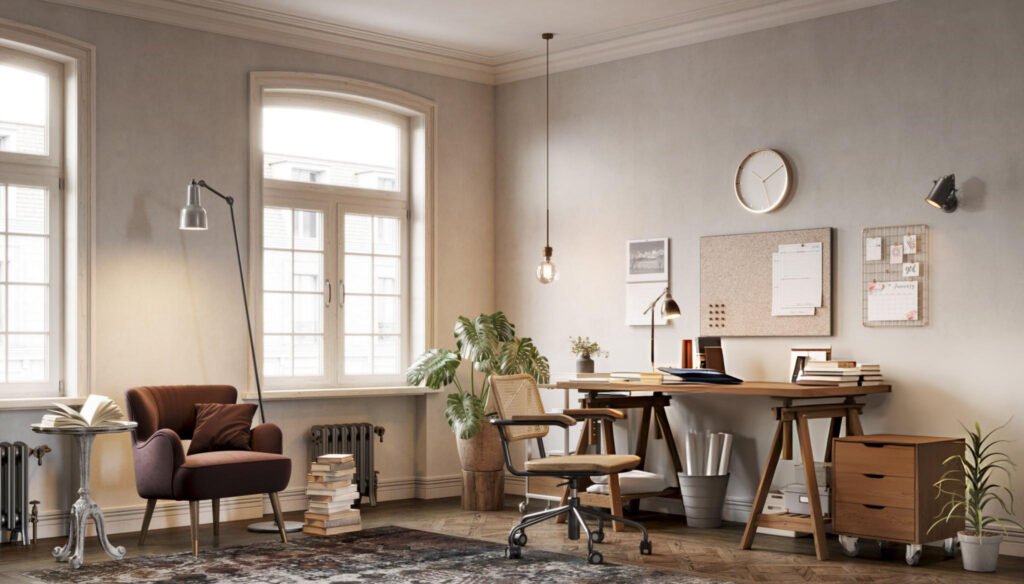
Working from a cramped spare bedroom doesn’t mean you’re stuck with a miserable workspace. Even small rooms can become great home offices when the layout is intentional. It’s rarely about buying fancy furniture but about making smart choices that use every inch well.
Small home office layouts rarely have objectively superior solutions—most involve choosing which constraint to accommodate rather than finding a configuration that solves all needs.
Rooms under 150 square feet with windows, closets, and doors typically offer 3-4 viable arrangements, each sacrificing different factors, such as window view, storage access, or circulation space.
In this guide, I’ll show you home office layout ideas for small spaces, how to arrange your home office furniture to maximize space, and tips to improve productivity in a small home office.
Quick Takeaways
- Strategic furniture placement can make a 10×10 room feel twice as spacious
- Corner desks and L-shaped configurations maximize surface area without taking up floor space
- Natural light positioning reduces eye strain and boosts mood by regulating circadian rhythms
- Vertical storage solutions keep supplies organized while preserving valuable desk real estate
- Multi-zone layouts separate focused work areas from relaxation or meeting spaces
What Is a Small Home Office Layout?
A small home office layout shows how you arrange your furniture, equipment, and storage in a compact space, usually 100 to 150 square feet, such as a spare bedroom, half of a two-car garage, or a converted walk-in closet.
In a space this size, every choice counts. You need to plan desk placement, walking paths, and vertical storage carefully so the room feels functional and comfortable.
A standard 10×10 room with doors and windows usually gives you 18–22 feet of usable wall space, enough for either an L-shaped desk with storage or a straight desk with a seating area—but not both.
Focus on the essentials and prioritize what really matters instead of trying to fit everything in.
What Are the Key Principles for Designing a Small Home Office?
Maximize Space Efficiency
Use your space intentionally, starting with the walls. Put up shelves above your desk to hold books, supplies, and a few personal touches without taking up floor space.
A shelf that takes up 8 square feet of wall space can replace a bulky floor-standing bookcase, giving you room to move or add other furniture.
Foldable or multi-functional desks do the same—when you’re done working, you can clear the space for something else.
Big or bulky items often don’t fit well in a small office. Floor-standing speakers, oversized monitors, and large filing cabinets can feel overwhelming.
Swap them for compact alternatives, like bookshelf speakers or desks with built-in drawers and slide-out keyboard trays, to keep the space functional and uncluttered.
Also, don’t ignore corners. They usually sit empty, but an L-shaped desk can turn a corner into a productive spot, giving you more surface area and keeping everything you need within reach.
Optimize Lighting and Ambience
Your home office lighting sets the mood and usability of your home office. Let in natural light whenever you can, as it brightens the room, keeps your body clock on track, and reduces eye strain.
Place your desk perpendicular to a window to avoid glare, or hang sheer curtains if the desk faces the window directly.
When daylight isn’t enough, bring in adjustable desk lamps. Keep the lamp on the opposite side of your dominant hand to avoid shadows, and tweak the brightness and color temperature, with cooler light helping you focus and warmer light feeling better as the day winds down.
The colors in your room also change how light moves. Light grey walls and white furniture reflect light, making the space feel open. Darker walls create a cozy vibe but usually need stronger artificial lighting to stay productive.
11 Small Home Office Layout Ideas
1. Compact L-Shaped Desk Layout
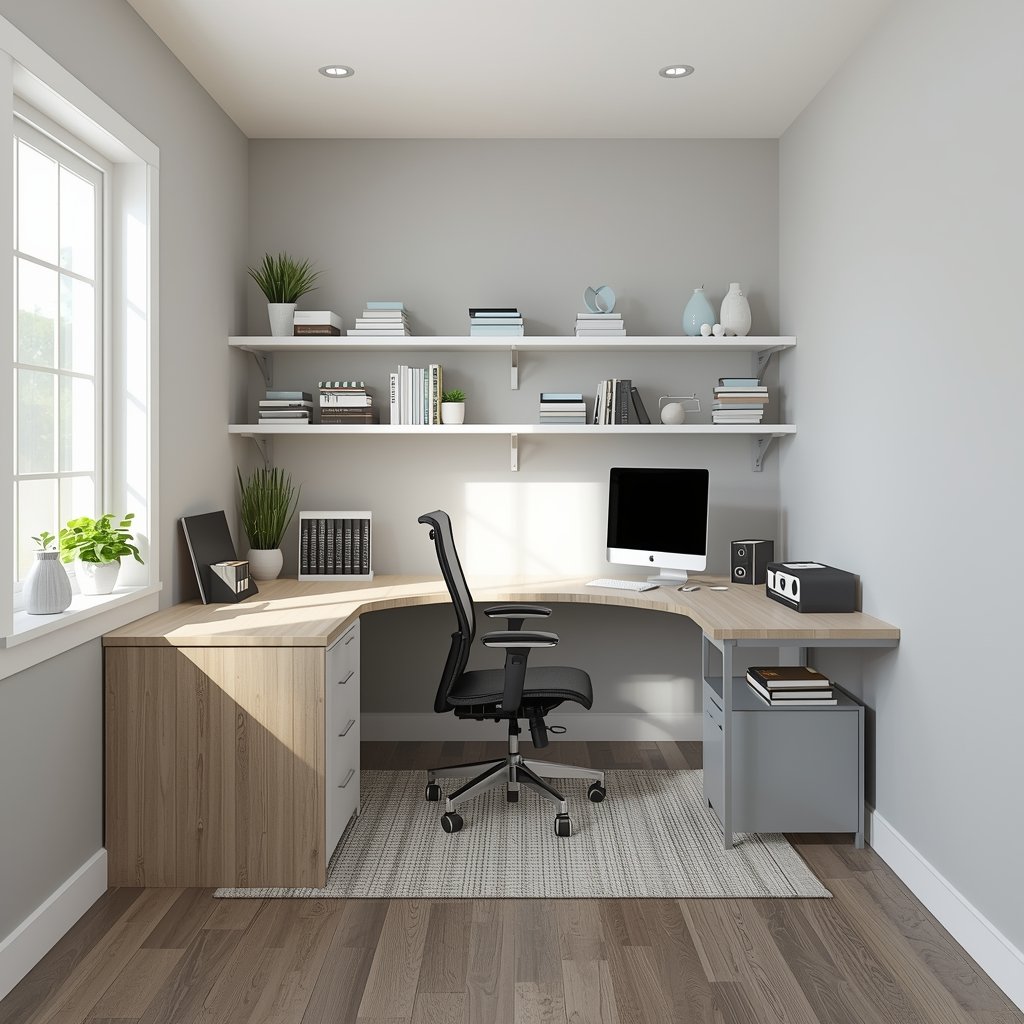
Corners often go unused in small home offices, but an L-shaped desk puts that space to work and gives you plenty of surface area.
Keep your main computer setup on one side and use the other for paperwork, a second monitor, or creative projects, so everything stays organised and easy to switch between.
Angle at least one side toward the room to make the space feel open, while freeing wall space for shelves, storage, or even a small seating area.
Measure your corner before buying—most L-shaped desks range from 60 to 72 inches wide, with smaller setups around 48×48 inches and larger ones up to 72×60 inches.
Standing options are limited, as most L-shaped desks are fixed-height, and modular adjustable systems can cost $800 or more above the price of basic standing desks.
Many people get around this by using two separate standing desks at right angles, giving them both corner placement and sit-stand flexibility without the premium.
The biggest benefits of an L-shaped desk are clear work zones, smart use of corner space, and a large, continuous surface. The trade-off is that it needs a dedicated corner and takes up more floor space than a compact desk.
2. Standing Desk Integration Layout
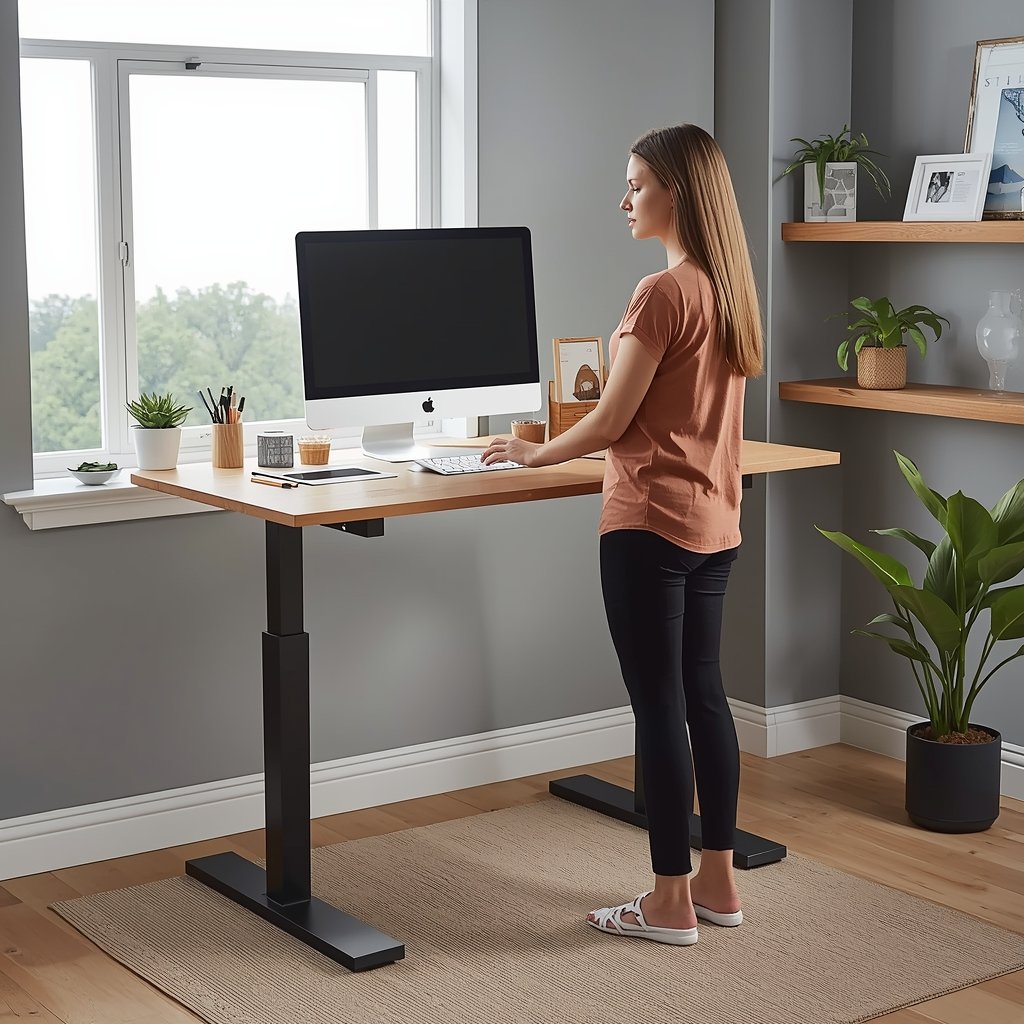
A standing desk helps you move more, relieve discomfort from prolonged sitting, and boost your energy. It can cut about 90 minutes off your daily sitting time.
If you want to save money, pair adjustable legs, like FlexiSpot frames starting around $300, with a custom wood top from a local carpenter. You get the exact size and materials you need at roughly half the cost of prebuilt desks.
Place your desk near a window for natural light, and keep your monitor at or just below eye level, whether you’re sitting or standing.
Keep items you use every day within standing reach on wall shelves or floating organisers 40–50 inches high, and put less-used things in lower drawers you can reach while seated.
Add an anti-fatigue mat and start standing 15–20 minutes at a time, gradually increasing as your body adjusts. Alternate between sitting and standing to stay active without overdoing it.
For good posture, bend your elbows at 90 degrees while typing, keep your keyboard and mouse at the same height, and stand with your feet flat on the floor. This setup keeps you comfortable, productive, and ready to work.
3. Two-Desk Shared Workspace Layout
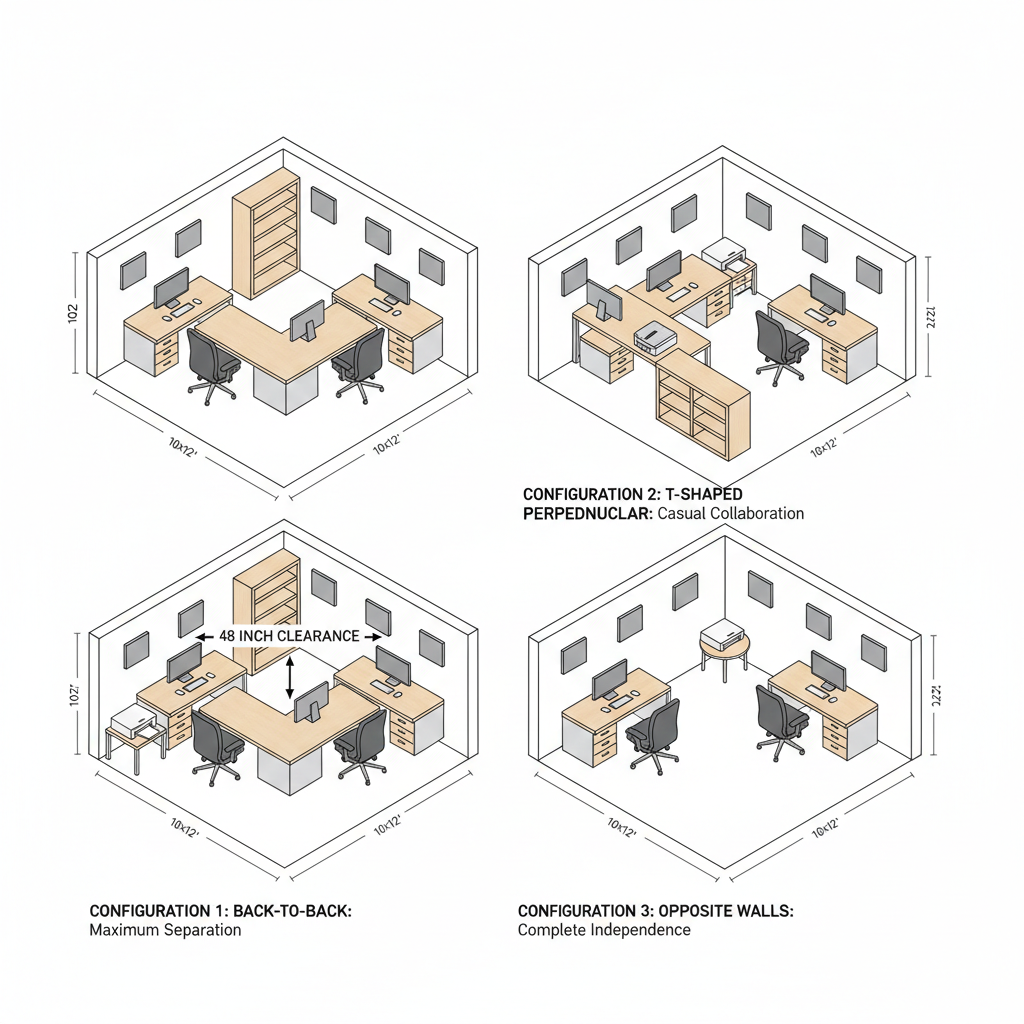
When two people share a small home office, the layout has to let both of you focus without turning the space into a daily compromise. One easy option is a two-desk setup on opposite walls or a T-shaped arrangement.
In a T-shaped layout, two desks line one wall and a third runs perpendicular in the middle, serving as a neutral spot for shared tasks while everyone keeps their main workspace.
Back-to-back desks offer more privacy, but you need about 48 inches between the chairs. Most small offices under 120 square feet can’t fit that, so the setup can feel cramped even if it hides screens.
To cut down on distractions, angle desks so you’re not facing each other during calls, add acoustic panels on shared walls, or use noise-cancelling headphones.
Give each person their own storage, keep shared items like printers in neutral spots, and use open dividers, like bookcases or screens, to create separation without blocking light.
Typical layout strategies include back-to-back desks for maximum separation, perpendicular desks for casual collaboration, and desks on opposite walls for complete independence.
4. Window-Focused Layout
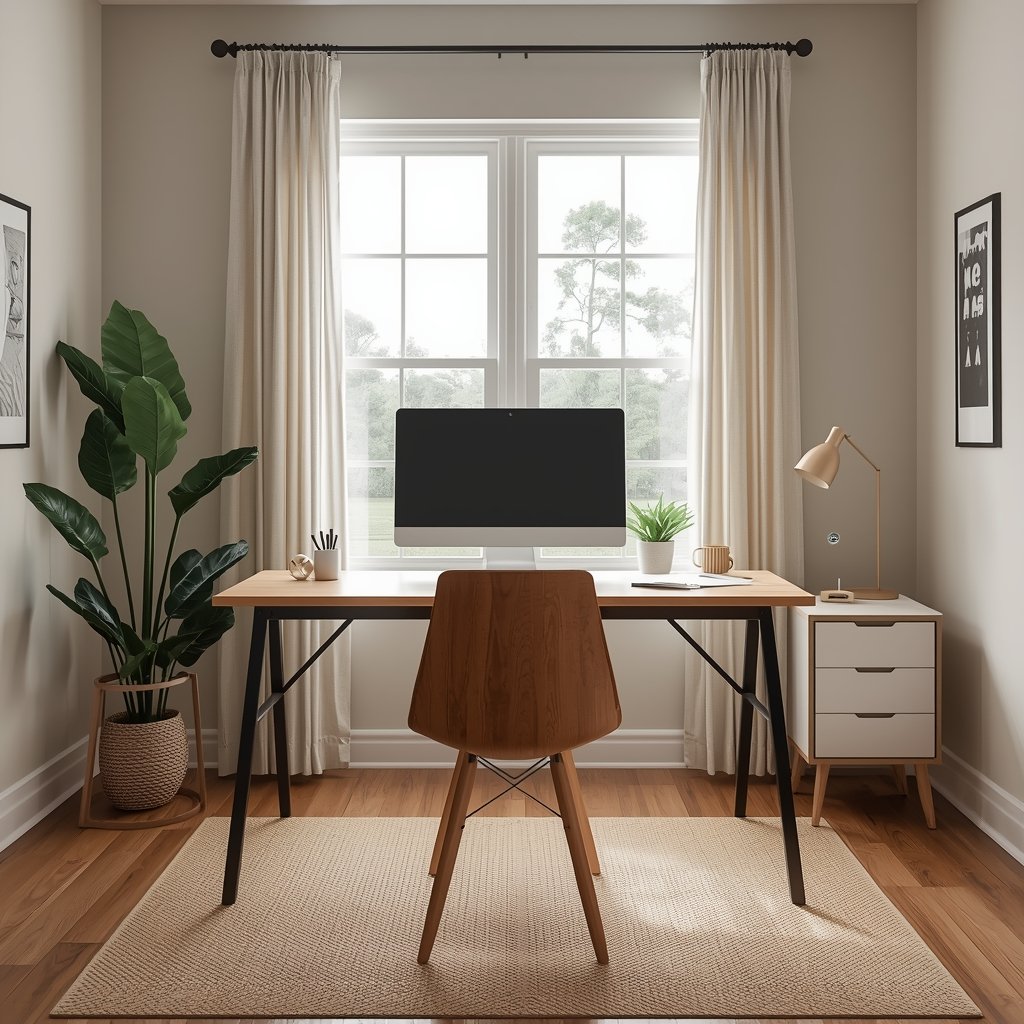
Lighting shapes how well you work and how you feel. Natural light brightens your space, reduces eye strain, keeps your body clock on track, and can even boost productivity compared to indoor spaces.
Place your desk perpendicular to the window, about 3–4 feet away, so you get plenty of light without glare.
Don’t sit with your back to the window during video calls—it makes your face look darker. Use sheer curtains, adjustable blinds, or window films to soften harsh sunlight, and consider matte screen protectors to prevent reflections on your monitor.
You can spread light further with reflective surfaces. A mirror across from the window bounces daylight into dark corners, and light-colored walls and furniture help distribute it evenly.
Think about the sun’s path too. South-facing windows offer strong afternoon light, east-facing windows deliver gentle morning light, and north-facing windows provide softer, consistent illumination throughout the day.
5. Minimalist Small Room Layout
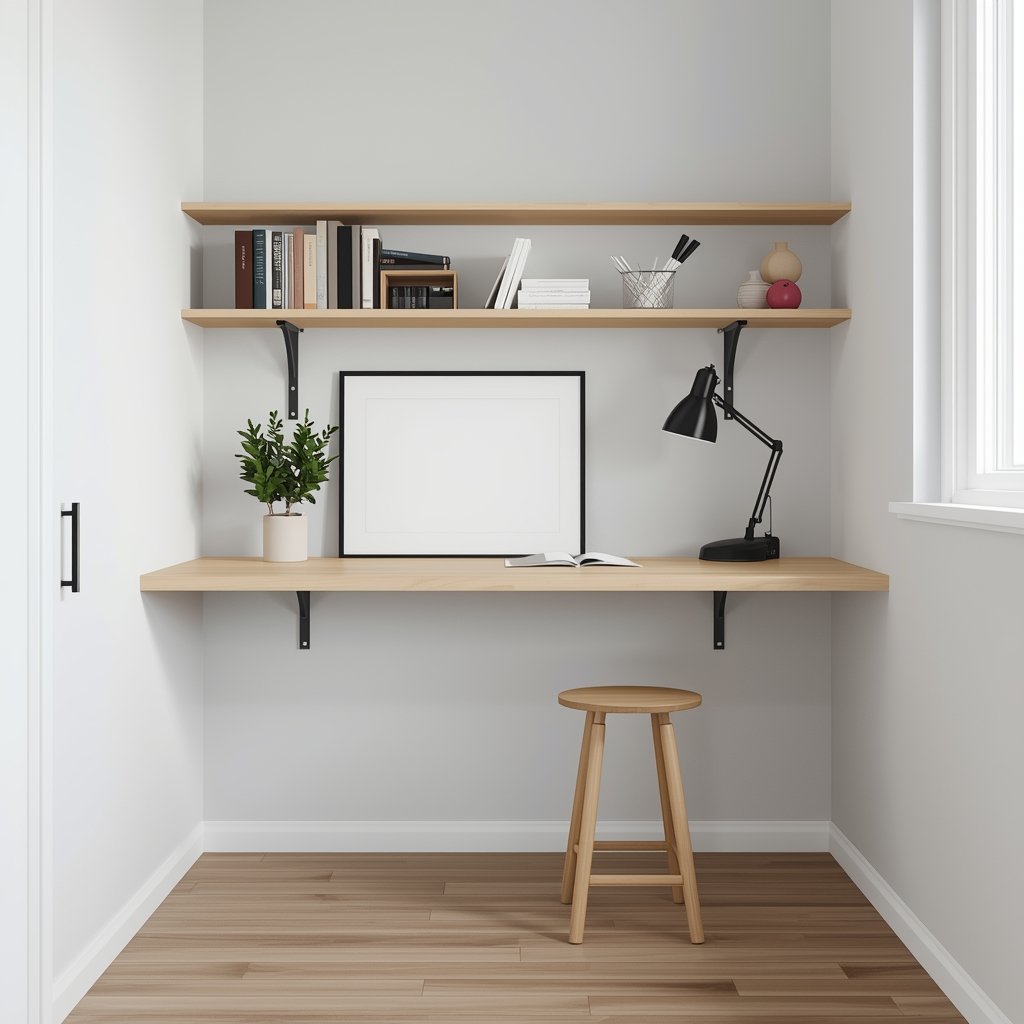
If visual clutter drains you, keep your home office minimalist and stick to only what you really need. Start with the essentials like a desk, a chair, and one storage solution. Add anything else only when you notice a clear functional need.
A floating wall-mounted desk clears the floor underneath and keeps the space looking clean and streamlined.
Pair it with a simple stool that slides completely under the desk when not in use. Wall-mounted shelves above the desk provide vertical storage without occupying floor space.
Keep your color palette simple to make the room feel bigger. Use a maximum of three colors such as light grey or white walls, natural wood tones, and one accent color for interest.
Monochromatic schemes make the space feel more open than busy, multi-color palettes.
Cable management is critical in minimalist spaces, as clutter can accumulate quickly. Clip cables along desk edges, bundle extras with Velcro straps, and hide wires in wall sleeves. A tidy desk helps keep your mind clear.
Essential vs. Optional Furniture
Essential:
- Desk surface
- Ergonomic chair
- Primary lighting
Optional:
- Secondary seating
- Decorative items
- Extra monitors
Unnecessary:
- Bulky filing cabinets
- Extra storage
- Purely decorative furniture
6. 10×10 Home Office Layout Ideas
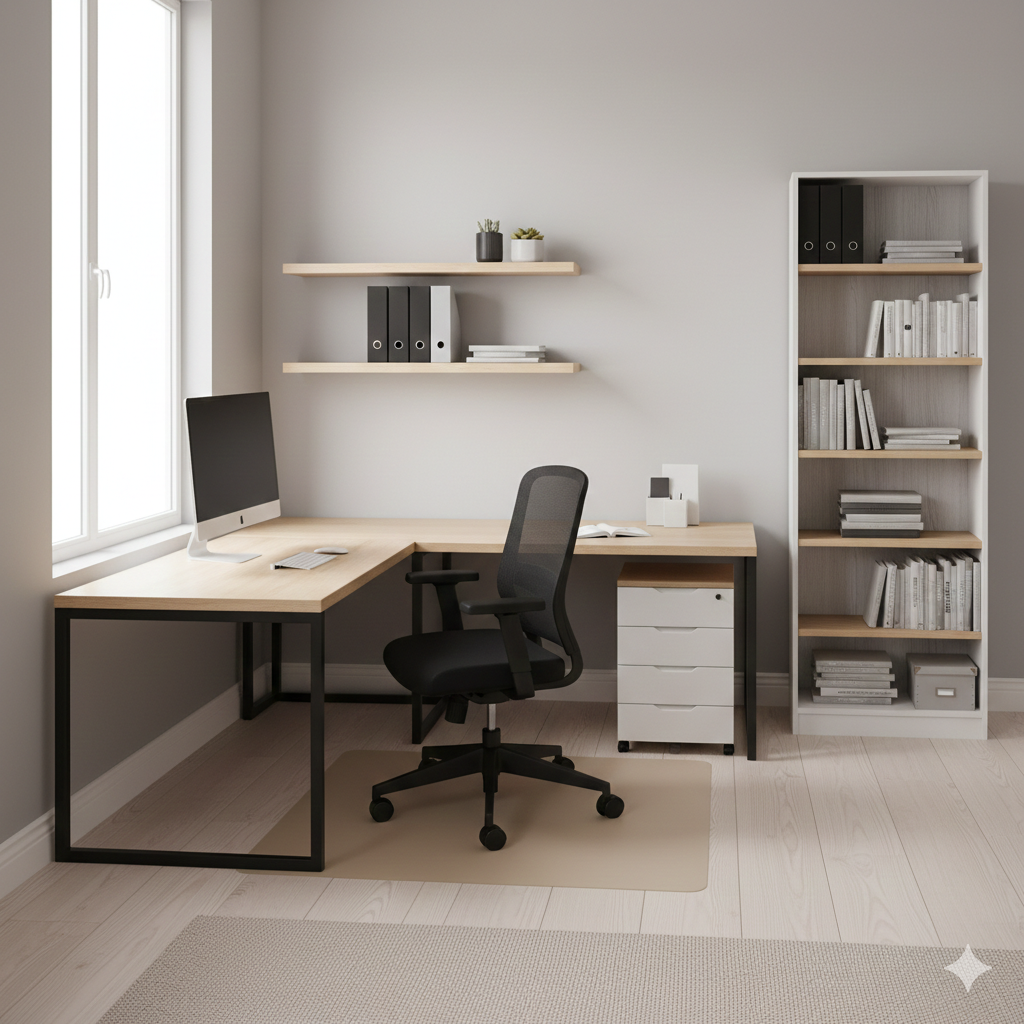
A 100-square-foot office takes some planning to fit desks, storage, and room to move without feeling cramped. In a typical 10×10 room, you usually have one window wall, one door wall, and two open walls for furniture.
L-shaped corner desks make the most of the open walls while keeping the center clear for chair movement.
Put your desk in the corner farthest from the door to give the room a natural sense of direction. If a closet or another feature blocks a corner, float your desk in the room rather than squeezing it against a wall.
Place your main desk along a window wall and angle your monitor to avoid glare. Keep supplies nearby with a small bookshelf, storage tower, or floating shelves without blocking natural light.
If two people share the room, line up desks along one long wall to give each person 48–60 inches of workspace and use the opposite wall for shared storage.
Vertical shelving, under-desk filing cabinets, pegboards, and floating shelves help maximize every inch of space.
7. 10×12 Home Office Layout Ideas
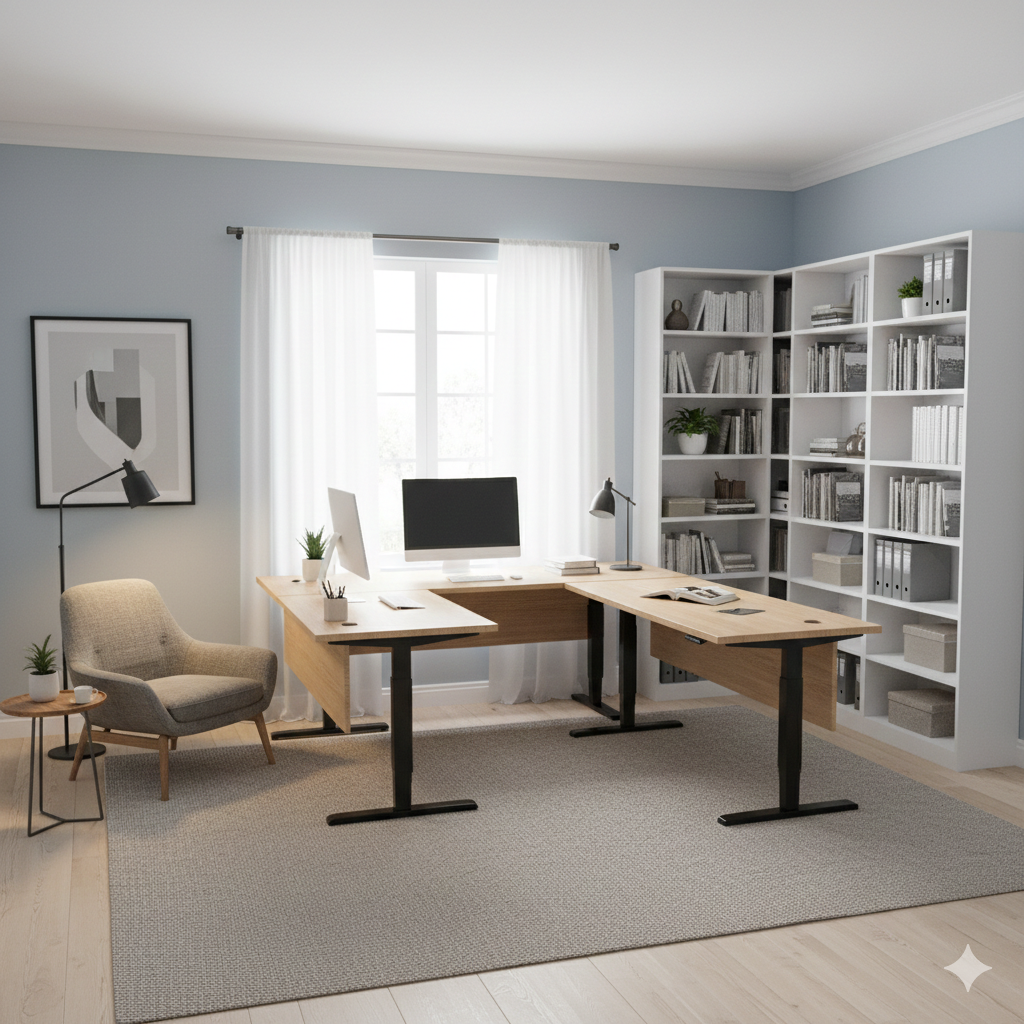
A 10×12 office gives you extra room to do more than just work at a desk. You can fit an L-shaped desk, storage solutions, and a small reading chair or lounge area without feeling crowded.
Try a peninsula-style setup by placing an L-shaped standing desk in one corner and extending it with a perpendicular desk to form a U-shaped work zone.
This gives you a standing area, a seated workspace, and extra surface for spreading out materials.
Use the room’s length to create separate zones. Put your main desk along the 12-foot wall and place a lounge chair in the opposite corner for reading, brainstorming, or taking video calls from a fresh angle.
Add built-in shelves along the long wall or a floor-to-ceiling bookshelf in a corner to maximize vertical storage without taking up floor space.
Other layout ideas include two desks on opposite walls with a central shelving unit, or pairing a standing peninsula desk with a storage tower and small sofa for a versatile, multi-purpose setup.
8. Dual-Purpose Workspace for Content Creators
Content creators need clear zones for recording, editing, and admin work, but the room still has to look cohesive on camera.
Put your recording area against your best-looking wall, ideally opposite a window so natural light acts as your key light. Keep the background clean and minimal—clutter distracts viewers and slows you down when you tidy up.
Set your editing desk at a 90-degree angle to the recording zone for better separation. Keep it compact, but include multiple monitors, reference materials, and technical gear, ensuring nothing shows on camera.
Control sound by adding acoustic foam to the walls, hanging heavy curtains to block outside noise, and placing a thick rug on the floor.
Store your equipment within easy reach but out of view so you can work efficiently without disrupting your recording setup.
For a smooth workflow, make sure your lighting is flattering, the background stays uncluttered, sound is managed, and all gear is accessible but off-camera.
9. Modern Home Office Layout Ideas
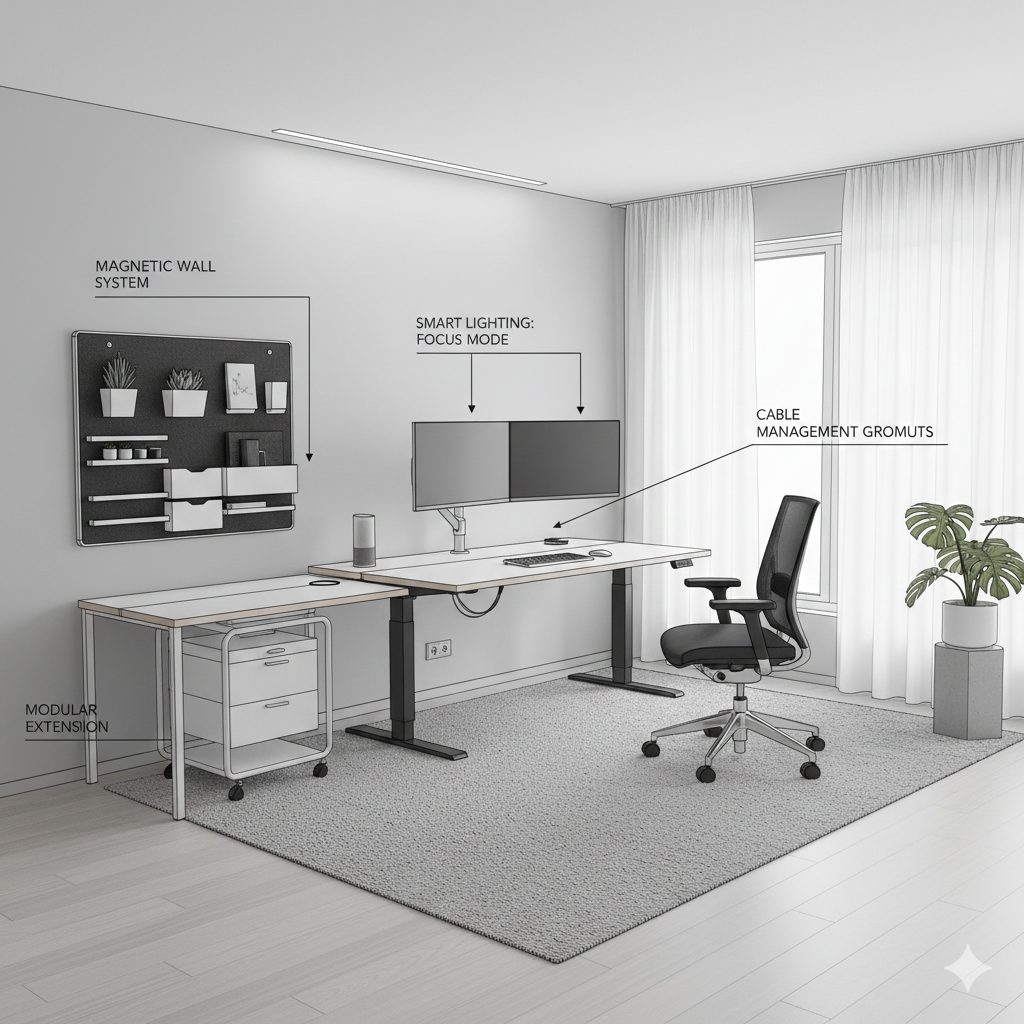
Modern home offices keep things simple, functional, and easy to adapt. The focus stays on clean lines and tech that fits naturally into the room, so the space works well now and still makes sense when your needs change.
Cable management happens quietly in the background. Desks route cords underneath through built-in grommets, monitor arms lift screens off the surface, and wireless charging cuts down on extra cables. The result is a desk that stays clear without constant effort.
Technology supports your work without taking over the room. Smart lighting shifts from cooler light during focused work to warmer tones later in the day, and voice assistants handle music, reminders, and basic smart home tasks without adding visual clutter.
Modular furniture keeps the layout flexible. You can add desk extensions when a project spreads out and remove them when things scale back.
Rolling storage carts move where you need them, and magnetic wall systems let you rearrange organisers without drilling or committing to a fixed setup.
Style guide elements:
Material palette:
- Glass
- Metal
- Light wood finishes
Technology:
- Wireless peripherals
- Smart lighting
- Cable management
Furniture:
- Adjustable-height desks
- Ergonomic chairs
- Modular storage
Decor:
- Minimal accessories
- Functional art
- Live plants
10. Large Home Office in Small Space
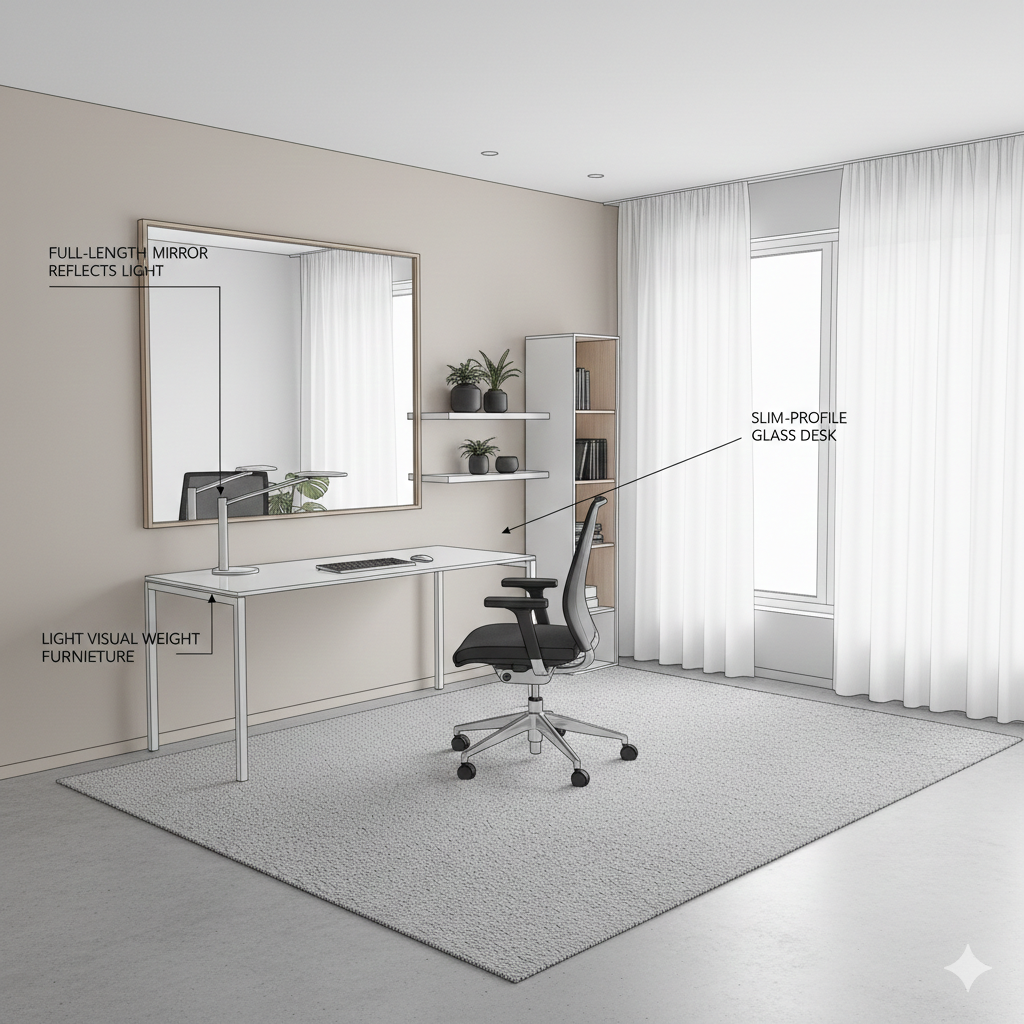
Making a small room feel bigger comes down to smart design, not extra square footage. A few thoughtful choices can make the space feel open and comfortable, rather than tight.
Mirrors do a lot of heavy lifting in small rooms. Hang a full-length mirror on one wall, ideally across from a window, and it will reflect natural light and add depth.
The room feels brighter and more open right away. Furniture with lighter visual weight, like a glass-topped desk, helps too. It does the job without making the room feel crowded.
Furniture size matters more than most people expect. Large, bulky pieces can overwhelm a small office fast. Slim designs with exposed legs let your eyes move more easily around the room, making everything feel less boxed in.
Floating desks often sound like a space-saving move, but in practice, they can waste usable floor area. In a 10×10 room, the space behind the desk is often unused, limiting storage and making cable management more difficult.
That’s why many people eventually push the desk back against the wall. The layout works better, even if it feels slightly less open.
Chair clearance also eats into your floor space. In rooms under 120 square feet, you need about two feet behind the chair to move comfortably. That alone can take up a noticeable chunk of the room without adding much function.
Color helps pull everything together. Light shades reflect more light and make walls feel farther away. Whites, soft greys, and pale beiges work especially well.
Use darker tones in small accents to keep the room visually open while still feeling finished.
Space-expanding techniques:
- Mirrors opposite windows for light multiplication
- Furniture with exposed legs and slim profiles
- Light color palette for walls and major furniture
- Minimal decorative items to reduce visual clutter
11. Multi-Functional Study and Work Home Office Layout
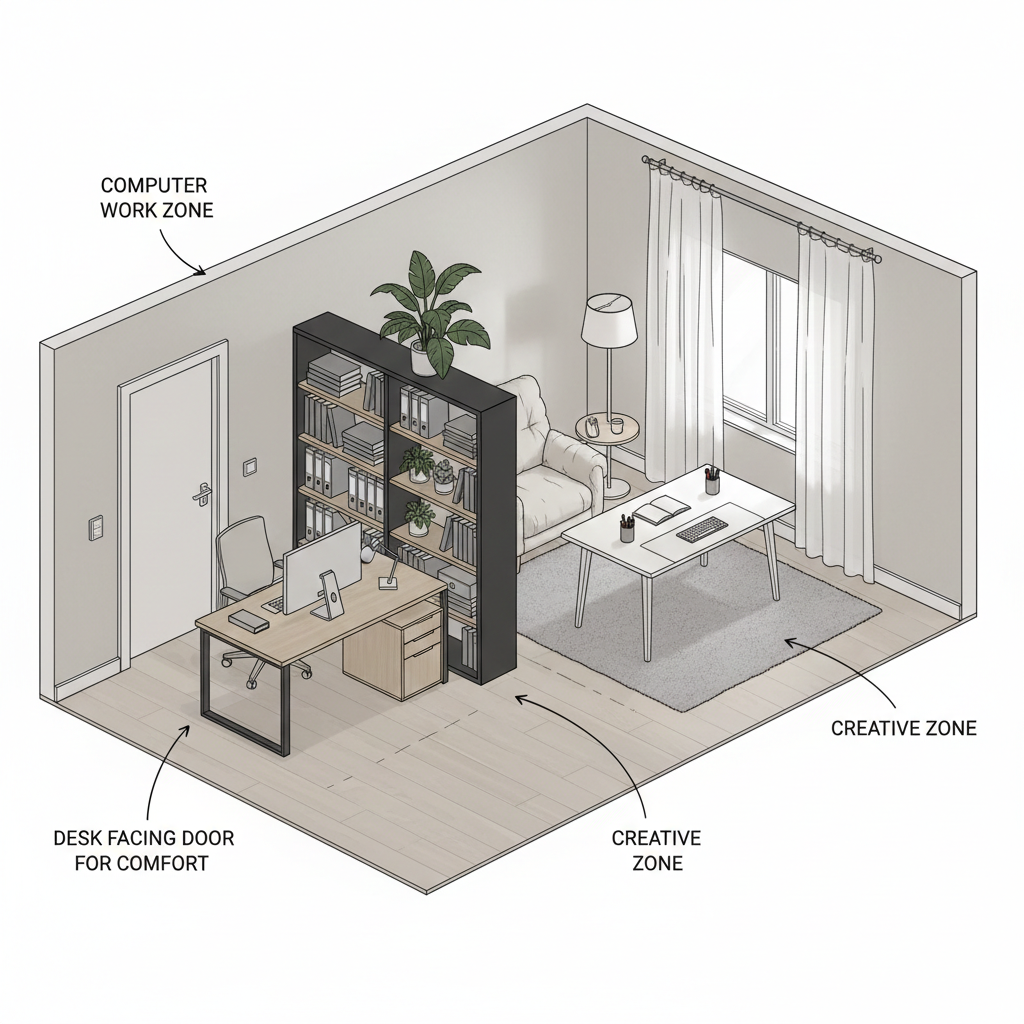
When one room has to handle work, study, and everything in between, clear zones keep it from feeling chaotic. Separate focused work from collaborative or creative tasks, and give each activity its own place to land.
Instead of lining every piece of furniture against the walls, use placement to shape the space. Pulling a desk forward a little can separate work and relaxation areas without closing the room in. You still get an open feel, but the layout clearly signals where work happens and where it doesn’t.
If you use different tools for different tasks, separate desks work better than forcing everything onto one surface.
Keep your monitors and tech on one desk, and leave another open for writing, sketching, or hands-on projects. Moving between desks makes it easier to switch gears mentally.
Visual cues help reinforce those boundaries. A tall bookshelf, a large plant, or a rug under a specific area can define zones without any construction.
Lighting does the same thing. Use a desk lamp for computer work, softer lighting for reading, and adjustable lights for creative tasks so each area feels distinct.
Desk orientation matters more than people expect. Sitting with your back to the door often creates subtle tension, making it harder to settle into deep focus.
Over time, many people end up rearranging their space just to face the entrance. Positioning your desk so you can see the door tends to feel more comfortable long-term and reduces the urge to keep changing the layout.
What Are the Essential Furniture and Accessories for Small Home Offices?
Desk Options
L-Shaped Desks and Corner Use
L-shaped desks give you a lot of usable space in a corner, which helps when you’re juggling more than one task at a time.
Most people place the return on the dominant-hand side so that frequently used items stay within easy reach, especially if that surface holds dual monitors or a writing area.
If the return only holds a printer or paperwork you use once in a while, window placement can matter more, since swapping sides usually doesn’t affect daily workflow much.
In the end, how you actually use the space matters more than strict ergonomic rules.
Rectangular and Wall-Mounted Desks
If your room is narrow or doesn’t have a usable corner, a rectangular desk usually fits better and keeps the layout simple.
In even tighter or multipurpose rooms, wall-mounted desks offer another practical option. Because they fold away, they help free up floor space when the desk isn’t in use.
Standing Desk Options on a Budget
Work habits also influence desk choice. Standing desks with electric height adjustment make it easy to switch between sitting and standing during the day.
If the price feels high, a common workaround is pairing adjustable legs with a custom wood top from a local carpenter.
This approach gives you a sturdy, custom-sized desk for much less than a full standing desk package.
Desk Depth and Surface Size
Size still matters, no matter the desk style. A shallow 20-inch desk works fine for a laptop, but dual monitors usually need at least 30 inches of depth.
Some corner desks solve this by offering one deeper side for main work and a shallower side for secondary tasks, which helps balance comfort and space efficiency.
RELATED: Home Office Desks for Small Spaces: Ideas and Tips for Your Workspace
Seating Solutions
Once you’ve picked the right desk, your chair comes next. A good ergonomic chair keeps you comfortable and focused, boosting productivity by 15-20% during long work sessions.
Look for adjustable lumbar support, seat height, and armrests so the chair fits your body instead of forcing you to adjust to it. Task chairs with casters let you roll between work zones without standing.
Stools work well with standing desks, giving you a perching position between sitting and standing. Folding chairs tuck away easily when you need extra floor space for yoga or stretching.
Storage and Organization
Storage makes or breaks a small office. Use vertical storage to save floor space. Floor-to-ceiling shelves pack in capacity without taking up space, and wall-mounted shelves above your desk keep supplies handy without cluttering your work surface.
Size matters. Big equipment, like floor speakers made for a 400-square-foot living room, can overwhelm a 100-square-foot office visually and acoustically.
Always check furniture and gear against the room before buying. A 24-inch-deep bookshelf works in a 12×12 room but dominates a 10×10 space.
Under-desk storage on wheels rolls out when you need it and tucks away to free legroom.
Filing cabinets with cushioned tops double as extra seating during meetings. Drawer organizers keep supplies neat and easy to find.
How Can You Improve Productivity in a Small Home Office?
Decluttering and Digital Organization
Clear out clutter to make your small office work for you. Every few months, get rid of anything you haven’t used in three months. Scan documents to reduce physical storage and make files easy to find from anywhere.
Personalizing Your Workspace
Add personal touches that make the office a place you want to be, without crowding surfaces.
A few meaningful photos or art pieces add visual interest, and a large plant can improve air quality and reduce stress.
Go for low-maintenance plants like pothos, snake plants, or ZZ plants, and place them where they get natural light without blocking your workspace.
Managing Noise and Distractions
Small spaces make sound travel, so control it. Noise-cancelling headphones block distractions, white-noise machines mask background sounds, and acoustic panels absorb echoes.
Time-Blocking Zones
Give different tasks their own spaces. Use your main desk for deep work, a secondary area with a clean background for video calls, and the floor with a sketchpad for creative brainstorming. Moving between zones helps your brain switch gears.
Organizing Cables and Wires
Keep cables tidy to avoid visual clutter and friction if you share the space. Bundle cords with Velcro ties, route wires along edges with clips, and use cable sleeves to make everything look neat and out of sight.
Thoughtful Decor
Choose decor that motivates you instead of collecting dust. One well-placed plant or piece of art has a greater impact than several scattered items.
Consider Long-Term Flexibility
In multi-story buildings without elevators, furniture choices tend to stick longer than you expect because moving or replacing large pieces takes real effort.
Carrying a desk up and down several flights of stairs quickly makes trial-and-error setups unrealistic.
That’s why people in third-floor walk-ups and higher often go for modular furniture that ships in separate pieces, like desks with detachable frames and tops.
These setups are easier to carry, repair, and adjust later, even if one-piece desks feel more solid once assembled.
When you plan your home office, choose furniture you can take apart into manageable pieces so moving it in or out doesn’t turn into a major project.
Productivity boosters:
- Daily end-of-day reset to clear surfaces
- Dedicated supply homes so items always return to the same spot
- Timer for regular movement breaks every 60-90 minutes
- Separate work and personal tech to maintain boundaries
- Natural scents like citrus or peppermint to enhance alertness
Conclusion
Small home offices work best when you plan carefully, not when you just hope the space will cooperate. Thoughtful furniture placement, smart lighting, and clever storage make every inch count.
Start with the basics: set up your desk and chair to support good posture, and keep supplies within reach without crowding your workspace. Add a few personal touches to make the room somewhere you actually enjoy spending time.
Test different layouts and tweak them to fit your space and how you work. The goal is a setup that lets you focus and get things done without distractions.
FAQ on Home Office Layout Ideas
How often should office chairs be replaced?
A good ergonomic chair can last 7-10 years with regular use. Replace it when adjustments stop holding or the cushion compresses enough that you feel the hard base.
Cheaper chairs usually need swapping out every 2-3 years. If you start feeling new back pain or discomfort during work, your chair isn’t supporting you anymore, no matter its age.
What is home office furniture?
Home office furniture is designed or adapted to help you work effectively at home.
That includes desks sized for your space, storage that blends with your decor, chairs that keep you comfortable for 8+ hours, and tools that keep supplies handy without cluttering your desk.
Compared with commercial furniture, home office pieces focus on size and style flexibility.
What furniture do you need for an office?
At minimum, you need a proper desk and an ergonomic chair. Add task lighting if natural light isn’t enough. Include storage only if you have physical items to organize.
Secondary seating works for video calls or collaboration. Extras like standing desk converters, monitor arms, or cable management make your setup smoother but aren’t essential.
How long do home office chairs last?
High-end chairs with 10+ year warranties can reach that lifespan if you take care of them. Mid-range chairs usually last 5-7 years before adjustments fail or cushions compress.
Budget chairs under $200 often last 2-3 years. How long a chair lasts depends on use: one used 4 hours a day will last about twice as long as one used 10 hours a day.
How often should office furniture be replaced?
Replace furniture when it stops supporting you, not just because it’s old. Desks can last decades unless damaged. Chairs need replacing when adjustments fail or cushions wear out, usually every 5-10 years.
Storage pieces last indefinitely unless drawers or mechanisms break. Pay attention to how your body feels—growing discomfort is a clear sign it’s time for an upgrade.
A good ergonomic chair can last 7-10 years with regular use. Replace it when adjustments stop holding or the cushion compresses enough that you feel the hard base.
Cheaper chairs usually need swapping out every 2-3 years. If you start feeling new back pain or discomfort during work, your chair isn’t supporting you anymore, no matter its age.
Home office furniture is designed or adapted to help you work effectively at home.
That includes desks sized for your space, storage that blends with your decor, chairs that keep you comfortable for 8+ hours, and tools that keep supplies handy without cluttering your desk.
Compared with commercial furniture, home office pieces focus on size and style flexibility.
At minimum, you need a proper desk and an ergonomic chair. Add task lighting if natural light isn’t enough. Include storage only if you have physical items to organize.
Secondary seating works for video calls or collaboration. Extras like standing desk converters, monitor arms, or cable management make your setup smoother but aren’t essential.
High-end chairs with 10+ year warranties can reach that lifespan if you take care of them. Mid-range chairs usually last 5-7 years before adjustments fail or cushions compress.
Budget chairs under $200 often last 2-3 years. How long a chair lasts depends on use: one used 4 hours a day will last about twice as long as one used 10 hours a day.
Replace furniture when it stops supporting you, not just because it’s old. Desks can last decades unless damaged. Chairs need replacing when adjustments fail or cushions wear out, usually every 5-10 years.
Storage pieces last indefinitely unless drawers or mechanisms break. Pay attention to how your body feels—growing discomfort is a clear sign it’s time for an upgrade.