
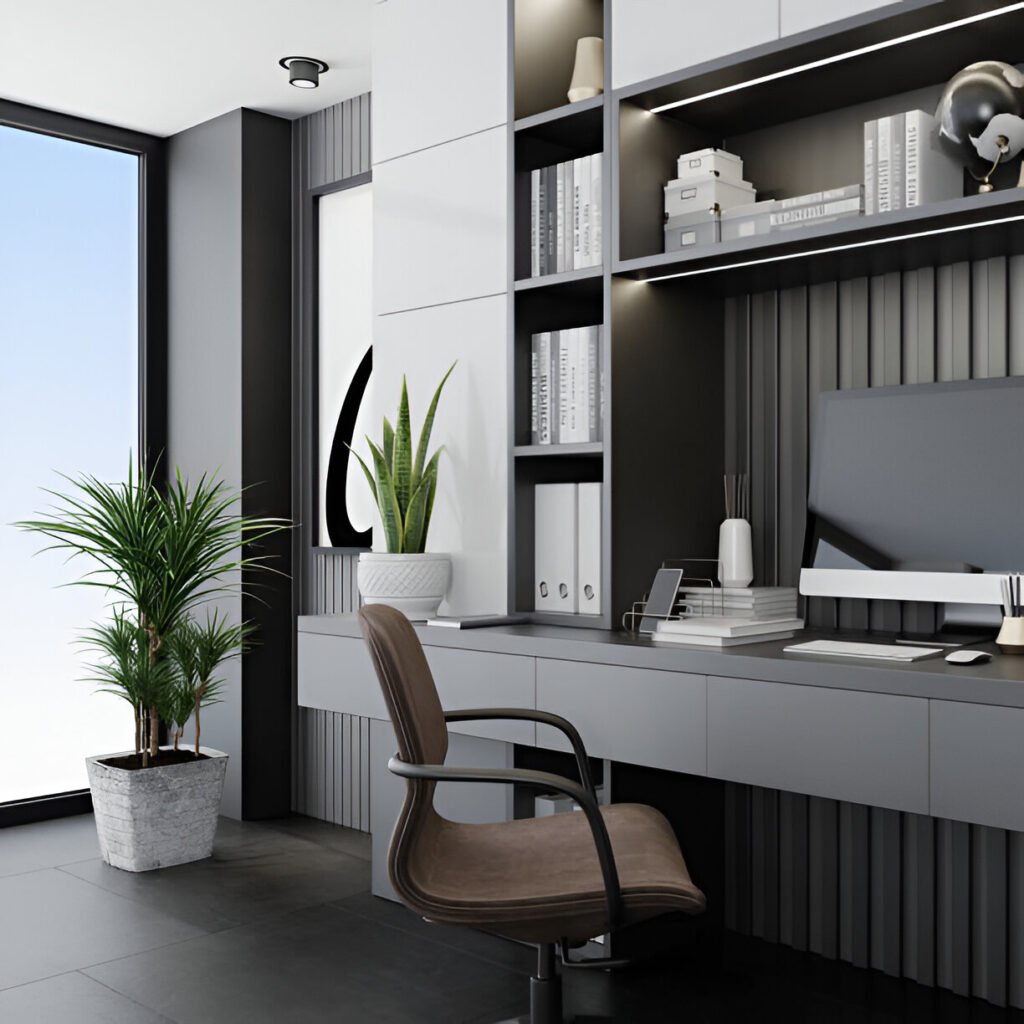
I’ve been working from home for years now, and I’m not gonna lie, I used to think brightness was the only thing that mattered for office lighting. Get the brightest bulb possible, and you’re good to go, right? Turns out I was completely wrong.
Color temperature plays a way bigger role in how productive you actually are throughout the day. It affects your focus, mood, and even how tired your eyes feel after hours of screen time.
Color temperature is measured in Kelvin (K), and it’s basically the tone of the light your bulb produces. Brightness, on the other hand, is measured in lumens and just tells you how much light output you’re getting.
You can have two equally bright bulbs that feel completely different because of their color temperature. This guide discusses the best color temperature for home office lighting that helps boost productivity. Let’s get into it.
Key Takeaways:
- The right color temperature reduces eye strain during long work sessions
- Keeps you alert when you need focus
- Helps you wind down when the workday ends
- Most home offices use the wrong temperature for the wrong times of day, which tanks productivity and makes screen work exhausting
What Is Color Temperature in Lighting? (Explained Simply)
Color temperature in home office lighting is a measure of the color appearance of light, expressed in Kelvin (K).
It describes whether light looks warm and yellow, neutral white, or cool and blue—independent of brightness.
The Kelvin scale runs from warm to cool, and it’s pretty straightforward once you get the basics:
- Warm light (2700K-3000K): Gives off that cozy, yellowish glow you see in living rooms
- Neutral light (3500K-4100K): Appears more natural, neither too yellow nor too blue
- Cool daylight light (5000K-6500K): Has a bright, bluish-white tone you’d find in hospitals or retail stores
How Does Color Temperature Affect the Human Brain?
Your brain responds differently to various color temperatures because of how light interacts with your circadian rhythm. Cool light with more blue wavelengths suppresses melatonin production, which is the hormone that makes you sleepy.
That’s why exposure to daylight-mimicking light during work hours can boost alertness by up to 23% in controlled studies. Warm light does the opposite by encouraging melatonin release, signaling to your brain that it’s time to relax.
Here’s what happens physiologically:
Blue-enriched light effects:
- Slightly increases cortisol and body temperature, keeping you awake and focused
- Improves reaction time and concentration
Warm light effects:
- Lowers cortisol and body temperature, preparing your body for rest
- Reduces mental strain and stress levels
What Is the Best Color Temperature for Home Office Lighting
For most desk work that requires concentration, aim for 4000K to 5000K. This neutral-to-cool range keeps you alert without straining your eyes during extended sessions.
Studies show that workers exposed to lighting in this range experience less fatigue and maintain better task accuracy throughout the day.
The reason it works so well is that it provides enough blue light to suppress drowsiness while still offering decent color rendering for reading documents and viewing screens.
This temperature range also improves contrast clarity, which matters a lot when you’re switching between printed materials and digital displays. Your eyes don’t have to work as hard to adjust between different surfaces.
When Should You Use Cooler or Warmer Color Temperatures?
- Analytical work (5000K): Data analysis, coding, or detailed design work where you need maximum alertness
- Creative tasks (3500K-4000K): Brainstorming, writing, or conceptual thinking—the relaxed state encourages different types of thinking
- Morning work sessions: Handle cooler temps better since your body naturally expects daylight
- Evening work: Should shift to a warmer time to avoid disrupting your sleep cycle later
| Task Type | Ideal Color Temperature |
| Data entry, accounting | 5000K |
| Writing, editing | 4000K |
| Creative brainstorming | 3500K |
| Video calls | 4500K |
What Color Temperature Is Best for Remote Work, Study, and Content Creation?
What Is the Best Color Temperature for Remote Workers?
Remote workers spend most of their day on video calls and staring at screens, so the sweet spot is around 4000K to 4500K.
This temperature doesn’t wash you out on camera and provides enough brightness to keep you engaged during back-to-back meetings.
For your video call setup, neutral white makes skin tones look natural without the harsh shadows that cooler light creates.
Long screen sessions benefit from staying in the 4000K range to reduce blue light exposure while maintaining productivity.
Desk-based work that involves switching between keyboard, documents, and monitor requires consistent lighting that doesn’t force your eyes to constantly readjust.
What Is the Best Color Temperature for Students?
Students engaged in focused study should use 4500K to 5000K to maintain concentration during long reading sessions. This cooler temperature helps fight off the drowsiness that often hits during late-night study marathons.
For general reading that’s more relaxed, 4000K works better and causes less eye fatigue over time. Exam prep and memorization tasks actually benefit from the alertness boost that cooler light provides.
The key is avoiding warm light below 3500K when you need to retain information, as it can make you sleepy and reduce cognitive performance.
What Is the Best Color Temperature for Content Creators?
Writing and editing work well around 4000K because it balances focus with comfort during creative sessions.
If you’re working with color-critical design or photo editing, you need to consider color accuracy at around 5000K to match industry standards.
Video creators and photographers should match their room lighting to their screen’s color temperature to avoid eye strain from constant contrast switching, especially when working on color grading.
For content creators working on a programmer workspace setup, cooler temps reduce errors in detailed work like code review.
Warm vs Cool Light: Productivity Trade-offs
What Are the Pros and Cons of Warm Light (2700K–3000K)?
Pros:
- Creates a comfortable atmosphere that reduces stress and makes spaces feel inviting
- Easier on your eyes—doesn’t feel as harsh or clinical as cooler options
- Promotes relaxation, which is great for winding down after work or during breaks in your home office
I used to have warm bulbs everywhere in my workspace, thinking they’d make it feel less like an office.
Cons:
- Absolutely kills productivity during core work hours
- Triggers drowsiness by encouraging melatonin production—the last thing you need at 10 AM when you’re trying to focus
- Your alertness drops, and tasks that require attention to detail become more difficult
- Slightly reduces visual acuity
Best-use scenarios: Break areas, reading nooks, or evening work when you’re wrapping up emails and don’t need peak performance.
What Are the Pros and Cons of Cool Light (5000K–6500K)?
Pros:
- Delivers maximum alertness and mental clarity—why hospitals and industrial workspaces use it extensively
- The crisp, bright quality helps you spot details and maintains concentration during demanding tasks
- Color rendering is typically better at these temperatures, making it ideal for design work
- Research shows that productivity can increase significantly under cool lighting during daytime hours
Cons:
- Extended exposure to very cool light (above 5500K) can cause eye strain, headaches, and even elevated stress levels
- Becomes counterproductive when you’re exposed for more than a few hours without breaks
- Cool light in the evening is particularly problematic because it disrupts your circadian rhythm and makes falling asleep difficult later
| Light Type | Pros | Cons | Best Time |
| Warm (2700K-3000K) | Comfortable, reduces stress | Causes drowsiness, reduces alertness | Evening only |
| Cool (5000K-6500K) | Maximum focus, high clarity | Eye strain, sleep disruption | Morning, short bursts |
How Does Screen Use Change Your Ideal Color Temperature?
When your monitor is significantly brighter or cooler than the lighting in your room, you create a contrast mismatch that forces your eyes to constantly adjust. This causes serious eye fatigue over time.
I learned this the hard way after experiencing daily headaches from working in a dimly lit room with a bright, cool-toned monitor. The constant pupil dilation and constriction to handle the contrast difference is exhausting.
Glare worsens when your ambient lighting doesn’t match your screen’s temperature. Your ergonomic workspace design should include lighting that complements rather than fights against your displays.
How Do You Match Color Temperature to Screen Settings?
Most monitors default to around 6500K, which is quite cool. For extended screen work, matching your room lighting to a range of 4000K to 5000K creates a better balance. Extreme warm lighting makes your screen look unnaturally blue and harsh.
Extreme daylight temps in the room can make your already-bright monitor overwhelming. Neutral lighting creates the best middle ground for color balance without causing strain.
If you’re using dual monitor lighting considerations:
- Keep consistent temperature across all light sources to prevent eye fatigue
- Position task lights at similar temps to ambient lighting
- Match brightness levels between room and screen
- Avoid mixing warm overhead with cool desk lamps
Are Adjustable Lighting and Smart Bulbs the Best Long-Term Solution?
What Are the Benefits of Tunable White Lighting?
Tunable white bulbs let you adjust color temperature throughout the day without buying multiple fixtures.
You can start your morning at 5000K for that alertness boost, shift to 4000K for afternoon focus, and wind down at 3000K in the evening.
One setup handles multiple tasks and moods, which is perfect for home offices where your space serves different purposes throughout the day.
The flexibility means you’re never stuck with the wrong temperature for your current activity. It’s way more cost-effective than installing separate lighting systems for different needs.
What Is the Recommended Color Temperature Schedule for Home Offices?
Morning sessions from 6 AM to 10 AM work best at 5000K to kickstart your focus and align with your natural circadian rhythm.
Midday work from 10 AM to 4 PM should be set at 4000K to 4500K to maintain sustained productivity without overstimulation.
Evening hours after 4 PM benefit from dropping to 3000K to 3500K so you can wind down properly and protect your sleep quality.
| Time of Day | Recommended Temperature | Purpose |
| 6 AM – 10 AM | 5000K | Wake up, morning alertness |
| 10 AM – 4 PM | 4000K-4500K | Peak productivity |
| 4 PM – 8 PM | 3000K-3500K | Wind down, reduce strain |
| After 8 PM | 2700K-3000K | Relaxation, sleep prep |
What Are Common Mistakes People Make with Home Office Lighting?
- Relying on a single warm ambient bulb (usually 2700K) for the entire workspace, thinking it’s comfortable, but it’s killing your productivity during work hours by making you drowsy
- Using only overhead lighting without any task lighting at your desk—overhead lights create shadows and don’t provide focused illumination where you actually need it
- Ignoring task lighting means you’re working in uneven brightness that strains your eyes
For the most common home office mistakes, lighting is right at the top of the list alongside poor ergonomics.
Quick corrections:
- Add a desk lamp with adjustable temperature
- Switch overhead bulbs to 4000K for daytime
- Layer your lighting with both ambient and task sources
- Invest in at least one tunable bulb to test different temperatures
How to Choose the Right Bulbs for Your Home Office
- Kelvin rating: Tells you everything you need to know about color temperature—look for this number prominently displayed on the packaging
- CRI (Color Rendering Index): Matters if you do any color-critical work; aim for 90 or above for accurate color representation
- LED vs incandescent: LED bulbs maintain consistent color temperature throughout their lifespan, while older incandescent bulbs shift warmer as they age and dim
- Best choice: LEDs are the clear winner for home offices because they last longer, use less energy, and offer precise temperature control
Should You Use Desk Lamps or Overhead Lights?
A layered lighting approach works best for home offices:
- Use overhead lights at around 4000K for general ambient brightness
- Add a desk lamp at the same temperature for focused task lighting
- Place your desk lamp to the side of your dominant hand to avoid shadows while writing or using your keyboard
Overhead lights alone create too many shadows and uneven brightness across your workspace.
Quick Reference Summary: Best Color Temperature for Home Office Lighting Recommendations
Aim for 4000K to 5000K as your core working temperature during business hours.
Drop to 3000K-3500K in the evening to improve sleep quality. Use 5000K for short bursts when you need maximum alertness for critical tasks.
Avoid anything below 3500K during core work hours, and skip temperatures above 5500K for extended periods to prevent eye strain.
| User Type | Recommended Range | Notes |
| Remote workers | 4000K-4500K | Balances calls and screen work |
| Students | 4500K-5000K | Maintains focus during study |
| Content creators | 4000K-5000K | Supports color accuracy |
| General office work | 4000K | Best all-around option |
Your lighting choice is a functional productivity tool, not just decoration. The right temperature keeps you focused during work hours and helps you transition smoothly into rest mode at the end of the day.
Final Thoughts: Lighting as a Productivity Tool, Not Decor
Color temperature deserves way more attention than it gets in most comprehensive home office lighting setup guides.
It’s not about finding one perfect temperature and sticking with it forever. Your needs change throughout the day, and your lighting should adapt accordingly.
The initial investment in quality tunable bulbs pays off quickly in reduced eye strain, better focus, and improved sleep quality.
Prioritize adaptability over aesthetics when choosing your lighting. A beautiful, warm lamp that makes you drowsy at noon is worse than a functional adjustable light that keeps you productive.
The core insight here is simple: match your color temperature to your task and time of day, and your workspace becomes significantly more effective without any other changes.
Frequently Asked Questions About Home Office Lighting
What color temperature should lights be in a home office?
For most home office work, you want to target 4000K to 5000K during core work hours.
This range provides enough alertness and clarity for focused tasks without being harsh enough to cause eye strain over long sessions.
If you’re doing analytical work that requires maximum concentration, you can push toward 5000K.
For more relaxed tasks like reading emails or brainstorming, 4000K works perfectly. The key is avoiding warm temperatures below 3500K during productive hours, as they can cause drowsiness.
What is the best color for office lighting?
Neutral white around 4000K is the best all-around choice for office environments. It outperforms both warm and extreme daylight tones because it balances alertness with comfort.
Warm light makes you sleepy and reduces productivity measurably throughout the day. Very cool daylight tones above 5500K can increase stress and cause headaches during extended exposure.
The neutral range keeps you focused without the negative side effects of either extreme, which is why most productive offices land in this zone.
Is 3000K or 4000K better for a home office?
For daytime work, 4000K is significantly better than 3000K. Here’s the side-by-side: 3000K creates a warm, relaxed atmosphere that’s great for living rooms but terrible for productivity.
It encourages melatonin production and makes it harder to stay alert throughout the day. 4000K provides neutral brightness that maintains focus without feeling clinical or harsh.
Use 3000K only for evening work when you’re winding down and don’t need peak performance. During core business hours, 4000K wins every time for maintaining productivity and reducing screen-related eye strain.
What color light is best for productivity?
Cool-to-neutral white light in the 4000K to 5000K range delivers the best productivity results, according to multiple workplace studies.
This temperature range suppresses melatonin enough to keep you alert while providing good color rendering for screen work and document reading.
Going cooler than 5500K can boost short-term alertness, but it becomes counterproductive after a few hours due to increased eye strain.
Warm light below 3500K consistently reduces productivity by making you drowsy. The exception is creative work that benefits from a more relaxed mental state, where 3500K to 4000K might work better than very cool temps.