
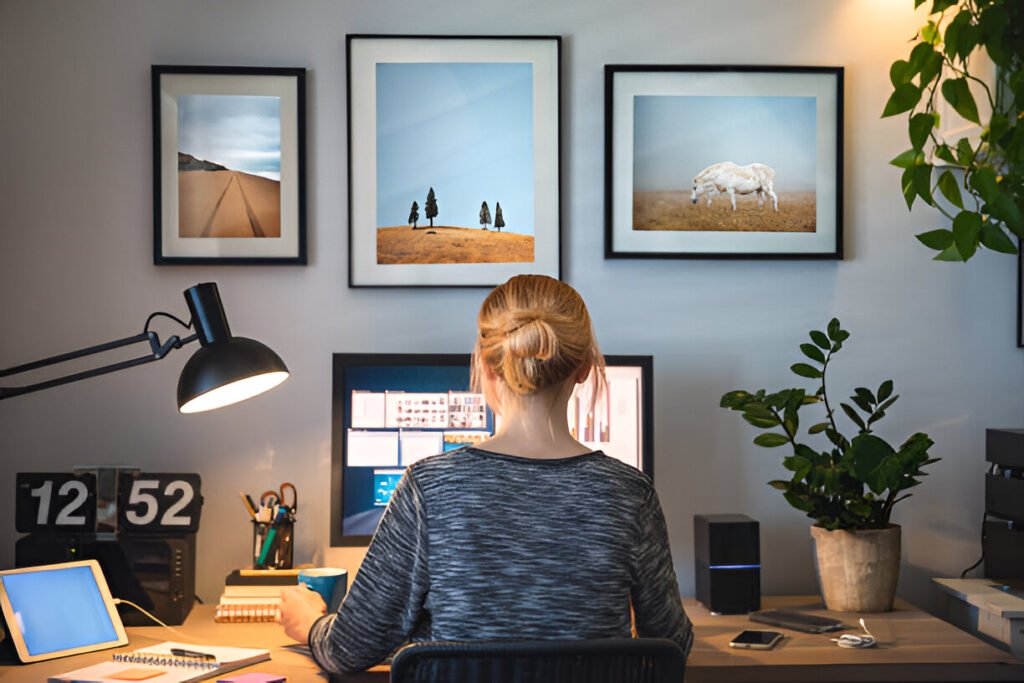
Most remote workers experience headaches, eye strain, and afternoon energy crashes because their home office lighting is poorly designed, often relying on a single harsh ceiling light or the glow of a laptop screen.
Your lighting setup directly determines how long you can work comfortably and how well you perform throughout the day.
This guide outlines the best lighting for home office setups, including how to choose the right fixtures and avoid common mistakes that strain your eyes.
You’ll learn how to layer light sources, select the right color temperatures, and design a lighting system that supports productivity without overspending.
Key Takeaways:
- Layered lighting (ambient, task, accent) prevents eye strain better than single sources
- Color temperature between 4000 K and 5000 K keeps you alert without causing discomfort
- Proper placement eliminates glare and shadows that force awkward postures
- Small investments in the right fixtures deliver measurable improvements in focus
- Common mistakes like overhead-only lighting actively work against your comfort
Why Home Office Lighting Matters More Than You Think
Impact on Productivity and Focus
Studies show workers exposed to natural light report an 84% reduction in eye strain, headaches, and blurred vision. But it’s not just about comfort.
Research from Cornell University found that proper lighting reduces cognitive load, allowing your brain to process information faster and maintain attention longer.
When you’re squinting at a screen or leaning forward to compensate for dim conditions, you’re not just straining your eyes.
You’re forcing your body into unnatural positions that decrease accuracy and slow down task completion. Good lighting lets you sit naturally and work efficiently.
Eye Health and Visual Comfort
Your eyes adjust constantly to different light levels throughout the day. When there’s too much contrast between your bright screen and a dark room, your pupils repeatedly dilate and constrict, causing fatigue. This isn’t just uncomfortable in the moment, it creates long-term strain.
Glare from windows or overhead fixtures hitting your monitor forces you to angle your screen or your body awkwardly.
Over weeks and months, these small adjustments add up to neck pain, shoulder tension, and chronic visual discomfort that doesn’t go away overnight.
Mood, Energy, and Work Consistency
Light affects your circadian rhythm, the internal clock that regulates when you feel alert or tired.
Exposure to bright, cool light in the morning signals your body to wake up and stay focused. Dim or warm lighting later tells your brain it’s time to wind down.
For remote workers, this matters more than you’d think. Without the natural transition of commuting or changing environments, your workspace lighting becomes the primary signal for your body’s energy levels throughout the day.
Core Principles of Good Office Lighting
The Three-Layer Lighting Model
Professional lighting designers use three distinct layers to create balanced illumination.
Ambient office lighting provides your base layer, the overall brightness that fills the room evenly. This usually comes from ceiling fixtures or natural light through windows.
Task lighting targets your immediate work area, your desk surface, keyboard, and documents. A desk lamp gives you control over brightness and direction, letting you illuminate exactly where you need it without flooding the entire room.
Accent lighting adds depth and reduces harsh contrasts. Placing a soft light behind your monitor or along a wall creates visual balance, preventing the stark contrast between a bright screen and dark surroundings that can cause eye strain.
Here’s what each layer solves: Ambient lighting eliminates dark corners and provides enough general visibility to move around safely.
Task lighting gives you the focused brightness needed for reading, writing, or detailed work. Accent lighting fills in shadows and creates a more comfortable visual environment by reducing extreme contrasts.
Color Temperature Explained Simply
Color temperature describes whether light appears warm (yellowish) or cool (bluish), measured in Kelvin (K).
Lower numbers like 2700K produce warm, relaxing light similar to sunset. Higher numbers like 5000K create bright, energizing light that mimics midday sun.
For workspace lighting, you want something in between. Research shows 4000K-5000K keeps you alert and focused without feeling harsh or clinical.
This neutral-to-cool range supports concentration during work hours while still feeling comfortable for extended periods.
Color Temperature Guide:
- 2700K-3000K: Warm white, relaxing but can cause drowsiness
- 4000K-4500K: Neutral white, balanced for all-day work
- 5000K-6000K: Cool white, energizing for high-focus tasks
Types of Lighting for Home Office Setups
Ambient Lighting Options
Ceiling fixtures form the foundation of most home office lighting systems. Flush-mount lights sit directly against the ceiling, making them ideal for low-ceiling rooms where hanging fixtures would feel cramped. They distribute light widely but can cast shadows when used alone.
Semi-flush mounts hang a few inches below the ceiling, providing better light distribution than flush mounts while still working in standard-height rooms.
Pendant lights offer more focused illumination and work well when centered over a desk or hung in pairs.
Recessed lighting (can lights) creates a clean, modern look and provides excellent ambient coverage when spaced properly.
You’ll typically need one fixture per 16-25 square feet depending on ceiling height and desired brightness.
Task Lighting Options
Desk lamps remain the most versatile task lighting choice. Look for models with adjustable arms and heads so you can direct light exactly where you need it.
Clamp lamps attach to your desk edge, saving surface space while providing the same functionality.
Overhead desk lighting, like pendant lights hung directly above your work surface, can work well if positioned carefully.
The key is ensuring they don’t cast shadows when you’re sitting at your desk or create glare on your screen.
LED task lights have become increasingly popular because they stay cool, last years, and often include dimming controls.
Models with color temperature adjustment let you shift between warmer light for afternoon work and cooler light for morning focus.
Accent and Supplemental Lighting
Wall-mounted lights or sconces add visual interest while filling in the shadows created by single sources.
They work particularly well in home offices that double as other rooms, providing softer lighting for non-work hours.
LED strip lights installed under shelves or behind monitors serve a practical purpose beyond aesthetics.
They reduce the contrast between your bright screen and dark wall behind it, a technique called bias lighting, which significantly reduces eye strain.
Floor lamps offer flexibility, allowing you to reposition them as your needs change.
Arc floor lamps reach over your desk from behind or beside your chair, providing overhead-style illumination without permanent installation.
Choosing the Best Ceiling Lighting for Home Office
Best Ceiling Light Types by Room Size
Small rooms under 100 square feet need 2000-3000 lumens of ambient light. A single flush mount or semi-flush fixture with integrated LED usually handles this. Anything larger creates uncomfortable brightness in a confined space.
Medium rooms between 100-200 square feet require 3000-5000 lumens. You can achieve this with a larger central fixture or by combining multiple recessed lights spaced 4-6 feet apart across the ceiling.
Large home offices over 200 square feet need 5000-7000+ lumens for adequate ambient lighting. Consider using multiple fixtures strategically placed to eliminate dark corners while avoiding excessive brightness in your immediate work area.
Room Size Quick Reference:
- Small (up to 100 sq ft): 2000-3000 lumens, single flush mount
- Medium (100-200 sq ft): 3000-5000 lumens, semi-flush or multiple recessed
- Large (200+ sq ft): 5000-7000+ lumens, pendant series or recessed grid
Ceiling Placement and Light Distribution
Central ceiling placement works well in symmetrical rooms where your desk is near the center.
But if your desk is against a wall, centered ceiling lights often end up directly behind you, causing screen glare and casting shadows across your work surface.
Offset placement, positioning the fixture toward the front of your workspace, eliminates these problems.
The light comes from slightly in front rather than behind, illuminating your desk without casting problematic shadows on your monitor.
Multiple smaller fixtures distributed across the ceiling distribute light more evenly than a single large central source.
This approach provides better overall illumination and greater flexibility in arranging your furniture, without creating dead zones or overly bright spots.
Home Office Lighting Ideas by Workspace Type
Small Home Office Lighting Ideas
Space constraints in small offices mean every fixture needs to serve multiple purposes. A flush-mount ceiling light provides ambient coverage, while a small clamp lamp handles task lighting without taking up valuable desk space.
Under-cabinet LED strips work exceptionally well in compact setups. Mounted beneath a shelf or overhead cabinet, they deliver focused light to your work surface while keeping the fixture out of your way. Look for strips with diffuser covers to prevent seeing individual LED dots.
Corner floor lamps maximize unused space by positioning a light source where walls meet, bouncing illumination across two surfaces at once.
This creates surprisingly effective ambient lighting in rooms where wall space for traditional fixtures is limited.
Bedroom or Shared Space Home Offices
When your office shares space with a bedroom, lighting should transition between work and relaxation modes.
Dimmable fixtures make this possible, allowing you to adjust brightness after work hours without changing your entire setup.
Positioning is crucial in shared spaces. Place your desk lamp so it provides enough light for work without spilling into sleeping areas.
Wall-mounted swing-arm lamps work well because they extend over your desk when needed and fold back against the wall when not in use.
Visual separation through lighting helps your brain distinguish between work and rest zones even in the same room.
Using cooler 4500K light in your work area while keeping warmer 3000K light in the sleeping section creates psychological boundaries that support both productivity and sleep quality.
Our guide to bedroom office layouts covers spatial planning that works with these lighting strategies.
Content Creator and Student Setups
Video calls and content creation demand even, shadow-free lighting on your face. Ring lights, popular for good reason, provide consistent illumination that eliminates unflattering shadows under eyes and nose. Look for models with a Color Rendering Index (CRI) above 90 for accurate skin tone representation.
Students working with physical materials like textbooks and handwritten notes benefit from higher task lighting levels than computer-only setups.
Aim for 700-1000 lumens at your desk surface compared to the 450-700 lumens sufficient for typing and browsing.
Balanced front and overhead light prevents the harsh, flat appearance single light sources create on camera.
Position your primary task light slightly in front and to one side of your seating position, then add softer overhead ambient lighting to fill in from above.
How to Design Lighting for Home Office Comfort
Glare Control and Screen Positioning
Monitor placement relative to windows makes or breaks your lighting setup. Never face windows directly, you’ll fight constant glare, and your screen will be barely visible.
But sitting with windows behind you creates backlighting that makes you look like a silhouette on video calls.
Position your desk perpendicular to the windows instead. This provides natural light from the side without illuminating your screen directly.
Use sheer curtains or blinds to diffuse bright sunlight on particularly sunny days while maintaining your view outside.
Light angle matters as much as position. Overhead lights directly above your screen create reflections, while lights behind or beside you illuminate your workspace without bouncing off your monitor.
Following ergonomic workspace principles helps you position both furniture and lighting for maximum comfort.
Matching Lighting to Daily Work Tasks
Reading and writing require higher illumination levels than computer work. If you frequently switch between screens and paper documents, your task lamp needs enough brightness for reading (700-1000 lumens) with dimming capability to reduce it for typing sessions.
Video meetings benefit from soft, even lighting that minimizes shadows. Position lights at face height rather than overhead, and use diffused sources rather than direct beams. A simple lamp with a fabric shade often works better than bare bulbs.
Editing photos or videos demands accurate color representation, making CRI ratings more important than for general office work. Look for fixtures rated CRI 90+ to ensure colors appear true to life rather than shifted toward yellow or blue.
Daylight Integration and Window Use
Natural light serves as your primary lighting layer whenever possible, reducing electricity costs while providing the full-spectrum illumination your body evolved to work under. But unmanaged daylight creates problems as the sun moves across the sky throughout the day.
Light-filtering window treatments give you control without blocking views. Roller shades with varying opacity levels let you adjust based on sun angle, maintaining brightness while cutting glare. Vertical blinds work well for large windows where you need directional control.
Reflective surfaces like mirrors or light-colored walls amplify available daylight, spreading it deeper into your room.
A mirror placed opposite or adjacent to your window can nearly double perceived brightness in spaces with limited natural light access.
Office Lighting Fixtures: What to Look for Before Buying
Lumens, CRI, and Efficiency
Lumens measure actual brightness, not watts. A 9-watt LED producing 800 lumens gives you more usable light than a 60-watt incandescent producing the same output while using a fraction of the electricity.
For desk lamps, look for 450-1000 lumens, depending on whether you need it for computer work or detailed tasks.
Color Rendering Index (CRI) indicates how accurately colors appear under a light source. Natural sunlight scores 100.
For office work, you want fixtures rated CRI 80 or higher so documents, screens, and faces appear natural rather than washed out or tinted.
Recommended Specifications:
- Task lamps: 450-1000 lumens, CRI 85+, 4000K-4500K
- Ambient ceiling: 50-75 lumens per square foot, CRI 80+, 4000K
- Accent lights: 200-400 lumens, CRI 80+, 3000K-4000K
Energy efficiency matters for fixtures you’ll run 8+ hours daily. LED technology dominates for good reason, lasting 25,000+ hours while using 75% less energy than incandescent bulbs. Initial cost is higher but pays back within the first year of use.
Adjustability and Long-Term Use
Adjustable arms and heads on task lamps extend their usefulness across different activities.
A lamp that only points in one direction limits your flexibility, while one that tilts, swivels, and extends adapts as your needs change throughout the day.
Dimming capability transforms a single fixture into multiple lighting tools. Bright light for focused morning work, medium intensity for afternoon tasks, and low glow for evening video calls all from the same lamp simply by adjusting output.
Bulb replacement matters more than you’d expect. Integrated LED fixtures last years but can’t be serviced when they eventually fail.
Fixtures with standard E26 or E27 sockets let you easily replace burned-out bulbs and upgrade to newer technology as it becomes available.
Common Home Office Lighting Mistakes to Avoid
Relying on a single overhead light remains the most common mistake. That lone ceiling fixture creates harsh shadows under your brows, making you squint, and casts your hand’s shadow across your keyboard as you type.
The fix: Add a desk lamp positioned on the side opposite your writing hand to create layered illumination that eliminates these problems.
Using overly cool lighting (6000K+) might seem energizing but actually causes headaches during extended exposure.
The bluish cast strains your eyes and disrupts your circadian rhythm when used all day. Better option: Stick to 4000K-4500K for all-day comfort that still keeps you alert.
Ignoring task-specific needs means using the same lighting intensity for computer work, reading, and video calls even though each requires different brightness levels.
Consequence: You’re either working in dimness that strains your eyes or brightness that causes glare.
Solution: Invest in dimmable fixtures or multiple lamps you can switch between based on current activity.
Positioning lights behind your seating creates screen glare and forces you to hunch forward to see clearly. This causes neck and shoulder tension that compounds over weeks.
Move that floor lamp to the side or in front of your desk instead, illuminating your work surface without reflecting off your monitor.
Understanding common setup errors helps you avoid these lighting pitfalls, along with furniture and equipment mistakes.
Quick Setup Checklist for Better Office Lighting
Start by assessing your ambient base lighting. Stand in your office doorway and assess the room’s overall brightness with the ceiling lights on.
Is the space evenly lit, or are there dark corners? Do you have enough general visibility to move around safely? If not, your ceiling fixture needs to be upgraded or supplemented before addressing task lighting.
Position your task light correctly. Place your desk lamp on the side opposite your writing hand (left side for right-handed, right side for left-handed) to prevent shadow-casting.
Ensure it’s close enough to illuminate your immediate work area but far enough away that the bulb isn’t directly in your line of sight.
Check for screen glare by sitting at your desk with your monitor on. Look for bright spots or reflections on the screen from windows, ceiling lights, or lamps. Adjust window treatments, reposition fixtures, or angle your monitor until reflections disappear.
Verify your color temperature alignment. All lights visible at once should fall within a 1000K range to maintain visual coherence. Mixing 3000K warm light from a floor lamp with 5000K cool light from a desk lamp creates an unpleasant clash that causes subtle eye strain. Make your complete setup checklist more effective by ensuring lighting specifications match across your workspace.
Summary: Building the Best Home Office Lighting System
Effective workspace lighting isn’t one perfect fixture, it’s a system of coordinated light sources working together.
Ambient ceiling lights establish your baseline brightness, task lamps deliver focused illumination where you need it, and accent lighting reduces harsh contrasts that strain your eyes.
Color temperature between 4000K and 5000K supports focus without causing discomfort during extended work sessions.
Proper fixture placement eliminates glare and shadows while providing enough light for your specific tasks, whether that’s reading detailed documents or participating in video calls.
Balance comfort and performance by layering your lighting rather than relying on a single source. Start with adequate ambient coverage, add adjustable task lighting for your desk, and include accent elements that create depth while reducing screen-to-wall contrast.
This approach gives you the flexibility to adapt lighting throughout your workday while maintaining consistent, comfortable conditions that support productivity-focused workspaces over the long term.
Frequently Asked Questions About Home Office Lighting
What Is the Best Light Bulb for a Home Office?
LED bulbs are your best choice for home office lighting due to superior energy efficiency and lifespan.
They use 75% less electricity than incandescent bulbs and last 25,000+ hours, meaning years of 8-hour workdays before replacement.
For workspace lighting specifically, choose LEDs rated 800-1000 lumens for desk lamps and 4000K-4500K color temperature.
This combination provides sufficient brightness for detailed work while maintaining neutral white light that keeps you alert, without the harsh, bluish cast of cooler temperatures.
CRI ratings above 85 ensure accurate color representation for documents and screens.
What Type of Lighting Is Best for a Home Office?
Layered lighting combining ambient, task, and accent sources provides the best results for home office environments.
A single fixture can’t address the varied activities and viewing angles your workspace demands throughout the day.
Ambient lighting from ceiling fixtures establishes baseline brightness for the entire room. Task lighting via adjustable desk lamps delivers focused illumination exactly where you’re working.
Accent lighting behind monitors or along walls reduces the harsh contrast between bright screens and dark backgrounds, which can cause eye strain during extended computer use.
This three-layer approach aligns with both productivity research and eye comfort guidelines.
What Is the Best Lighting for a Home Office Overall?
The most effective home office lighting system uses a 4000K LED flush mount or recessed ceiling fixture for ambient coverage, paired with an adjustable LED desk lamp (4000K-4500K, 800 lumens) for task lighting.
Add LED strip backlighting behind your monitor, or soft accent lighting, to reduce screen-to-wall contrast.
Rather than searching for a single “perfect” light, focus on balance. Your ceiling fixture should provide 50-75 lumens per square foot of ambient light. Your task lamp should provide sufficient brightness for reading (700-1000 lumens) and include dimming capability for computer work.
Accent lights fill in shadows without adding significant brightness. Coordinating all fixtures within a consistent 4000K-4500K range maintains visual coherence while supporting focus.
Which Light Is Good for Eyes in an Office?
Neutral-to-cool color temperatures between 4000K-5000K provide the best eye comfort during extended work sessions. This range mimics natural daylight without the excessive blue light that higher temperatures (6000K+) produce, reducing eye strain while maintaining alertness.
High CRI ratings (90+) become crucial for reducing eye fatigue because they render colors accurately, minimising the visual adjustment your eyes make between looking at screens, documents, and your surroundings. Combine proper color temperature with glare control through fixture positioning and screen placement to maximize comfort during long screen hours.
Following a complete home office setup approach ensures your lighting works in harmony with furniture placement and equipment positioning for optimal eye health.