Modern Home Office Furniture: Types, Storage, and Accessories
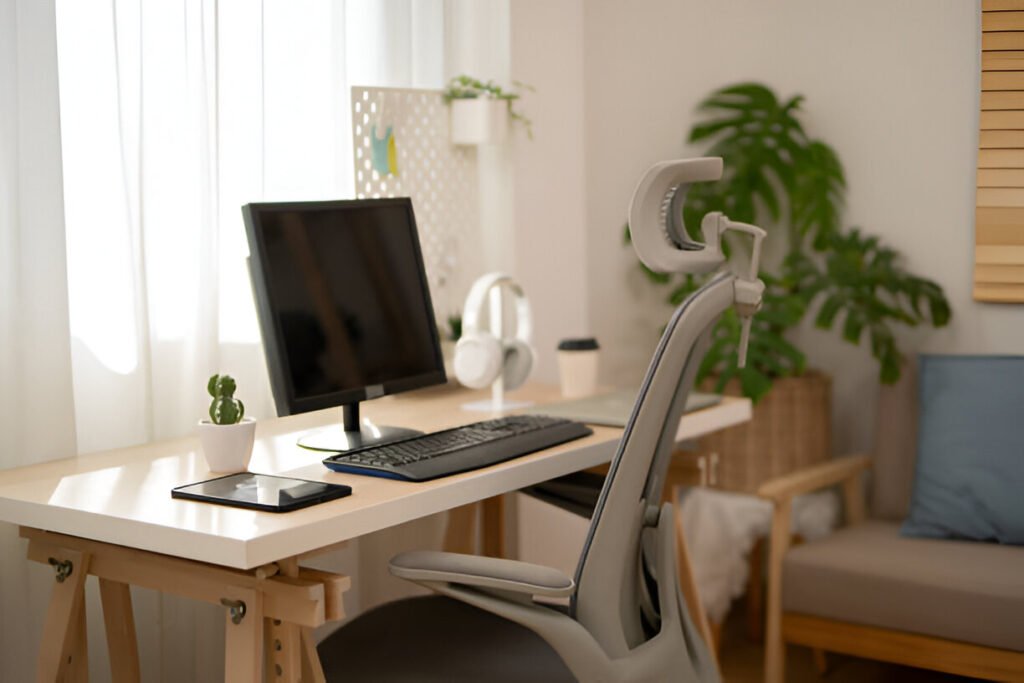
Remote work has turned spare bedrooms into full-time offices. Many people start out using a kitchen chair or an old college desk, then wonder why their back hurts by the end of the day.
Those setups just aren’t built for long work hours, and over time, they make sitting and focusing harder than it needs to be.
Research in occupational health and ergonomics consistently links non-ergonomic home office setups to higher rates of lower back pain among remote workers, with prolonged exposure associated with worsening musculoskeletal symptoms.
Modern home office furniture focuses on comfort, smart use of space, and designs that actually support how you work.
If you work remotely, study from home, or create content, the furniture you use plays a big role in how you feel and how well you work.
This guide walks you through desks, chairs, ergonomic furniture, storage, and accessories so you can build a workspace that feels comfortable, supports your body, and fits your goals.
Key Takeaways:
- Modern home office furniture prioritizes ergonomics, functionality, and minimalist design.
- Proper desk and chair selection reduces strain and boosts productivity by up to 20%
- Storage solutions keep your workspace organized and maximize limited square footage.
- Adjustable and modular furniture adapts to different work styles and space constraints.
- Replacing worn furniture every 5-10 years maintains support and prevents injury.
What Is Modern Home Office Furniture?
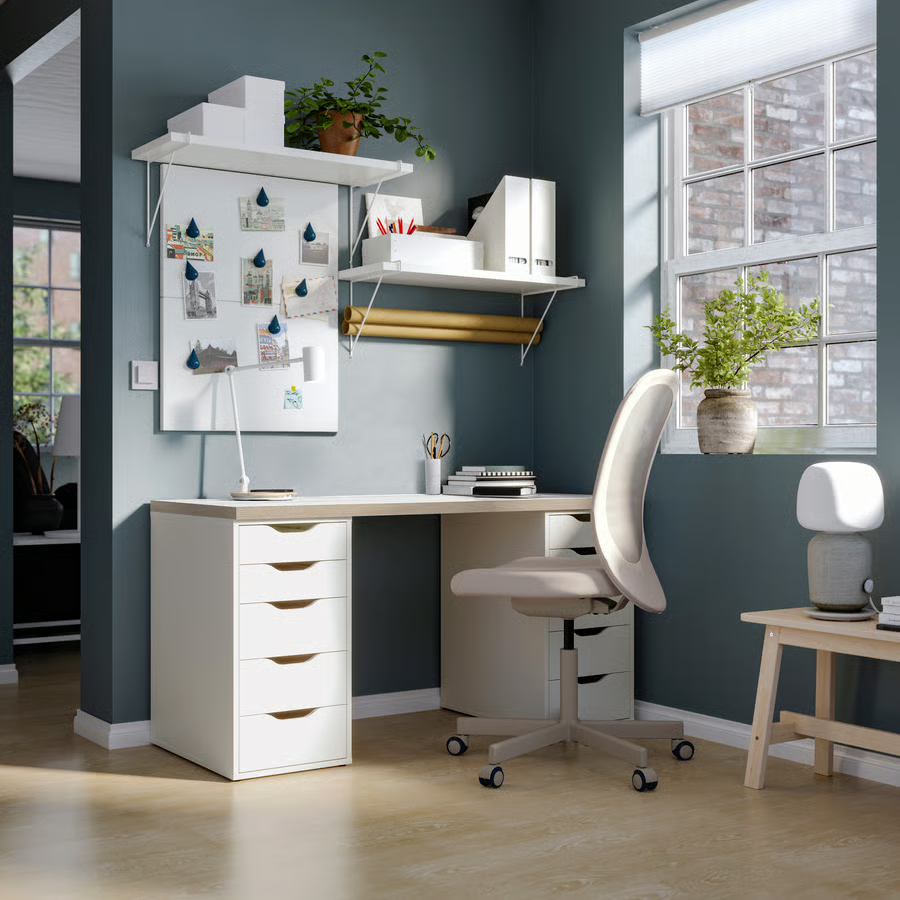
Modern home office furniture isn’t just about looking sleek. It’s about stripping away the extra stuff and focusing on what actually helps you work.
If you’ve ever sat at a desk that looked great but had nowhere to hide cables or no space to rest your arms comfortably, you already know how frustrating form-over-function can be.
Today’s designs use clean lines, neutral colours, and simple shapes so every piece serves a real purpose instead of just filling space.
That focus shows up clearly in the materials used:
- Wood brings warmth and offers durability
- Metal adds strength and keeps the furniture stable.
- Glass makes a space feel lighter and less cramped.
- Composite materials help keep costs reasonable without sacrificing basic quality.
Choosing Materials by Work Type
If you spend a lot of time on camera, wood desks give your space a warmer, more welcoming look during client calls. You just need to keep them away from windows so sunlight doesn’t damage the surface over time.
When you’re running multiple monitors and need solid support, metal frames hold up well. They carry heavier setups without flexing, though their cooler, industrial feel can start to feel a bit clinical during long workdays.
In smaller rooms or creative setups, glass tops can make the space feel lighter and more open, which is why content creators often like them.
The downside is that fingerprints show up fast, so you’ll need to wipe them down regularly with a streak-free cleaner to keep them looking sharp.
If you want something reliable without the cost of solid wood, composite materials strike a good balance. They work well for hybrid setups, but the edges can chip more easily if you move equipment around often.
The best modern pieces mix these materials thoughtfully, rather than leaning too hard into one look.
Technology integration is where modern furniture really pulls ahead of older designs.
Built-in cable management, wireless charging surfaces, and adjustable parts solve everyday annoyances—like tangled cords, dead phone batteries, or a desk that never quite sits at the right height.
These features support how you actually work now, juggling multiple devices and shifting tasks throughout the day, instead of forcing you to adapt to outdated furniture.
Why Does Furniture Choice Matter for Remote Workers and Students?
Your choice of furniture determines whether you end the day feeling fine or with a sore lower back and a stiff neck. I found that most people experience a dull ache after hours on an uncomfortable chair or after working from a couch that seemed comfortable at first.
Research links ergonomic workstations to a 15–20% productivity boost, primarily because your body stops fighting the furniture and allows you to focus on the work.
Poorly designed furniture often triggers a chain reaction. A desk that sits too high makes you hunch. A chair without proper lumbar support allows your spine to slump. A poorly placed monitor pulls your neck forward all day.
Those minor issues don’t stay small. Over weeks and months, they build into real pain and long-term musculoskeletal problems that account for a large share of missed workdays.
Common problems caused by poor furniture include:
- Ongoing back and neck pain from weak support
- Eye strain from monitors that sit too high, too low, or too far away
- Wrist and forearm pain from awkward keyboard placement
- Poor circulation from chairs that cut into your legs
- Mental fatigue from constantly shifting to get comfortable
The link between comfort and productivity is pretty straightforward. When your body feels supported, your brain works better.
When you stop adjusting your posture every few minutes, you save energy for actual work. Studies show that people working at proper desks report higher productivity than those working from beds or couches.
Once you understand that, the focus naturally shifts to choosing furniture that consistently supports your body, starting with the desk that anchors your entire workspace.
Weight Capacity Specifications
Considering the weight capacity of the furniture you choose is essential because it tells you how much your home office furniture can safely hold without wearing out too quickly, breaking, or posing a safety risk.
Standard desks usually handle 50 to 150 pounds, which is fine for monitors and basic office supplies, while heavy-duty desks can carry 200 to 300 pounds, making them better for multiple monitors, studio gear, or heavier tools.
Standing desks handle around 150 to 225 pounds because of their motorized lifting systems.
Before you add monitor arms or clamps, check the desk’s capacity. These accessories put weight in specific spots rather than spreading it evenly, so verifying the limits prevents problems.
Chairs work the same way; most standard chairs hold 250 to 300 pounds, and bariatric models can handle up to 500 pounds.
If you exceed these limits, furniture wears out faster, warranties are voided, and you risk accidents.
Always follow the manufacturer’s specifications instead of guessing by sight, because furniture that can’t handle the load might sag, wobble, or even fail while you’re using it.
Common problems caused by poor furniture include:
- Ongoing back and neck pain from weak support
- Eye strain from monitors that sit too high, too low, or too far away
- Wrist and forearm pain from awkward keyboard placement
- Poor circulation from chairs that cut into your legs
- Mental fatigue from constantly shifting to get comfortable
The link between comfort and productivity is pretty straightforward. When your body feels supported, your brain works better.
When you stop adjusting your posture every few minutes, you save energy for actual work.
Studies show that people working at proper desks report higher productivity than those working from beds or couches.
Once you understand that, the focus naturally shifts to choosing furniture that consistently supports your body, starting with the desk that anchors your entire workspace.
Material Durability and Maintenance Requirements of Home Office Furniture
Regular care is essential for preserving wooden furniture; it benefits from weekly dusting and oiling every 6 months using furniture-grade lemon oil or beeswax polish (brands like Howard Feed-N-Wax or Daddy Van’s cost $8-15 per bottle and last 6-12 months).
Placement also matters, since positioning desks near heating vents or in direct sunlight can accelerate warping over time.
Placement also matters, since positioning desks near heating vents or in direct sunlight can accelerate warping over time.
In contrast, durability is a key advantage of metal frames, as they require relatively little upkeep.
Still, joints should be checked annually for loosening screws, and metal surfaces should be wiped with a dry cloth to prevent moisture buildup and maintain their finish.
When it comes to appearance, glass tops tend to show fingerprints quickly, so they require daily cleaning with streak-free solutions like Windex or microfiber cloths dampened with 50/50 water-vinegar mix to maintain clarity.
For workspaces that use composite materials, resistance to staining is a clear benefit, although edges may chip under impact.
While most modern finishes repel water, prolonged exposure can still cause damage, which makes immediate spill cleanup essential regardless of material type.
Taken together, consistent maintenance across these materials supports long-term performance and can extend furniture lifespan by three to five years beyond typical replacement timelines.
What Are the Different Types of Home Office Desks?
Standard Home Office Desks
Writing desks provide a clean surface and one or two drawers. Writing desks work well for freelance writers and consultants managing 1-2 devices—a laptop and notebook—but fail quickly for designers juggling dual monitors, drawing tablets, and reference materials.
A graphic designer I know reported abandoning her writing desk after three months when she couldn’t fit her 27-inch monitor, Wacom tablet, and client mood boards simultaneously, forcing her to constantly shuffle materials and lose focus.
Computer desks take it a step further. They come with built-in keyboard trays and monitor shelves, so all your tech has a proper spot. If you’ve ever had wires and gadgets scattered everywhere, you know how much this helps.
Minimalist desks stick to the bare essentials—a tabletop and legs. They keep your space open and uncluttered, which is excellent if you feel cramped in a small room or just want a clean, distraction-free area.
How each desk helps:
- Writing desks are well-suited for creative work and note-taking.
- Computer desks work well for tech-heavy setups with multiple devices.
- Minimalist desks are ideal when space is limited, and storage isn’t a priority.
Space-Saving Home Office Desks
Wall-mounted desks fold up when you’re done working, so they disappear into your wall. They work perfectly in studio apartments or rooms that serve multiple purposes.
Folding desks give you the same flexibility—set them up when you need them, then store them flat when you’re finished.
Corner desks turn awkward corners into productive work areas. You usually get more surface area than a standard rectangular desk in the same footprint, making them ideal for small rooms.
RELATED: Home Office Desks for Small Spaces: Ideas and Tips for Your Workspace
Ergonomic and Adjustable Desks
Sit-stand desks let you switch between sitting and standing throughout the day, and the benefits are real.
Standing for a couple of hours gives your body a break from constant compression and helps reduce blood sugar spikes.
Over time, it improves circulation, eases fatigue, and keeps your spine in its natural curve.
Height-adjustable desks can be moved manually or electronically to set the perfect height. They keep your forearms parallel to the floor while typing and your screen at eye level, reducing wrist and neck strain.
Changing positions regularly keeps your body active and prevents the tired, stiff feeling that comes from sitting for hours.
Space Requirements for Adjustable Features
Standing desks typically need 24 to 30 inches of vertical clearance above the desktop to allow for full height adjustment.
Before purchasing, measure from the floor to any overhead obstacles such as shelves, cabinets, or lighting fixtures to ensure enough space for movement.
While the desk’s width does not change during adjustment, additional clearance is still necessary.
Allow at least 6 to 8 inches behind the desk to accommodate cables and prevent contact with walls as the desk raises and lowers.
Corner desks require extra consideration, since they occupy diagonal space, so measurements should account for the full movement arc rather than only straight-line dimensions.
Accessories and seating also affect space requirements. Monitor arms can swing 12 to 20 inches when repositioned, which makes it important to verify clearance from nearby walls and furniture.
Under-desk treadmills or bikes require an additional 12 inches of depth, and chairs may tilt backward by 8 to 12 inches when reclining.
Taking all of these movement zones into account during space planning helps prevent furniture from striking walls, blocking walkways, or interfering with normal adjustments during everyday use.
Desk Type
Best For
Key Benefit
Sit-Stand
Remote workers, 8+ hour days
Reduces sitting time by 17% within 3 months
Fixed Standing
Dedicated standing users
Lower cost, maximum stability
Manual Adjustable
Budget-conscious buyers
Flexibility without electronic components
Electric Adjustable
Frequent position changers
Effortless height adjustment
Desks for Content Creators and Students
If you also need a desk that can handle your gear. When running multiple monitors, ring lights, microphones, and cameras, choose a model with sufficient weight capacity and reinforced edges to support monitor arms and clamps.
Some desks even have built-in power strips and USB hubs so that you won’t deal with a tangle of cords under your workspace.
What Are the Best Home Office Chair Options?
Ergonomic Seating
If you film videos or join virtual meetings, you need a desk that hides your cables. Modern creator desks feature built-in channels and grommets to keep wires out of sight, keeping your background clean and professional.
Your spine needs proper support. Flat seats strain your body, leading to fatigue and pain over time. A good chair with lumbar support keeps your spine in its natural curve, so your muscles don’t have to compensate.
Skipping this can lead to fundamental issues, such as musculoskeletal injuries, which are common among remote workers, cost time off, and are expensive. A solid ergonomic chair prevents those problems before they start.
What Are the Different Types of Home Office Chairs?
- Task Chairs: They’re great for daily use and offer the basics: adjustable height, armrests, and tilt. They’re reliable and affordable, though they don’t provide extra comfort.
- Executive Chairs: These feature padding, higher backs, and premium materials such as leather. They’re great for long work sessions and look professional, but cost more.
- Mesh Chairs: The breathable back helps regulate body temperature during extended hours. You lose some cushioning, but you won’t become sweaty or uncomfortable.
- Drafting Chairs: Taller seats with footrings for standing desks. They fix height issues, but aren’t ideal for standard desks.
Pick a chair that fits your needs, whether it’s comfort, budget, or staying cool, so your setup actually works for you.
Matching Chair Type to Work Pattern
Task chairs are a good fit for hybrid workers who split their time between home and the office. They are lightweight enough to move between rooms and affordable enough that buying one for each location remains practical.
For full-time remote professionals in client-facing roles, executive chairs offer both comfort and visual presence. Their higher backs and premium materials look polished on camera and help convey professionalism during investor calls or executive meetings.
In warm climates or for people who tend to overheat, mesh chairs provide better airflow. The breathable back reduces heat buildup during long focus sessions, especially in home offices without constant air conditioning.
Drafting chairs address a specific need for standing desk users who struggle with foot support at higher desk positions. The built-in footring helps keep feet supported, which improves comfort and reduces circulation issues during extended standing sessions.
What Chair Features Matter Most?
Make sure your chair height is adjustable. Keep your feet flat on the floor with your thighs parallel to the ground—this takes pressure off your lower back and supports healthy circulation. Adjust your armrests so your arms are supported without raising your shoulders.
Focus on the lumbar and head support next. Lumbar support stops you from slouching when you’re deep in work, and a headrest keeps your neck supported when you lean back to think or take a break.
Check the seat depth and cushioning. A seat that’s too shallow makes you slide forward, while a seat that’s too deep presses behind your knees and cuts off circulation. Good cushioning retains its shape over time rather than sagging.
Prioritize these adjustments in this order: height, lumbar support, armrests, seat depth, and base stability.
What Other Ergonomic Furniture Do You Need?
Monitor Stand
When your screen sits too low, your head naturally tilts forward as the day goes on. That slight change in your posture adds steady pressure to your neck and upper spine.
A monitor stand addresses this by raising the screen to eye level, helping you keep your gaze straight ahead and maintain a more neutral posture during long work sessions.
Footrest
Being unable to place your feet flat on the floor is another common issue, especially after adjusting your chair to the proper desk height. A footrest addresses that gap by providing stable support for your feet.
It also makes it easier to shift your legs or gently move your feet, which helps maintain healthy blood circulation when you are sitting for extended periods.
Keyboard Tray
Typing comfort often suffers when a desk is set too high. In that situation, your shoulders lift, and your wrists bend more than they should.
A keyboard tray lowers the typing surface to a more natural position, allowing your arms to relax and reducing strain on your shoulders and wrists over time.
Modular and Flexible Ergonomic Furniture
Modular workstations make it easier to adjust your setup as your work changes. Instead of being stuck with one layout, you can add pieces when your workload grows, move things around for different projects, or scale back when you need more room.
This helps you avoid the frustrating moment when your desk no longer fits your workflow, and you feel tempted to replace everything.
Multi-use furniture works exceptionally well in small home offices where space feels tight. One piece can perform multiple tasks.
A storage unit can separate a room, a desk can double as a dining table, and a cabinet can hide your entire setup when you want your living space back. It keeps your home functional without making it feel like a permanent office.
Matching Ergonomic Furniture to User Type
- Remote worker: For full-time remote work, the setup has to support long, uninterrupted days. A reliable chair, an adjustable desk, and proper screen height reduce strain and help you stay productive without carrying tension into the evening.
- College students: They often work in limited spaces, especially in dorms or shared rooms. Compact furniture makes more sense here, but it still needs to support long study sessions without forcing poor posture.
- Content creators: If you create content, your furniture has to accommodate more than a laptop. Sturdy surfaces, equipment mounts, and built-in cable management make it easier to work with cameras, lights, and microphones without constant adjustments.
- Hybrid workers: Hybrid work poses distinct challenges. Furniture that sets up quickly and stores easily allows you to switch between home and office without disrupting your living space.
RELATED: Ergonomics Home Office Setup, Ideas, and Tips
What Storage Furniture Works Best for Home Offices?
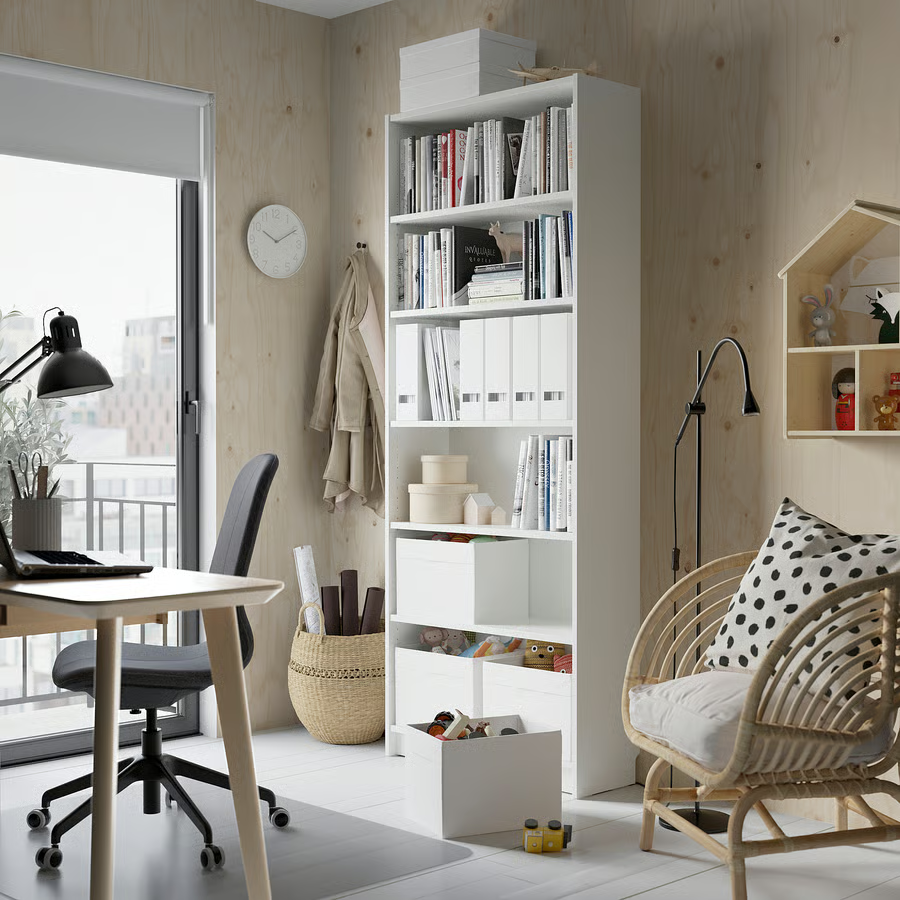
Filling cabinets
When you deal with contracts or printed records, keeping things organized becomes crucial. Filing cabinets help you manage paperwork efficiently—vertical models can save floor space, lateral models handle oversized files, and lockable options keep sensitive documents secure.
Bookshelves
Bookshelves let you store reference materials while showing off a few personal touches. Open shelves keep what you use often within reach, while closed cabinets hide clutter from video calls.
Drawer units
Keeping small items under control prevents constant distractions. Drawer units slide under your desk or sit beside your workstation to store office supplies, cables, and personal items.
Mobile units roll wherever you need them, and low-profile credenzas combine drawers and cabinets while doubling as printer stands or extra surface space.
Storage Type
Best Use
Space Required
Vertical Filing Cabinet
Document organization, limited floor space
1-2 sq ft footprint
Lateral Filing Cabinet
High-volume filing, wider documents
3-4 sq ft footprint
Bookshelf
Books, display items, decorative storage
Wall space, 2-3 ft depth
Under-desk Drawer
Supplies, personal items, small equipment
Fits under standard desk
Credenza
Multi-purpose storage, printer stand
4-6 ft length along wall
What Storage Solutions Work for Small Home Offices?
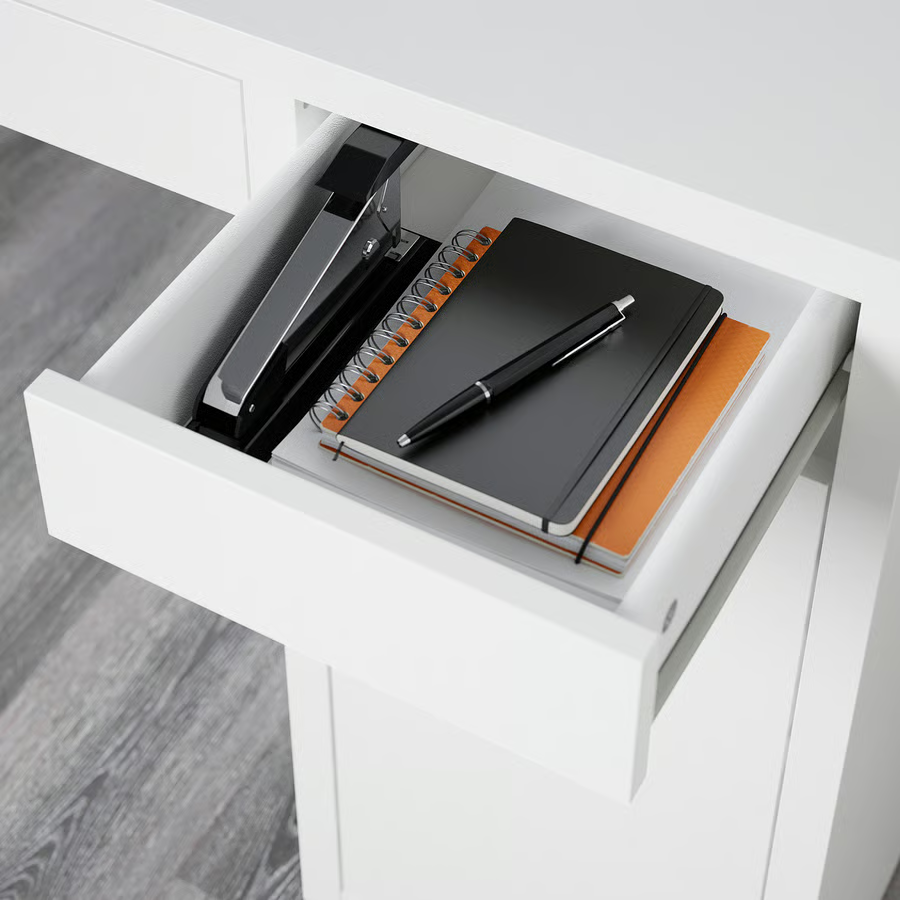
You can maximize vertical space with floor-to-ceiling shelving, wall-mounted cabinets, and pegboards to free up valuable floor area.
Under-desk storage solutions, like drawer units, rolling carts, or hanging organizers also help and keep essentials within easy reach.
When wall space is fully used, consider multifunctional furniture to save space. An ottoman can serve as seating, storage, and a footrest, while a desk with built-in shelving reduces the need for a separate bookcase. A bench along a wall can also provide extra storage and seating.
For digital creators and students, you should consider dedicated equipment storage to protect gear and keep it organized. Camera bags, mic cases, and lens holders ensure everything stays accessible, while cable organizers prevent cords from tangling.
What Accessories Improve Your Home Office?
- Desk organizers: Instead of letting pens, notepads, paper clips, and USB drives scatter across your desk, organize them in trays or drawer systems. This keeps everything within reach and saves time you’d otherwise spend searching.
- Cable management: A tangle of cords can make even a clean desk feel chaotic. Using clips, channels, sleeves, or boxes to guide power cords, charging cables, and peripheral connections keeps them hidden and your workspace calmer.
- Monitor arms: When monitors sit on adjustable arms, you gain both flexibility and desk space. You can tilt, swivel, and rotate screens to suit your posture and workflow while freeing up the surface that standard stands usually take. Gas-spring arms make these adjustments effortless throughout the day.
What Accessories Improve Comfort and Productivity?
Anti-fatigue mats
Standing for extended periods becomes easier with anti-fatigue mats. They cushion your feet and provide subtle movement, helping keep blood flowing and preventing leg discomfort during standing desk sessions.
Lighting
To protect your eyes and maintain focus, lighting matters. Position task lights where you need them most, and use LED desk lamps to adjust color temperature—cool white sharpens concentration, while warm white keeps evening work from interfering with sleep.
Acoustic panels
Another accessory you’ll need is acoustic panels. They reduce background noise in rooms with reflective surfaces such as tile or hardwood, making calls clearer and helping you concentrate. Even simple fabric panels make a noticeable difference in these spaces.
How Do You Personalize Your Home Office?
Beyond comfort and productivity, personalizing your home office balances visual interest with function. Using minimal décor can add personality while keeping your workspace free from distractions.
A piece of art, a sculpture, or a favorite photo creates interest without overwhelming the area.
Incorporating plants not only improves air quality but also brings life to a sterile office environment.
Low-maintenance options like pothos, snake plants, or ZZ plants thrive with minimal care while softening harsh lines and adding organic color to modern spaces.
Assembly Difficulty and Time Requirements
Setting up home office furniture can take longer than most people expect, and the effort required varies depending on the type and complexity of each piece.
Most desks take between 30 and 90 minutes to assemble, depending on their complexity. Simple writing desks with four legs can usually be put together in under 30 minutes.
Standing desks with electronic components take about 60 to 90 minutes longer because of motor installation and calibration.
Chairs are quicker, typically requiring 15 to 30 minutes. You simply attach the base, seat, and backrest using the included tools.
Modular storage systems can take anywhere from 45 to 120 minutes, depending on how many units you are connecting.
Pre-drilled holes and labelled hardware make assembly easier, while unclear instructions can significantly slow the process.
If it’s your first time assembling furniture, budget an extra 30 minutes. For complex or ergonomic pieces that need precise calibration, some retailers offer assembly services for $50 to $150, which can be worth it to ensure everything functions correctly.
How to Choose the Right Home Office Furniture
Start by measuring your room carefully before you shop. Check door clearances, walking paths, and how each piece will fit in practice, rather than relying on visual estimates.
Budget matters, but investing in a solid desk and chair pays off—you won’t have to replace flimsy furniture that breaks down after a year.
Look at how you use your space every day. Working eight or more hours requires furniture designed for extended periods. Video calls? Make sure your desk and chair support a clean, professional background.
If you work with physical documents, pick storage solutions for files and papers; if your work is primarily digital, focus on furniture that keeps devices and cables organized.
Return Policies and Trial Periods
Ergonomic furniture often comes with evaluation periods ranging from 30 to 90 days, allowing you to test products at home before making a final decision.
Online retailers typically offer 30-day returns, with restocking fees that may range from 10 to 20 percent, while brick-and-mortar stores usually provide shorter return windows of 14 to 30 days but often waive restocking charges.
Assembled furniture may be non-returnable or subject to higher fees, so it’s a good idea to document packaging condition and save all hardware during any evaluation period.
Some manufacturers go beyond standard retailer policies by offering satisfaction guarantees. Premium ergonomic chairs frequently include trial periods of up to a year, reflecting the brand’s confidence in product performance.
Always review return terms before purchasing, and confirm who covers return shipping costs, which can exceed $100 for heavy furniture.
These evaluation periods are especially important for verifying ergonomic fit, which is difficult to assess during brief store visits.
Match Furniture to Your Work Style
- Remote professionals get the most out of setups that match a corporate office in comfort and function because they rely on them daily.
- Students need flexible, portable options that fit changing dorm or apartment spaces.
- Content creators should look for desks and surfaces that accommodate cameras, lighting, and other gear, with built-in cable management for a tidy, functional workspace.
What Mistakes Should You Avoid When Buying Home Office Furniture?
Even if you know what you want, it’s easy to make mistakes that end up costing you comfort and money.
Focusing on how a desk or chair looks instead of how it feels can make your workspace look amazing in photos but leave you sore after just an hour of working.
That sleek minimalist chair might match your décor perfectly, but without proper lumbar support, your back will definitely let you know.
Skipping measurements is another common problem. Desks that are too big, chairs that hit the underside of your desk, or storage units that block doorways can turn your “perfect” setup into a daily frustration. Take a few minutes to measure your space before you order anything.
Ignoring storage needs also causes headaches. Without enough organized space, your workspace quickly becomes cluttered, which defeats the purpose of having a dedicated office. Consider what you need to store now, and plan a little extra room for items that come later.
Watch out for these costly mistakes:
- Buying furniture without trying it for ergonomic fit first
- Skipping measurements and clearance checks
- Picking style over function for the essentials
- Trying to save money on a chair that you’ll sit in all day
- Ignoring cable management until cords are everywhere
- Forgetting about lighting until eye strain sets in
Here’s a simple checklist to keep you on track:
- Measure your space and plan furniture placement carefully
- Prioritize your budget on a good desk and chair.
- Match your setup to how you actually work every day.
- Address ergonomic needs based on any current aches or pain points.
- Figure out storage for both physical and digital items.
- Leave room for growth as your work or equipment needs change
RELATED: Home Office Setup Checklist: 11 Essentials for 2026
What Are the Future Trends in Home Office Furniture?
Smarter Workspaces Make Life Easier
Desks now track how long you sit or stand, chairs nudge you to adjust your posture, and lights change automatically with the time of day.
Some AI-enabled desks even learn your habits and tweak settings on their own. These features help you stay comfortable and focused without having to think about them.
Sustainability Matters
More people are choosing eco-friendly materials for their home offices. Reclaimed wood, recycled plastics, and responsibly sourced materials let you build a workspace that’s better for the planet without sacrificing quality. Around 40 percent of buyers now actively look for green products when furnishing their home offices.
Modular and Adaptable Furniture Fits Changing Needs
Flexible designs are on the rise. Furniture that rearranges, scales, or adapts to your workflow means you don’t need to replace your entire setup when your work changes. This approach keeps your space ready for whatever tasks or projects come your way.
Building a Functional and Modern Home Office
Trends only help if your setup actually works for you. Pick desks that support good posture, chairs that stay ergonomic over the years, and storage that keeps things organised.
Add accessories that address specific pain points rather than just decorating. Think of these pieces as the foundation of your workspace, not optional extras.
Measure your room, understand how you work, invest in the key pieces, and you’ll have a home office that helps you get things done rather than fights you at every step.
Frequently Asked Questions (FAQ) – Modern Home Office Furniture
What Is Home Office Furniture
Home office furniture includes everything you need to work comfortably at home—desks, chairs, storage solutions, ergonomic accessories, and tools to stay organised.
Unlike standard household furniture, these pieces prioritise functionality, ergonomics, and productivity.
You’ll find height-adjustable desks, task chairs with lumbar support, filing cabinets, bookshelves, monitor stands, and cable management systems—basically, everything to create a workspace that keeps you focused, comfortable, and healthy.
What Furniture Do You Need for an Office
Start with the basics: a proper desk and an ergonomic chair. Add storage solutions, such as filing cabinets or shelves, to keep your materials organised, and a task light to protect your eyes.
Beyond that, it depends on what you do: monitor stands adjust your screen to the correct height, keyboard trays improve your typing posture, and footrests promote circulation.
Core items cover your essentials, and optional pieces support your specific work and budget:
|
Essential Furniture |
Optional Additions |
|
Ergonomic desk |
Standing desk converter |
|
Adjustable office chair |
Secondary monitor |
|
Storage unit or filing cabinet |
Printer stand or credenza |
|
Task lighting |
Acoustic panels |
|
Cable management |
Plants and décor |
Everyone uses the basics, but each workspace has its extras. Creators need equipment mounts, students benefit from compact, flexible solutions, and professionals rely on backgrounds ready for video calls.
How Long Do Home Office Furniture Last
Desks typically last fifteen to twenty years before requiring replacement—they endure less mechanical stress than chairs. Storage furniture follows similar timelines unless damaged.
Accessories such as monitor stands and keyboard trays last indefinitely, until technology changes render them obsolete.
Factors influencing replacement frequency include material quality, daily usage intensity, and evolving ergonomic needs.
For example, an IKEA Micke desk typically lasts 5-7 years under daily use before particleboard edges swell or joints loosen, while a Herman Miller Motia L-desk often exceeds 15 years with minimal maintenance.
Similarly, budget filing cabinets from big-box stores show drawer rail wear within 3-4 years, while HON or Steelcase commercial units function reliably for 12-15 years even in high-use environments.
Replace when furniture no longer supports proper ergonomics, shows significant damage, or fails to meet changing work requirements.
How Often Should Office Furniture Be Replaced
Replacement timelines align with furniture durability and usage patterns. For general office furniture, assess every 5 to 10 years, depending on the quality tier.
Commercial-grade desks and storage can last more than 15 years with proper care, while budget alternatives show wear within 5 years.
Monitor for functional degradation—surface damage affecting usability, structural instability, or failure to meet current ergonomic standards.
Proactive replacement prevents productivity loss and injury risk that develops when furniture deteriorates beyond adequate support.
How Long Do Home Office Chairs Last
The average lifespan is 7 to 10 years, depending on build quality and daily usage intensity—fabric chairs typically last 8 years under everyday office use. Leather chairs can last up to 10 years with proper maintenance.
Budget chairs from big-box stores may fail within three to five years, while premium ergonomic chairs often exceed their warranty periods.
Watch for ergonomic wear indicators—flattened seat cushions, sagging back support, stuck or loose adjustment mechanisms, and persistent discomfort during work sessions signal declining performance before complete failure.
How Often Should Office Chairs Be Replaced
Keep an eye on wear and tear. For most office furniture, check every five to ten years, while commercial desks and storage can last 15 years or more.
If you sit for 8 hours a day, replace your chair every 5 to 7 years. Light users might stretch that to ten.
Anyone experiencing persistent pain should replace it sooner. Staying on top of replacements keeps you productive and comfortable and prevents long-term strain or injury.
Home office furniture includes everything you need to work comfortably at home—desks, chairs, storage solutions, ergonomic accessories, and tools to stay organised.
Unlike standard household furniture, these pieces prioritise functionality, ergonomics, and productivity.
You’ll find height-adjustable desks, task chairs with lumbar support, filing cabinets, bookshelves, monitor stands, and cable management systems—basically, everything to create a workspace that keeps you focused, comfortable, and healthy.
Start with the basics: a proper desk and an ergonomic chair. Add storage solutions, such as filing cabinets or shelves, to keep your materials organised, and a task light to protect your eyes.
Beyond that, it depends on what you do: monitor stands adjust your screen to the correct height, keyboard trays improve your typing posture, and footrests promote circulation.
Core items cover your essentials, and optional pieces support your specific work and budget:
|
Essential Furniture |
Optional Additions |
|
Ergonomic desk |
Standing desk converter |
|
Adjustable office chair |
Secondary monitor |
|
Storage unit or filing cabinet |
Printer stand or credenza |
|
Task lighting |
Acoustic panels |
|
Cable management |
Plants and décor |
Everyone uses the basics, but each workspace has its extras. Creators need equipment mounts, students benefit from compact, flexible solutions, and professionals rely on backgrounds ready for video calls.
Desks typically last fifteen to twenty years before requiring replacement—they endure less mechanical stress than chairs. Storage furniture follows similar timelines unless damaged.
Accessories such as monitor stands and keyboard trays last indefinitely, until technology changes render them obsolete.
Factors influencing replacement frequency include material quality, daily usage intensity, and evolving ergonomic needs.
For example, an IKEA Micke desk typically lasts 5-7 years under daily use before particleboard edges swell or joints loosen, while a Herman Miller Motia L-desk often exceeds 15 years with minimal maintenance.
Similarly, budget filing cabinets from big-box stores show drawer rail wear within 3-4 years, while HON or Steelcase commercial units function reliably for 12-15 years even in high-use environments.
Replace when furniture no longer supports proper ergonomics, shows significant damage, or fails to meet changing work requirements.
Replacement timelines align with furniture durability and usage patterns. For general office furniture, assess every 5 to 10 years, depending on the quality tier.
Commercial-grade desks and storage can last more than 15 years with proper care, while budget alternatives show wear within 5 years.
Monitor for functional degradation—surface damage affecting usability, structural instability, or failure to meet current ergonomic standards.
Proactive replacement prevents productivity loss and injury risk that develops when furniture deteriorates beyond adequate support.
The average lifespan is 7 to 10 years, depending on build quality and daily usage intensity—fabric chairs typically last 8 years under everyday office use. Leather chairs can last up to 10 years with proper maintenance.
Budget chairs from big-box stores may fail within three to five years, while premium ergonomic chairs often exceed their warranty periods.
Watch for ergonomic wear indicators—flattened seat cushions, sagging back support, stuck or loose adjustment mechanisms, and persistent discomfort during work sessions signal declining performance before complete failure.
Keep an eye on wear and tear. For most office furniture, check every five to ten years, while commercial desks and storage can last 15 years or more.
If you sit for 8 hours a day, replace your chair every 5 to 7 years. Light users might stretch that to ten.
Anyone experiencing persistent pain should replace it sooner. Staying on top of replacements keeps you productive and comfortable and prevents long-term strain or injury.