
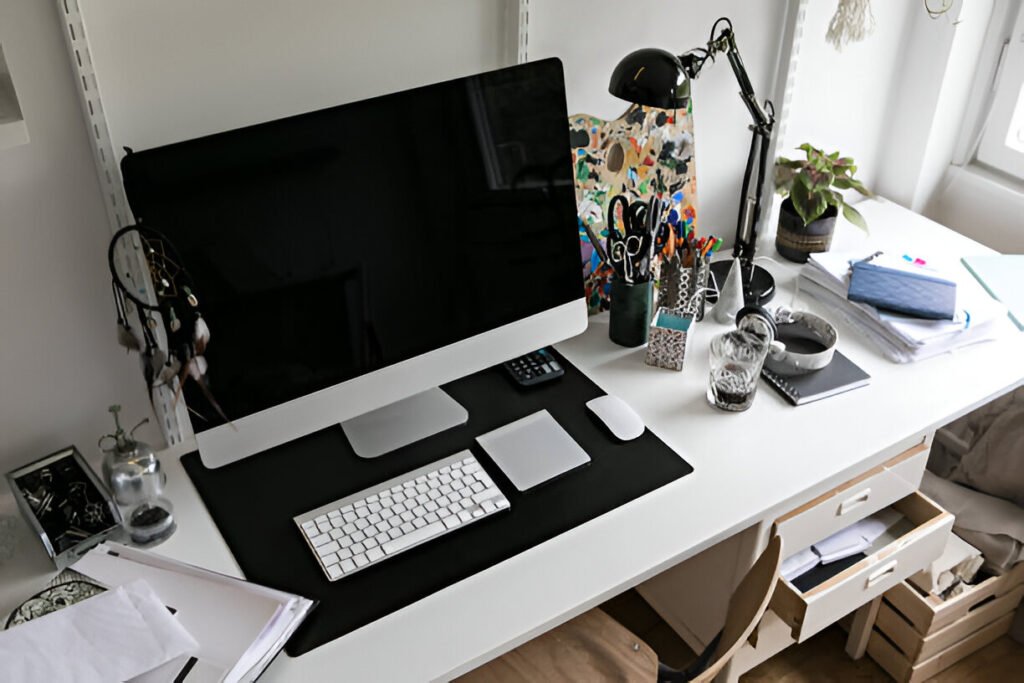
After years of working from home, I’ve found that natural light for a home office changes everything.
You can have a great desk, a sharp monitor, and all the right gear, but if your workspace feels dark and cramped, long workdays can wear you down quickly.
Natural light isn’t just about how a room looks. It helps you stay focused, reduces eye strain, and keeps your energy steady throughout the day.
When your home office works with daylight rather than against it, work feels more sustainable. This guide breaks down practical ways to maximize natural light for home office setups so you can stay productive without burning out.
Key Takeaways:
- Natural light reduces eyestrain by 51% and headaches by 63%
- Perpendicular desk placement eliminates glare while maximizing exposure
- Cellular shades preserve light while controlling brightness
- Mirrors double light distribution when placed opposite windows
- 4000K artificial lighting maintains alertness during low-light hours
Why Does Natural Light for Home Office Workdays Matter?
Natural light does way more than brighten your space. Workers exposed to natural light sleep 46 minutes longer per night than those under artificial lighting all day. That’s massive if you’re trying to stay sharp during extended work sessions.
Your circadian rhythm depends on natural light cues to regulate when you feel alert versus tired. Studies show employees near windows with optimized daylight report an 84% reduction in eyestrain, headaches, and blurred vision.
The comprehensive home office lighting strategies you implement depend heavily on maximizing natural light first before adding artificial sources. I’m not gonna lie, I used to think any window would work, but understanding how daylight affects work performance completely changed my approach to office setup.
Impact of Natural Light on Focus, Energy, and Productivity
Research demonstrates that optimized natural light exposure significantly improves cognitive function and sustained attention during work hours.
The human body produces more serotonin when exposed to natural daylight, which directly enhances mood stability and reduces stress hormones.
This hormonal balance supports better decision-making and creative problem-solving throughout extended work periods.
Workers report feeling more energized and motivated in naturally lit environments.
Effects on Eye Strain, Headaches, and Mental Fatigue
Artificial lighting requires the eyes to work harder throughout the day because it lacks the full spectrum of natural light.
Research found offices with good natural light saw a 51% drop in eyestrain incidents and 63% reduction in headache complaints. Mental fatigue follows similar patterns.
When workspaces lack daylight, brains compensate by working harder to process visual information, draining cognitive resources better used for actual work tasks.
Natural Light vs Artificial Lighting for Remote Work
Even the best LED bulbs miss wavelengths that naturally regulate mood and alertness. Natural light changes throughout the day, shifting from cooler morning tones to warmer evening tones.
Core benefits of daylight-aligned workspaces:
- Regulates sleep-wake cycles for consistent energy
- Reduces artificial lighting dependency during peak daylight
- Improves color accuracy for design work
- Minimizes flickering and harsh contrasts
- Creates a visual outdoor connection for mental breaks
How Does Natural Light Behave Indoors? (Foundational Context)
Before rearranging your entire office, understand how sunlight actually moves through space. It’s not just about having windows. It’s knowing what kind of light you’re getting and when it arrives.
The quality of natural light varies dramatically based on window direction, time of day, and seasonal changes.
Most people don’t realize that identical window sizes can produce completely different lighting results depending on which direction they face.
Understanding these fundamentals helps you make informed decisions about workspace positioning and supplemental lighting needs. Light behaves predictably once you grasp basic principles about direction, intensity, and duration.
Direction of Light Throughout the Day (East, South, West, North)
East-facing windows deliver strong morning light that fades by afternoon.
South-facing windows provide consistent, indirect light all day, which honestly works best for home offices.
West-facing windows receive intense sunlight during the afternoon and evening, creating heat and glare issues.
North-facing windows provide soft, diffused light that changes little throughout the day and typically remains dim.
Light Intensity vs Light Duration (Clear Distinction)
Intensity measures how bright light feels at any moment. Duration counts usable daylight hours.
A west-facing window might deliver incredibly intense light for three hours, while south-facing windows provide moderate intensity for eight hours. For long workdays, duration beats intensity every time.
Common Misconceptions About “Bright” Rooms
People assume big windows automatically mean bright workspaces. That’s wrong.
Rooms with large north-facing windows can feel darker than smaller rooms with south-facing windows. Window size matters less than direction and distribution.
How Do You Choose the Best Room for a Naturally Lit Home Office?
Not every room makes sense as an office, even with windows. You’re looking for spaces that balance natural light with practical workspace requirements.
Consider how the room functions during different times of day and across seasons.
A room that feels perfect in summer might become problematic during winter months when daylight hours shrink dramatically.
The best naturally lit office spaces provide consistent, usable light during your typical work hours regardless of weather conditions.
Think about your actual working schedule before committing to a specific room location within your home.
Ideal Rooms Based on Window Placement and Size
Rooms with south-facing windows work best for all-day productivity because light stays relatively consistent without dramatic intensity shifts.
Multiple windows on different walls distribute light more evenly than single large windows.
Corner rooms with windows on two walls eliminate shadows and create better overall illumination.
Look for rooms where windows aren’t blocked by exterior structures, trees, or neighboring buildings during work hours.
Window height matters too. Higher windows often distribute light more effectively across rooms than low windows.
Bedroom vs Living Room vs Dedicated Office Space
Bedrooms often have smaller windows positioned for privacy rather than light optimization.
Living rooms typically offer larger windows and better distribution, but you’ll deal with distractions if others share the space. Dedicated office spaces usually strike the best balance.
If you’re setting up a home office in shared living spaces, furniture arrangement affects light flow significantly.
For bedroom home office configurations, window treatments become critical for managing both work lighting and sleep environment.
Strategies for Small Rooms or Single-Window Spaces
Small rooms actually work well if the single window faces south or east. Position reflective surfaces opposite windows to bounce light deeper into space. Keep furniture low and minimal.
| Room Type | Light Efficiency | Best Window Direction | Typical Challenges |
| Dedicated Office | High | South | Limited availability |
| Living Room | Medium-High | South/West | Distractions |
| Bedroom | Medium | East | Privacy vs light |
| Converted Closet | Low | Any/None | Artificial required |
What’s the Optimal Desk Placement to Maximize Natural Light Without Glare?
This is where most people mess up completely. They position desks facing windows for views and then spend all day fighting screen glare that makes work impossible.
Desk Facing Window vs Desk Perpendicular to Window
Facing windows creates constant glare on monitors and backlights you terribly for video calls. Having windows behind you produces the same problems in reverse.
The perpendicular setup, where desks sit at 90-degree angles to windows with light coming from left or right sides, eliminates direct glare while giving maximum daylight exposure.
This overall home office layout planning approach follows professional design principles. Honestly, I struggled with screen glare for months before realizing perpendicular placement solved everything instantly.
Side Lighting for Screens During Long Work Sessions
Side lighting provides even illumination across workspaces without creating hot spots on screens.
Light falls across desks from sides, reducing shadows when writing or using keyboards.
For monitor work, side lighting maintains screen visibility throughout the day as sun moves across the sky.
Preventing Screen Glare and Visual Washout
Position monitors so the brightest part of windows isn’t directly in peripheral vision.
Tilt screens slightly forward to reduce reflections. If you’re still getting washout, move desks a few inches forward or back.
Desk Placement Errors That Reduce Light Quality
Putting desks too close to windows exposes you to temperature fluctuations and excessive brightness. Placing them too far away wastes natural light you’re trying to capture.
Desk placement rules for daylight optimization:
- Maintain 90-degree angle between desk and window
- Keep monitor perpendicular to primary light source
- Position yourself within five feet of window
- Avoid direct alignment with window on either axis
- Test placement at different times before committing
Which Window Treatments Enhance Natural Light?
The right window treatments let you control light without blocking it completely. This becomes essential during long workdays when lighting needs change throughout the day.
Curtains and Blinds That Preserve Daylight
Sheer curtains allow 50-70% of natural light through while diffusing harsh direct sunlight effectively. Cellular shades with light-filtering fabrics maintain privacy while preserving illumination throughout rooms.
Roller blinds in light fabrics give adjustable control throughout the day as lighting conditions change. Solar shades reduce glare and UV rays by up to 88% without eliminating views outside.
These treatments work better for home offices than heavy blackout curtains that defeat the entire purpose of natural lighting strategies.
Sheer Curtains vs Roller Blinds vs Bare Windows
Bare windows maximize light but offer zero glare control, making them impractical for screen work during bright conditions.
Sheer curtains soften incoming light evenly across rooms but can’t be adjusted incrementally throughout the day.
Roller blinds provide the most flexibility, allowing you to raise them fully for maximum light or lower them partially to block direct sun while keeping ambient light flowing into the workspace.
Window Treatments That Undermine Work Performance
Heavy blackout curtains block too much usable daylight and make spaces feel closed off and cave-like.
Dark-colored blinds absorb light instead of reflecting it, reducing overall brightness in workspaces. Venetian blinds with wide slats create harsh light stripes.
| Treatment Type | Light Transmission | Privacy Level | Glare Control | Adjustability |
| Sheer Curtains | 50-70% | Low-Medium | Low | Fixed |
| Cellular Shades | 40-60% | Medium-High | Medium | Good |
| Roller Blinds | 30-80% | Medium | High | Excellent |
| Solar Shades | 30-50% | Medium | High | Good |
How Can You Use Color, Materials, and Surfaces to Amplify Daylight?
Once natural light enters space, how you use colors and materials determines how far that light travels and how bright offices actually feel throughout work hours.
Wall Colors That Reflect and Distribute Natural Light
White walls reflect about 80% of incoming light, while pale gray reflects around 70%. Soft pastels in cool tones like light blue or pale green reflect 65-75% depending on saturation.
These light colors bounce sunlight deeper into rooms, extending window reach. Matte finishes diffuse light more evenly than glossy paints, which create hot spots and glare.
Furniture, Flooring, and Desk Finishes That Brighten Spaces
Light wood desks and furniture reflect 40-50% of light compared to dark wood which absorbs most of it.
Light-colored flooring extends rooms’ perceived brightness by reflecting light upward toward ceilings and walls.
Glass or acrylic furniture pieces allow light to pass through instead of blocking pathways.
Desk surfaces in light maple, birch, or white laminate maintain workspace brightness throughout days.
For minimalist home office design, keeping furniture finishes light serves both aesthetic and functional lighting purposes simultaneously.
Strategic Use of Dark Elements to Control Excess Light
Dark accent walls perpendicular to windows absorb light that would otherwise cause glare on side walls. Dark-colored monitor stands reduce reflected light.
High-reflection materials and finishes:
- Polished concrete or light tile: 70-80% reflection
- White painted walls (matte): 75-85% reflection
- Light wood surfaces: 40-50% reflection
- Glass and acrylic furniture: 90-95% transmission
How Do Mirrors and Reflective Elements Redistribute Light?
Mirrors can effectively double natural light amounts in workspaces when positioned correctly. I’ve used this approach in every dark office I’ve ever set up with excellent results.
Correct Mirror Placement to Bounce Daylight Deeper Indoors
Place large mirrors directly opposite windows to capture and redirect incoming sunlight effectively.
Mirrors should align with windows’ center lines to maximize light capture throughout days.
Position mirrors on walls perpendicular to windows to channel light into corners and deeper areas of rooms.
Effective Mirror Sizes, Shapes, and Angles
Large mirrors work better than small ones for light distribution purposes. Mirrors that’re at least two-thirds window height capture sufficient light to make noticeable differences.
Full-length mirrors or large wall mirrors provide the best overall results. Slightly tilting mirrors upward bounces light toward ceilings.
Overuse Errors That Create Distraction or Glare
Multiple mirrors on adjacent walls create disorienting reflections and multiply glare sources unnecessarily.
Mirrors positioned where they reflect monitors create annoying double images. Placing mirrors directly in line of sight causes constant distraction.
How Do You Support Natural Light With Artificial Lighting? (Hybrid Office Setup)
Natural light alone can’t carry you through long workdays, especially during early mornings, late afternoons, and overcast conditions. You need a hybrid approach that combines both.
Why Daylight Needs Artificial Support for Long Workdays
Natural light intensity drops significantly in early morning and evening hours when many people work.
Cloud cover can reduce available daylight by 50-80% on gray days. Winter months provide fewer daylight hours overall across all regions.
Best Artificial Lighting Types to Pair With Natural Light
Full-spectrum LED bulbs in the 4000K-5000K range most closely match natural daylight characteristics.
These bulbs provide adequate blue light wavelengths to maintain alertness without the harshness of 6500K options that feel clinical.
Task lamps with adjustable brightness let you supplement natural light as needed throughout days. Overhead lighting at 4000K provides general ambient light.
Color Temperature and Brightness Guidelines for Workspaces
Morning work sessions (6-9 AM) benefit from 4500-5000K artificial lighting to compensate for lower natural light levels during early hours.
Midday work (9 AM-4 PM) requires minimal artificial lighting if natural light is adequate. Evening work transitions to 3500-4000K to support circadian rhythm wind-down.
Lighting Layout by Time of Day
Early morning setups use overhead lights at 50-70% brightness plus task lighting for supplemental illumination. Midday configurations reduce or eliminate overhead lights entirely.
| Time Period | Natural Light Availability | Artificial Lighting | Color Temperature | Purpose |
| 6-9 AM | Low | Overhead 70% + Task | 4500-5000K | Supplement |
| 9 AM-4 PM | High | Task only (standby) | 4000-4500K | Backup |
| 4-8 PM | Declining | Overhead 100% + Task | 3500-4000K | Primary |
How Do You Manage Heat, Eye Comfort, and Screen Visibility?
Natural light brings challenges beyond just brightness levels. You need strategies to handle less obvious problems that emerge during long work sessions with extended screen time.
Controlling Heat From Direct Sun Exposure
Direct sunlight through west-facing windows can raise room temperature by 5-10 degrees during afternoon hours in summer months. Solar shades block up to 88% of heat gain while preserving views and light transmission.
Window films reflect infrared radiation that causes heat buildup without significantly reducing visible light entering rooms.
Position heat-generating equipment like monitors and computers away from direct sun paths to prevent overheating and equipment damage.
Reducing Eye Fatigue in Bright Home Offices
High-contrast environments where bright windows adjoin dark walls force eyes to constantly adjust, causing significant fatigue. Balance brightness by using light-colored walls that reduce contrast ratios between different areas.
Take regular breaks to look at distant objects outside windows, which relaxes eye muscles strained from close-up screen work. Proper ergonomic workspace setup positions monitors at appropriate heights.
Monitor Settings That Work With Natural Light
Increase monitor brightness to 250-300 nits in naturally lit spaces to maintain screen visibility without washout. Enable automatic brightness adjustment if monitors support it. Reduce blue light settings during late afternoon.
What Are Natural Light Solutions for Low-Light or Window-Limited Homes?
Not everyone has ideal window situations in their homes. Fortunately, several solutions can improve natural light access even in challenging spaces.
Light Tubes, Glass Panels, and Translucent Dividers
Tubular skylights or sun tunnels channel sunlight from roofs through reflective tubes, delivering natural light to windowless spaces effectively.
These systems provide illumination equivalent to three 100-watt bulbs on sunny days. Glass interior doors or panels borrow light from adjacent windowed rooms.
Translucent room dividers maintain privacy while allowing light transfer between spaces. Installation costs for tubular skylights typically run $500-$1000 depending on complexity.
Borrowing Light From Adjacent Rooms Through Layout Changes
Open doorways between offices and naturally lit adjacent rooms extend light reach into darker areas.
Removing upper cabinet sections or replacing solid doors with glass-panel doors increases light flow through connected spaces.
Strategic furniture placement that doesn’t block doorways or hall windows preserves light pathways.
Strategic Use of Daylight-Simulating Bulbs
Full-spectrum LED bulbs rated at 5000-6500K simulate natural daylight characteristics for windowless spaces. These bulbs work best when positioned to create even illumination without harsh shadows.
FAQ — Home Office Lighting Explained
How to Simulate Natural Light in an Office
Use full-spectrum LED bulbs rated between 5000K and 6500K, which replicate midday sunlight’s color temperature effectively.
Position multiple light sources at different heights to eliminate harsh shadows that characterize poor artificial lighting. Incorporate dimmers to adjust intensity throughout days, mimicking how natural light changes.
Paint walls in light colors to enhance diffusion and create the ambient quality of naturally lit spaces for better work environments.
What Is the 5–7 Light Rule?
The 5–7 light rule suggests using five to seven different light sources spread across rooms to create balanced illumination without harsh contrasts. This includes overhead lighting, task lamps, accent lights, and natural light sources.
Each light source should serve specific purposes: ambient lighting for overall brightness, task lighting for detailed work, and accent lighting for depth perception.
What Is the Best Way to Light a Home Office?
Layer three types of lighting: natural light as foundation through optimized window placement and treatments, task lighting for focused work areas, and ambient lighting to fill gaps during low-light conditions.
Position primary workspaces to capture maximum natural light while using adjustable artificial lighting to supplement during early mornings and evenings.
For comprehensive home office lighting strategies, consider both natural and artificial elements working together.
What Are the 4 C’s of Lighting?
Color refers to temperature of light measured in Kelvin, ranging from warm (2700K) to cool (6500K).
Consistency means maintaining similar lighting quality across workspaces to prevent eye adjustment fatigue.
Control involves ability to adjust brightness and direction to match tasks and times of day. Contrast describes balance between light and dark areas.
Natural Light Optimization Checklist for Remote Workers and Students
Before moving furniture or buying new window treatments, run through this checklist to ensure you’re covering essential elements for optimal natural lighting.
Desk and seating setup:
- Desk positioned perpendicular to window (90-degree angle)
- Monitor placed to avoid direct window reflections
- Seating area three to five feet from window
- Work surface receives even side lighting
Window access and treatments:
- Windows unobstructed by furniture or storage
- Light-filtering treatments installed for glare control
- Window treatments adjustable throughout day
- Views maintained where possible for mental breaks
Surface and material choices:
- Walls painted in light, matte colors
- Furniture in light wood or neutral tones
- Flooring reflects rather than absorbs light
- Mirrors positioned opposite windows for light multiplication
Lighting system balance:
- Natural light serves as primary source during daylight hours
- Artificial lighting supplements rather than replaces daylight
- Task lamps available for detailed work
- Color temperature appropriate for time of day
What Common Mistakes Undermine Natural Light in Home Offices?
Even with good intentions, it’s easy to make choices that accidentally sabotage natural lighting setups. Let me point out the most common mistakes.
Blocking Windows With Furniture or Storage
Tall bookshelves directly in front of windows block 70-90% of incoming light before it enters workspaces.
File cabinets positioned between you and windows create shadows that defeat the purpose of having windows. Plants on windowsills reduce light transmission and create uneven lighting patterns throughout rooms.
Prioritizing Décor Over Light Performance
Heavy decorative curtains chosen for aesthetic appeal often block more light than necessary for actual privacy needs. Dark paint colors selected for visual drama absorb light instead of reflecting it around rooms.
Oversized artwork or decorative elements on walls opposite windows prevent light bounce. For those dealing with common home office setup errors, window blocking ranks among most impactful.
Ignoring Daily and Seasonal Light Shifts
Morning light quality differs significantly from afternoon light, but many setups ignore this variation completely. Summer provides longer daylight hours than winter, requiring seasonal adjustments to artificial lighting schedules. Deciduous trees outside windows change light patterns dramatically between seasons.
Final Summary — Designing a Bright, Sustainable Home Office for Long Workdays
Natural light forms the foundation of any productive home office designed for long work sessions. Position desks perpendicular to windows to maximize light exposure while eliminating glare. Use window treatments that preserve 50-80% of incoming daylight while controlling direct sun.
Paint walls in light colors and choose furniture finishes that reflect rather than absorb light entering spaces. Support natural light with layered artificial lighting that adjusts to changing daylight conditions throughout days.
Maintain 4000-5000K color temperature during work hours to sustain alertness and energy levels. Check your productivity-focused workspace design against these natural lighting principles.
Non-negotiable lighting fundamentals:
- Natural light as primary illumination during daylight
- Desk placement capturing maximum daylight without glare
- Window treatments balancing light admission with glare control
- Artificial lighting complementing natural light
- Regular adjustments throughout day and across seasons