
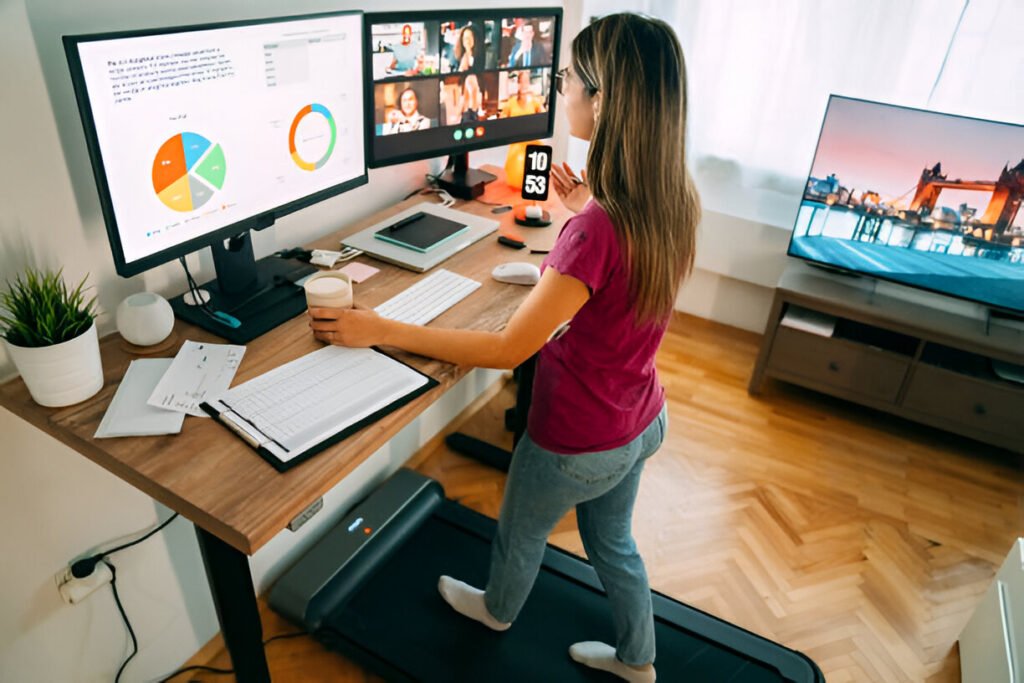
Prolonged sitting wrecks your posture, drains your energy, and leaves you genuinely uncomfortable. Office standing desks address these issues by allowing you to alternate between sitting and standing, an approach that research shows reduces back pain and improves focus.
In this guide, I’ll walk you through everything you need to know about office standing desks: which types work best, which features matter, and how to avoid common mistakes.
Key Takeaways:
- Standing desks reduce neck and shoulder pain while improving energy and focus.
- Electric models offer the best convenience with memory presets and smooth adjustment.
- Proper desk height keeps elbows at 90 degrees and the monitor at eye level
- Alternate between sitting and standing every 30-60 minutes for maximum benefits
- Anti-fatigue mats reduce standing fatigue by 50%
Quick Summary: Top Office Standing Desk Picks at a Glance
| Model | Type | Height Range | Weight Capacity | Best For |
| Uplift V3 | Electric Dual Motor | 25.3″-50.9″ | 355 lbs | Overall best |
| FlexiSpot E7 Plus | Electric Dual Motor | 23.6″-49.2″ | 275 lbs | Tall users |
| Fezibo Electric | Electric Dual Motor | 28″-47.6″ | 176 lbs | Budget buyers |
| Branch Adjustable | Electric Dual Motor | 25″-50.5″ | 300 lbs | Premium quality |
| Vari Electric | Electric Dual Motor | 25″-50.2″ | 200 lbs | Quiet operation |
Quick picks:
- Cheap but functional? Fezibo delivers electric adjustment under $350
- Multiple monitors? The branch offers the most stability
- Over 6’2″ tall? FlexiSpot E7 Plus extends the highest
- Maximum customization? Uplift V3 has the most options
How Office Standing Desks Improve Ergonomics and Productivity
Ergonomic Benefits Backed by Research
Research tracking office workers found that standing desks reduced daily sitting time by an hour. This resulted in significantly less neck and shoulder pain, higher health ratings, and greater vitality. Another study showed 66% of workers felt more productive and 87% more energized after standing just one hour.
The mechanism is straightforward: your lower back takes a beating from sitting. When you sit for hours, your spine compresses unnaturally, and your hip flexors tighten. Standing counteracts these effects by activating postural muscles, promoting better spinal alignment, and increasing circulation to areas that get stagnant when seated.
Evidence consistently shows that alternating positions reduces discomfort in your upper back, shoulders, and neck. Standing also burns about 20% more calories than sitting, which adds up over a full workday.
Productivity and Energy Gains
Beyond physical benefits, standing also affects mental state. When you stand, you feel more alert and become less likely to hit that mid-afternoon crash where you want to check out.
Studies show that participants who stood at work reported feeling more interested, enthusiastic, and alert than those who sat. This productivity gain comes from maintaining steady energy rather than riding caffeine crashes and sluggish afternoons.
Standing also encourages natural movement. You shift weight, take steps, and stretch. These micro-movements keep your brain engaged and your body from getting stiff. For focus-intensive work such as writing or coding, this makes a real difference in sustained concentration.
RELATED: Ergonomics Home Office Setup, Ideas, and Tips
Types of Office Standing Desks Explained
Electric Office Standing Desks
Electric desks use motors to raise and lower the desktop at a button push. Quality models have dual motors (one per leg) providing smoother operation and better weight distribution than single-motor systems.
The primary advantage is convenience: you press a button and the desk moves in 10-15 seconds. Premium electric desks include memory presets that let you program exact sitting and standing heights so that you can return to your preferred position with a single button.
Dual-motor systems eliminate the exposed driveshaft used by cheap single-motor desks. Exposed shafts can snag clothing or fingers. Dual motors drive each leg independently, avoiding that hazard.
The tradeoff comes in cost. Electric desks start at around $300 for budget models and can exceed $1,000 for premium options with solid wood tops.
Manual / Crank Office Standing Desks
Manual desks use a hand crank for height adjustment. You turn the crank, gears engage, and the desktop moves.
These cost less ($200 to $400), making them accessible on tight budgets. They’re also reliable because there are no motors, so there are no electronic failures.
However, cranking your desk multiple times a day gets old quickly. Most people set manual desks at a single height and rarely adjust them, defeating the purpose. If you’re serious about alternating positions, electric adjustment is worth it.
Office Standing Desk Converters
Converters sit on your existing desk, letting you add standing capability without replacing furniture. These platforms use lift mechanisms to raise your keyboard and monitor to standing height, with the bonus of portability between workstations.
The limitation is the workspace. Converters have smaller surfaces than full desks, so multiple monitors or peripherals feel cramped. Some also bounce when you type, especially at full height, where this wobble becomes particularly annoying for heavy typists.
Fixed-Height Standing Desks
Fixed-height desks are tall desks explicitly designed for standing work.
These work if you genuinely want to stand all day without sitting. Because they lack adjustment mechanisms, they offer greater stability and lower cost than adjustable models.
For most remote workers, though, they’re too limiting. You lose the ability to switch positions, and with it, the primary benefit of movement variation. Standing all day without breaks can cause foot pain and leg fatigue, just as sitting all day can cause back pain.
RELATED: Best Home Office Chair for a Home Office
Key Features to Look for in the Best Office Standing Desk
Height Range and Adjustability
Your desk needs to accommodate both sitting and standing positions. To do this comfortably, quality desks range from 23″ to 25″ at lowest and 48″ to 51″ at highest.
If you’re under 5’4″ or over 6’2″, pay attention to specs. Standard desks with 25″ minimums may be too tall if you’re short, while tall users need at least 48″ standing height to maintain proper elbow position.
Without memory presets, you must manually set the correct height each time. With presets, you program ideal heights once, then press a button to switch between them. This convenience significantly increases actual usage, making presets matter more than people realize.
Stability and Weight Capacity
Stability matters critically because desk wobble remains the most common complaint. When extended to standing height, any instability amplifies. If you type heavily or lean on your desk, wobble becomes incredibly distracting.
Weight capacity is the maximum load the desk can support. Budget desks handle 150-180 lb, while premium models support 300+ lb. Consider that a dual-monitor setup with a docked laptop, speakers, and a lamp can easily exceed 80 to 100 lbs.
Desktop Size and Surface Material
Desktop dimensions determine workspace. Standard sizes range from 48″ x 24″ to 72″ x 30″. A 48″ x 24″ desk fits a laptop and maybe one monitor. Dual monitors need at least 60″ width.
Surface materials range from laminate to solid wood. Laminate costs less and resists scratches, but feels cheaper. Solid wood options such as bamboo, walnut, or oak look better but cost more. Bamboo hits a sweet spot: it’s durable, eco-friendly, and less expensive than hardwoods.
Motor Quality and Noise Level
Motor noise matters during video calls. Quality dual motors operate almost silently at 45-50 decibels, about as loud as light rainfall. Cheap motors hit 65 to 70 decibels, a conversational volume that’s definitely noticeable.
Collision detection is becoming standard. These systems sense resistance during adjustment and automatically stop. Consumer Reports found systems vary significantly, with some applying 40 to 80 lbs of force before retracting. That’s enough to hurt if you get caught underneath.
Ergonomic Accessories Compatibility
Your desk should accommodate monitor arms, keyboard trays, and cable management. Monitor arms clamp to desktop edges or use grommet holes. Check whether your desk includes pre-drilled grommets, as they also serve as monitor arm mounting points.
Cable management features vary. Better desks include wire trays, cable channels in legs, or grommets for routing cables. Without these, cables hang down and catch during height adjustment.
Best Office Standing Desks by Use Case
Best Office Standing Desk for Remote Workers
Remote workers need reliability and comfort for 6- to 8-hour workdays. The Uplift V3 and Branch Adjustable excel here. They offer stability at full height, dual motors with memory presets, and surface area for multiple monitors.
Uplift V3 has simplified assembly. Branch offers premium build quality. Both handle 300+ lb weight capacities for loaded setups.
Best Office Standing Desk for Students
Students work with tighter budgets and smaller spaces. Compact 48″ x 24″ desks fit dorm rooms while providing space for a laptop and textbook.
The Fezibo Electric hits the budget sweet spot under $350 with electric dual-motor adjustment and reasonable build.
The 28″ to 47.6″ height range accommodates most users. Accept slightly less stability at full height than premium models.
Best Office Standing Desk for Content Creators
Content creators juggle multiple monitors, audio interfaces, and camera equipment. This demands large surfaces with excellent stability and high weight capacity.
Branch Adjustable and FlexiSpot E7 Plus work well here. Branch offers rock-solid stability for expensive monitors and camera gear.
FlexiSpot E7 Plus provides a 275 lb capacity and extends to 49.2″ high, accommodating tall users and raised monitor arms.
Best Office Budget Standing Desks
Under $400, the Fezibo Electric remains the best electric option at around $300. You get dual motor adjustment, basic presets, and collision detection. Accept compromises in desktop materials (laminate, not wood), lower weight capacity (150 to 180 lbs), and less refined motors.
Best Office Premium Standing Desks
Premium desks command $800 to $1,500 but deliver superior build, solid wood tops, whisper-quiet motors, and extensive customization. The Vari Electric earned top marks for sturdiness and quiet operation.
It reaches 50.2″ maximum height, ideal for tall users. The Hinomi S1 delivers virtually imperceptible motor noise during adjustment, making it suitable for video calls.
Office Standing Desk Dimensions and Ergonomic Setup Guide
Ideal Standing Desk Height by User Height
| User Height | Sitting Height | Standing Height |
| 5’0″ | 22″ to 23″ | 35″ to 37″ |
| 5’4″ | 23″ to 25″ | 38″ to 41″ |
| 5’8″ | 25″ to 27″ | 41″ to 43″ |
| 6’0″ | 27″ to 29″ | 43″ to 46″ |
| 6’4″ | 29″ to 31″ | 46″ to 49″ |
These are starting points. Your ideal height depends on shoe height, arm length, and comfort preferences. To find perfect standing height: Stand with arms relaxed at sides. Bend elbows to 90 degrees. Floor-to-forearm height is your baseline. Add 1 to 2 inches for wrist comfort while typing.
Proper Monitor, Keyboard, and Desk Alignment
Your monitor’s top third should sit at eye level when looking straight ahead. This keeps your neck neutral and prevents forward head posture causing neck pain.
Keyboard position matters equally. Keep wrists straight and level with forearms while typing. If wrists bend upward or downward, adjust desk height. Keep your mouse at keyboard height and close to your body.
Sitting vs Standing Time Ratio
Don’t stand all day. Research recommends starting with two hours of standing spread over an eight-hour workday, then building to four hours as you adapt.
The 20-8-2 rule works well: sit for 20 minutes, stand for 8 minutes, and move for 2 minutes. This 30-minute cycle keeps you changing positions without overdoing either.
Common Office Standing Desk Mistakes to Avoid
Standing all day without breaks. This is the biggest mistake. Prolonged standing can cause leg fatigue, foot pain, and lower back discomfort. Alternate every 30 to 60 minutes. Start with 15-minute standing intervals and build up.
Ignoring anti-fatigue mats. Hard floors kill your feet when standing. Mats provide cushioning and encourage weight shifts, improving circulation. Research shows mats reduce standing fatigue by 50%.
Poor monitor positioning. If monitors sit too low, you crane your neck down. Too high and you tilt back, causing strain. The top third of the screen should align with the eyes when looking straight ahead.
Buying based on price alone. Cheapest desks often have stability issues, lower weight capacities, and motors that fail sooner. Spending an extra $200 to $300 for better quality saves replacing a wobbly budget desk in 18 months.
Office Standing Desk Accessories That Improve Ergonomics
Anti-Fatigue Mats
Anti-fatigue mats reduce strain on feet, knees, and lower back. The cushioned surface encourages micro-movements that keep leg muscles engaged and blood flowing. Look for polyurethane foam mats 15 to 20mm thick with rubberized outer layers.
Monitor Arms and Laptop Risers
Monitor arms free desk space and provide independent height adjustment. This allows you to position screens at the correct eye level, whether you are sitting or standing. Quality arms support 15-30 lb loads and use gas spring mechanisms for smooth adjustment. Laptop risers do the same for laptops but require a separate keyboard and mouse.
Footrests and Balance Boards
Footrests let you prop one foot up while standing, reducing lower back strain. Balance boards introduce instability forcing core and leg muscles to engage for balance, adding low-level activity to standing time.
FAQs About Office Standing Desks and Ergonomic Home Offices
Are standing desks good for long hours?
Yes, alternating between sitting and standing every 30 to 60 minutes rather than staying in either position for hours.
Research shows that workers who alternate between sitting and standing experience less discomfort and greater energy than those who sit or stand continuously.
How long should you stand while working?
Start with 15- to 20-minute intervals and gradually increase. Most research recommends starting with up to 2 hours of standing during an 8-hour workday, then building to 4 hours. The 20-8-2 rule works well: sit for 20 minutes, stand for 8, and move for 2.
Do standing desks help with back pain?
Yes, when used correctly. Studies show workers using standing desks reported reduced neck and shoulder pain.
The benefit comes from taking pressure off your spine and hip flexors. However, standing with poor posture can lead to various back problems.
Are electric standing desks worth it?
Electric desks cost more but deliver significantly better convenience. Button-press adjustment takes 10 to 15 seconds, versus 30 to 60 seconds to crank manually.
Memory presets save exact heights for one-touch changes. People with manual desks adjust less often because it’s a hassle.
What is the ideal standing desk height?
Ideal height places elbows at approximately 90 degrees with shoulders relaxed and wrists straight. For someone 5’4″ tall, that’s typically 38 to 41 inches.
Someone 6 feet tall needs 43 to 46 inches. Measure your elbow height while standing in work shoes, then add 1 to 2 inches.
Final Verdict: Choosing the Right Standing Desk for Your Home Office
Office standing desks improve ergonomics by reducing back pain, boosting energy, and helping you maintain better posture. But not every desk works for every situation.
Remote workers should invest in stability and quality. The Uplift V3 or Branch Adjustable deliver rock-solid performance with dual motors and memory presets.
Students and budget buyers should look at Fezibo Electric. You get essential electric adjustment without premium pricing.
Content creators need large surfaces with high capacity. FlexiSpot E7 Plus handles heavy equipment and accommodates tall users.
Remember the desk is just one piece. You’ll also need an anti-fatigue mat, proper monitor positioning, and good habits around alternating positions. Start with 15 to 20 minute standing intervals and build gradually.
The long-term value comes from consistent use, not standing all day. Your goal is to vary movement, not replace one static posture with another.
Want more home office tips? Join our newsletter for weekly productivity insights.